33
Music Player
Use this application to listen to music.
On the
Apps
screen, select
Music Player
.
Note:
Some file formats are not supported depending on the
device’s software version.
Note:
Some files may not play properly depending on the
encoding used.
Playing Music
Select a category, and then select a song to play.
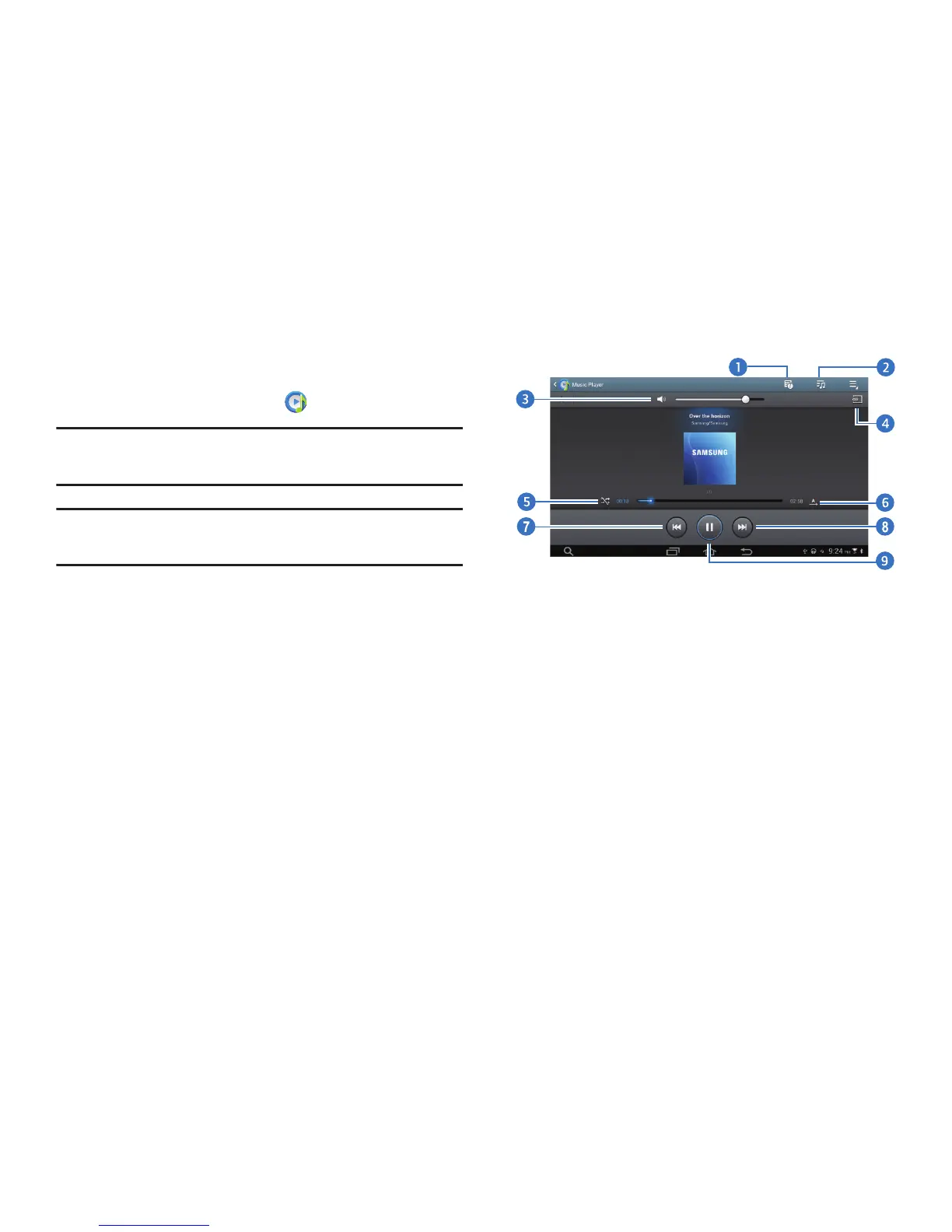
Select the album image to open the music player screen.
1. View file details.
2. Open the playlist.
3. Mute the sound.
4. Play music on DLNA-enabled devices.
5. Turn on shuffle.
6. Change the repeat mode.
7. Restart the currently-playing song or skip to the
previous song. Select and hold to move backwards
quickly.
8. Skip to the next song. Select and hold to move
forwards quickly.
9. Pause and resume playback.



 To Next Page