EasyManua.ls Logo

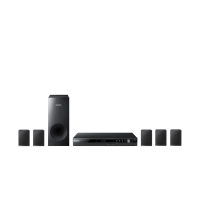
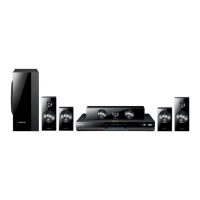
Samsung HT-D330 - User Manual

Samsung HT-D330
31 pages
Print Icon
To Next Page IconTo Next Page
Loading...
Digital Home
Entertainment System
user manual
Imagine the possibilities
Thank you for purchasing this Samsung product.
To receive more complete service,
please register your product at
www.samsung.com/register
HT-D330
HT-D330-XU_ENG-0215.indd 1 2011-02-16 �� 12:33:23

Questions and Answers

  • K
    Kyle MoralesAug 10, 2025
    How to reset Samsung HT-D330?
    • C
      Christina DavisAug 10, 2025
      If your Samsung Home Theater System is not working, you can try resetting it. Press and hold the STOP button on the remote control for more than 5 seconds when there is no disc in the system. Keep in mind that this will erase all stored settings, so only use it when necessary.
  • D
    Debra WhitneyAug 20, 2025
    Why can't my Samsung Home Theater System receive radio broadcast?
    • R
      robertroblesAug 20, 2025
      If you are unable to receive radio broadcasts on your Samsung Home Theater System, it might be due to a weak antenna signal. To resolve this, consider installing an external FM antenna in an area where the reception is better.
  • A
    ashleypalmerAug 29, 2025
    What to do if I forgot the rating level password on my Samsung HT-D330?
    • D
      Dr. Melissa AveryAug 29, 2025
      If you've forgotten the rating level password for your Samsung Home Theater System, you can reset it. When 'NO DISC' is displayed, press and hold the STOP button on the remote for over 5 seconds. 'INIT' will appear, resetting all settings to default. Then, press the POWER button. Note that this will erase all stored settings, so only use this method if necessary.

Summary

Safety Information

Safety Warnings and Precautions

General safety advice, warnings, and cautions for product usage.

Safety Information

Getting Started

Disc Compatibility and Formats

Covers incompatible discs, supported formats (CD-R, DVD±R/RW), and DivX.

USB Connection and File Formats

Notes on USB connectivity and a list of supported file formats.

Remote Control and Battery Installation

Guide to the remote control functions and battery installation.

Description

Front and Rear Panel Overview

Identification of controls and ports on the front and rear panels.

Connections

Connections

Connections

Setup

Initial Settings and Setup Menu Navigation

Performing initial setup and navigating the product's menu system.

Setup

Basic Functions

Basic Functions

Basic Functions

Advanced Functions

USB Functionality: File Playback and Recording

Playing media from USB and recording audio from CDs to USB.

Other Information

Troubleshooting Common Issues

Solutions for common product problems like no sound or playback errors.

Specifications

Product Specifications Overview

Detailed specifications for general, tuner, disc, video, amplifier, and speaker components.

Samsung HT-D330 Specifications

General IconGeneral
TypeHome Theater System
Number of Channels5.1
Total Power Output (RMS)330W
DVD PlayerYes
HDMI OutputYes
USB PortYes
BluetoothNo
Component Video OutputYes
Composite Video OutputYes
FM RadioYes
Dolby DigitalYes
DTSYes
KaraokeYes
Supported Disc TypesDVD, CD
Audio Formats SupportedDolby Digital
Video Formats SupportedDivX
Audio InputYes

Related product manuals