EasyManua.ls Logo

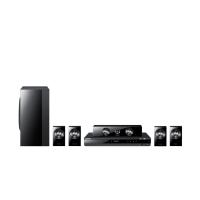
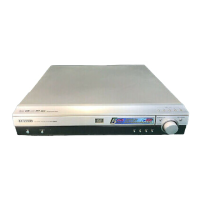
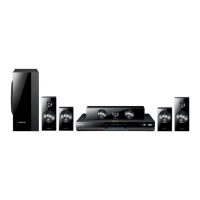
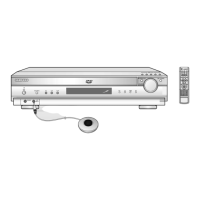
Samsung HT-DM550 - User Manual

Samsung HT-DM550
48 pages
Print Icon
To Next Page IconTo Next Page
Loading...
DIGITAL HOME
THEATER SYSTEM
HT-DM550
Instruction Manual
V I D E O
COMPACT
DIGITAL AUDIO
COMPACT
DIGITAL VIDEO

Questions and Answers

  • C
    cynthiamorrisonSep 23, 2025
    Why can't I change the screen ratio on my Samsung HT-DM550?
    • D
      Debbie BlankenshipSep 23, 2025
      You can play 16:9 wide DVDs in 16:9 WIDE mode, 4:3 LETTER BOX mode, or 4:3 PAN-SCAN mode. However, 4:3 encoded DVDs will only display in a 4:3 ratio. Check the DVD disc jacket and select the appropriate function.
  • A
    amy04Aug 25, 2025
    What to do if the remote control of my Samsung Home Theater System does not operate?
    • A
      amber53Aug 25, 2025
      If the remote control unit does not operate, check if the batteries are dead and replace them with new ones if needed.
  • M
    Meredith LewisAug 25, 2025
    How to fix irregular sound quality on Samsung HT-DM550?
    • T
      Tony BrownAug 26, 2025
      If the sound quality is irregular, check if the speaker cables are loose.
  • J
    John MarshallAug 27, 2025
    Why is my Samsung HT-DM550 remote control not working?
    • K
      Kathy LewisAug 27, 2025
      The remote control may not operate for several reasons. Ensure you are within the appropriate distance and angle for operation. Check for any obstacles between the remote and the sensor on the unit. Also, verify if the batteries are dead and replace them if necessary.
  • T
    Timothy MooreAug 27, 2025
    Why is the sound quality irregular on my Samsung Home Theater System?
    • J
      Julian GarrisonAug 27, 2025
      Check the speaker cables to ensure they are not loose. Also, inspect the speaker connectors for any dirt or debris.
  • M
    Michele WeaverSep 14, 2025
    How to fix a Samsung HT-DM550 Home Theater System that cannot tune into the desired radio station?
    • K
      Kevin JohnsonSep 14, 2025
      First, make sure the antenna is correctly installed. If the antenna signal is weak, consider installing an external FM antenna in an area with good reception.
  • A
    alexanderrichardsonSep 12, 2025
    Why does the menu screen not appear on my Samsung HT-DM550 Home Theater System?
    • M
      martincharlesSep 12, 2025
      If the Menu button is pressed but the Menu screen does not appear, check if the disc has a Menu.
  • J
    Jillian McconnellSep 13, 2025
    What to do if the desired radio station cannot be tuned in on my Samsung Home Theater System?
    • J
      Jared SmithSep 13, 2025
      If the desired radio station cannot be tuned in, check if the antenna is installed properly.
  • R
    Raymond PerezSep 5, 2025
    Why is Dolby Digital 5.1 surround sound not working on my Samsung Home Theater System?
    • C
      Charles KeySep 5, 2025
      If Dolby Digital 5.1 Channel Surround Sound is not being reproduced, check if the disc being played shows the “Dolby Digital 5.1CH” mark.
  • J
    James GambleSep 2, 2025
    What to do if my Samsung HT-DM550 Home Theater System is malfunctioning (no sound or doesn't work)?
    • J
      Jose ChavezSep 2, 2025
      If the system is malfunctioning, while the player is in stop mode, hold the Stop button down on the main unit for over 5 seconds.

Summary

Safety Warnings

Laser Product Classification

Classifies the player as a CLASS 1 LASER product for safety.

Electrical Shock Precautions

Warnings about opening the unit and handling the plug.

Radiation Exposure Warning

Caution against exposure to invisible laser radiation when interlocks are defeated.

Fire and Moisture Warning

Advises against exposing the appliance to rain or moisture.

Usage Precautions

Ventilation and Placement Guidelines

Proper space for ventilation, avoiding stacking on hot equipment.

Power and Environmental Precautions

Disconnect during thunderstorms, avoid heat/moisture, and battery disposal.

DVD Disc Information

Regional Coding and Playback

Explains region codes must match for DVD playback.

Unusable Disc Types and Copy Protection

Lists incompatible discs and notes on copy protection with VCRs.

System Description

Front Panel Overview

Identifies all buttons and indicators on the player's front panel.

Display Indicators Explained

Details the meaning of each indicator light on the player's display.

Rear Panel Connections and Accessories

Rear Panel Connection Details

Diagrams and labels for all rear panel input/output terminals.

Included Accessories List

Lists and shows the accessories provided with the system.

Remote Control Operation

Remote Control Button Functions

Comprehensive guide to all buttons on the remote control unit.

Initial Setup and Basic Operations

Remote Battery Installation

Step-by-step instructions for inserting batteries into the remote control.

Using Headphones for Private Listening

How to connect headphones and a warning about hearing damage.

Speaker Connection

Connecting Speakers to Terminals

Guide for connecting satellite, center, and subwoofer speakers using cords.

Video Connection to TV

Connecting via Composite, S-Video, Component

Explains how to connect the player to a TV using different video cables.

Antenna Connection

Connecting FM and AM Antennas

Instructions for connecting the supplied FM and AM antennas.

Cooling Fan and Ventilation

Information on the cooling fan and importance of proper ventilation.

Auxiliary Input Connections

Connecting Digital and Analog Sources

How to connect external digital and analog audio/video equipment.

System Setup and Control

TV Remote Control Compatibility

How to use the remote to control TVs from other brands.

Power Supply Connection

Instructions for connecting the system to the power source.

Initial Setup and Usage

Powering On and Input Selection

Steps to turn on the player and TV, and select the correct input.

TV System and Format Compatibility

Notes on PAL/NTSC systems and disc format compatibility.

DVD Playback Operations

Starting, Pausing, and Stopping DVD Playback

Guide to basic playback controls like play, pause, and stop.

On-Screen Display Features

Displaying Playback Information

How to view playback details using the Display button.

Understanding DVD Terminology (Title;Chapter)

Explanation of 'Title' and 'Chapter' concepts on DVDs.

MP3-CD Playback

MP3 Format and Playback Basics

Explanation of MP3, starting playback, and on-screen display.

MP3 Disc Compatibility Notes

Details on file naming, recording, and multisession discs for MP3 playback.

MP3 Navigation and Repeat Playback

MP3 Navigation and CD-R;RW Playback

Navigating MP3s and compatibility notes for CD-R/RW discs.

Repeat Playback Modes for MP3

How to set repeat modes for MP3 discs.

Searching and Skipping

High-Speed Search and Frame-by-Frame Playback

Using fast forward/reverse and step playback features.

Skipping Chapters

How to navigate between chapters during playback.

Advanced Playback Controls

Slow Motion Playback

How to play back video in slow motion at various speeds.

Checking Remaining Time

How to view remaining time for titles, chapters, or the disc.

Repeat Playback Functions

Standard Repeat Modes

Setting repeat playback for chapter, title, or track.

A-B Segment Repeat

How to set start and end points for repeating a specific segment.

Disc Menu and Navigation

Accessing Disc Menus

How to select the disc's menu for language, profile, etc.

Title and Chapter Navigation

Moving directly to specific titles, chapters, or times using the Go To button.

Language Settings

Selecting Audio and Subtitle Languages

How to choose desired audio and subtitle languages from DVD options.

Image and Angle Viewing

Zoom Function for Images

How to enlarge images during playback using the Zoom button.

Selecting Alternate Screen Angles

How to switch between multiple camera angles on supported discs.

Program Playback Feature

Creating a Custom Track Program

Steps to program tracks in a specific order for playback.

Playing and Managing Programs

How to play programmed tracks and cancel the program.

Program Modification and Deletion

Modifying and Clearing Programs

How to change programmed tracks and delete the entire program sequence.

Sleep Timer and DRC

Setting the Sleep Timer

How to set the unit to automatically power off after a specified time.

Dynamic Range Compression (DRC)

Explanation and activation of DRC for sound adjustment.

Language Configuration

Customizing Language Settings

How to set OSD, Audio, Subtitle, and Disc Menu languages.

System Configuration

Setting TV Screen Ratio and Output

How to configure TV screen size, rating level, and digital output.

TV Aspect Ratio and Rating Level

Adjusting TV Aspect Ratio

Guide to setting screen size (4:3LB, 4:3PS, 16:9) for optimal viewing.

Rating Level and Password Management

Setting parental control rating levels and managing the password.

Speaker Configuration

Speaker Mode Settings

How to select speaker modes for front, center, rear, and subwoofer.

Speaker Delay Time Settings

How to adjust delay times for center and rear speakers.

Speaker Delay Time and Placement

Center and Rear Speaker Delay Calculation

Detailed guide for calculating center and rear speaker delay times.

Optimal Speaker Placement Guide

Recommendations for ideal placement of all speakers for best sound.

Speaker Balance and Test Tone

Adjusting Speaker Balance Levels

How to fine-tune the volume level for each speaker.

Using the Test Tone Feature

How to use the test tone for speaker setup and verification.

Sound Field Enhancements

Surround Sound Technologies Overview

Overview of Dolby Digital, DTS Digital Surround, and Dolby Pro Logic II.

Dolby Pro Logic II Decoder

Pro Logic II Functionality and Modes

How Pro Logic II works and its various playback modes (Music, Cinema, etc.).

DSP and Pro Logic II Effects

Pro Logic II Effect Adjustments

How to adjust Panorama, Center Width, and Dimension in Music mode.

DSP Mode Selection and Simulation

How to select and understand DSP modes simulating acoustic environments.

DSP Mode Availability

DSP Mode Compatibility by Input Signal

Table showing DSP mode compatibility with different audio input formats.

DSP Effect and Parameter Adjustments

Adjusting DSP Effect Level

How to increase the strength of the DSP surround effect.

Fine-Tuning DSP Sound Parameters

Adjusting Room, Liveness, and Reverberation for DSP modes.

Radio Operation

Tuning and Selecting Radio Stations

Methods for tuning to FM, MW, and LW broadcast stations.

Mono;Stereo Reception

How to select Mono mode for improved reception in poor signal areas.

Presetting Radio Stations

Storing and Tuning Preset Stations

Step-by-step guide to saving and recalling radio stations.

Troubleshooting Guide

Disc and Playback Problems

Solutions for disc tray, playback, and sound output issues.

Sound and Picture Quality Issues

Addressing problems with sound/picture quality and surround sound.

Further Troubleshooting

Remote, Language, and Tuning Issues

Troubleshooting remote control, language features, and radio tuning.

System Malfunction and Reset

Addressing system failures and using the reset function.

Disc Care and Storage

Disc Handling and Cleaning

Proper methods for cleaning and handling discs to prevent damage.

Disc Storage Recommendations

Guidelines for storing discs to maintain their condition.

Disc Compatibility Information

Usable Disc Types and Specifications

Details on compatible discs, their sizes, and playing times.

Supported Digital Audio Formats

Icons indicating support for Dolby Digital, DTS, and other audio formats.

Technical Specifications

System and Tuner Specifications

Details on power, weight, dimensions, temperature, and tuner performance.

Video, Amplifier, and Speaker Specs

Specifications for video outputs, amplifier power, and speaker characteristics.

Glossary of Terms

Technical Terminology Definitions

Explanations of various terms used in the manual, including Angle, Chapter, DVD, PCM, PBC, etc.

Samsung HT-DM550 Specifications

General IconGeneral
BrandSamsung
ModelHT-DM550
CategoryHome Theater System
LanguageEnglish

Related product manuals