EasyManua.ls Logo

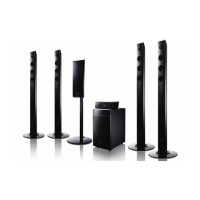
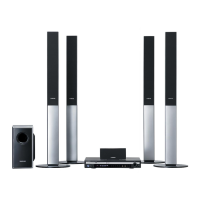
Samsung HT-TX52 - User Manual

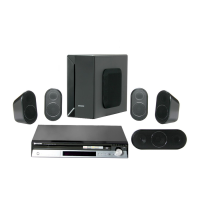
Samsung HT-TX52
35 pages
Print Icon
To Next Page IconTo Next Page
Loading...
DVD HOME
THEATER SYSTEM
HT-X50
HT-TX52
HT-TX55
ENG
Instruction Manual
AH68-01957C
REV: 00
COMPACT
DIGITAL AUDIO
SAMSUNG ELECTRONICS CANADA, INC.
HEADQUARTERS
55 Standish Court Mississauga, Ontario L5R 4B2 Canada
TEL: 1-905-542-3535
www.samsung.ca
SERVICE DIVISION
55 Standish Court Mississauga, Ontario L5R 4B2 Canada
1-800-SAMSUNG (1-800-726-7864)
AH68-01957D
REV: 00

Table of Contents

Other manuals for Samsung HT-TX52

Questions and Answers

  • D
    Dr. Sabrina SimsAug 18, 2025
    Why is my Samsung Home Theater System remote control not working?
    • G
      Gerald AlexanderAug 19, 2025
      The remote control may not work because it is being operated outside of its operational angle and distance. Also, check if the batteries are exhausted. Finally, ensure that you have correctly selected the mode (TV/DVD) functions on the remote control.
  • S
    steven64Aug 21, 2025
    How to reset the rating level password on a Samsung HT-TX52?
    • E
      Eric WilliamsAug 21, 2025
      If you've forgotten the password for the rating level on your Samsung Home Theater System, while the “NO DISC” message appears on the display of main unit, hold the main unit's STOP button for longer than 5 seconds. “INITIAL” will appear on the display, and all settings will return to the default values. Press the POWER button. Remember that using the RESET function will erase all stored settings; only use this if necessary.
  • E
    elewisAug 23, 2025
    Why is there no sound coming from my Samsung HT-TX52?
    • T
      Timothy WilcoxAug 25, 2025
      If no sound is produced by your Samsung Home Theater System, remember that no sound is heard during fast playback, slow playback, and step motion playback. Check if the speakers are connected properly and if the speaker setup is customized correctly. Also, a severely damaged disc can cause this problem.
  • R
    Rachel JacksonAug 26, 2025
    What to do if my Samsung Home Theater System playback does not start?
    • T
      Tony PattersonAug 26, 2025
      If playback doesn't start on your Samsung Home Theater System, check the region number of the DVD. DVD discs purchased from abroad may not be playable. Note that CD-ROMs and DVD-ROMs cannot be played on this DVD player. Also, make sure that the rating level is correct.
  • R
    Ralph BrownAug 28, 2025
    How to fix Samsung Home Theater System when it can't receive radio broadcast?
    • J
      johnsoncoreyAug 28, 2025
      If you can't receive radio broadcast on your Samsung Home Theater System, ensure the antenna is connected properly. If the antenna's input signal is weak, install an external FM antenna in an area with good reception.
  • J
    John LambertAug 30, 2025
    What to do if the disc tray on my Samsung Home Theater System does not open?
    • M
      mandysmithAug 30, 2025
      If the disc tray on your Samsung Home Theater System does not open, check if the power cord is plugged securely into the outlet. If it is, try turning the power off and then back on.
  • R
    Raymond BallardSep 1, 2025
    Why is sound only coming from some speakers on my Samsung HT-TX52?
    • P
      Paula NashSep 1, 2025
      If sound is only coming from a few speakers on your Samsung Home Theater System, remember that when listening to a CD or radio, sound is output to the front speakers (L/R) only. Select "PRO LOGIC II" by pressing (Dolby Pro Logic II) on the remote control to use all six speakers. Make sure that the DVD disc is 5.1-CH compatible. If you set C, SL, and SR to NONE in the speaker mode in the audio setup of the setup screen, no sound is heard from the center speaker and the front left and right speakers. Set C, SL, and SR to SMALL.
  • D
    Daniel SellersSep 4, 2025
    Why is Dolby Digital 5.1 CH Surround Sound not working on my Samsung Home Theater System?
    • B
      Brian GarciaSep 4, 2025
      If Dolby Digital 5.1 CH Surround Sound is not produced by your Samsung Home Theater System, check if there is a "Dolby Digital 5.1 CH" mark on the disc. Dolby Digital 5.1 CH Surround Sound is only produced if the disc is recorded with 5.1 channel sound. Also, verify that the audio language is correctly set to DOLBY DIGITAL 5.1-CH in the information display.
  • D
    Dale BradshawSep 6, 2025
    Why does my Samsung Home Theater System spin the disc but show no picture?
    • T
      Teresa GreenSep 6, 2025
      If the disc is rotating in your Samsung Home Theater System but no picture is produced, check if the TV power is on. Ensure that the video cables are connected properly. Determine if the disc is dirty or damaged. A poorly manufactured disc may not be playable.
  • M
    Michael AndersonSep 8, 2025
    Why does my Samsung Home Theater System delay playback when I press Play/Pause?
    • T
      Tina FergusonSep 8, 2025
      If playback on your Samsung Home Theater System does not start immediately when the Play/Pause button is pressed, you may be using a deformed disc or a disc with scratches on the surface. Try wiping the disc clean.

Summary

Safety Warnings

General Safety Precautions

Covers electrical shock, laser safety, general warnings, and cautions.

Environmental and Electrical Precautions

Details electrical safety, ventilation, heat, moisture, and battery handling.

Product Features Overview

Multi-Disc and Tuner Capabilities

Highlights multi-disc playback and FM tuner functionality.

Advanced Audio and Media Support

Covers DVD-Audio, Dolby Pro Logic II, DTS, DivX, and USB playback.

Smart TV Integration Features

Explains TV Screen Saver, Customized Display, and Anynet+ (HDMI-CEC).

Disc Compatibility and Handling

Playable Disc Types and Region Codes

Lists compatible discs and region matching requirements.

Disc Recording Format Guidelines

Details requirements for CD-R, MP3, JPEG, and DivX discs.

System Description and Components

Front Panel Controls and Ports

Identifies buttons, jacks, and ports on the front of the unit.

Display Indicators and Indicators

Explains the meaning of various display lights and icons.

Rear Panel Connections

Details audio, video, and speaker output connectors on the back.

Included Accessories Overview

Lists items that come with the home theater system.

Remote Control Operations

Remote Control Layout and Buttons

Identifies all buttons on the remote control.

Remote Control Battery Installation

Instructions for inserting AAA batteries correctly.

Remote Control Operating Range

Specifies the effective distance and angle for remote use.

Speaker Connection Guide

Home Theater and Speaker Placement

Advises on positioning the main unit and speakers for optimal sound.

Speaker Wire Connection Procedure

Guides on connecting speaker wires to the terminals.

Speaker Installation and Wiring

Speaker Wiring Diagrams (HT-X52;HT-TX55)

Visual guides for connecting speakers to specific models.

Speaker Stand Assembly (Tallboy;Half Tallboy)

Instructions for assembling speaker stands.

Wireless Rear Speaker Setup

Connecting the Wireless Module (SWA-3000)

Steps to connect the wireless receiver module and TX card.

Resetting the Wireless Receiving Module

Procedure for troubleshooting wireless connection issues.

Connecting Video Output to TV

HDMI Video Connection

Explains the best quality connection using an HDMI cable.

Component and Composite Video Connections

Details alternative video connection methods.

HDMI Functionality and Anynet+

HDMI Resolution Selection

How to choose screen resolution for HDMI output.

Anynet+ (HDMI-CEC) Operation

Controlling the home theater with a Samsung TV remote.

Connecting External Audio Sources

AUX Analog Audio Inputs

Connecting analog audio from MP3 players or VCRs.

Optical Digital Audio Input

Connecting digital audio from devices via optical cable.

FM Antenna and Manual Guide

Connecting the FM Antenna

Instructions for connecting and positioning the FM antenna.

Understanding Manual Icons and Safety

Explains symbols and safety notes for the cooling fan.

Initial System Operation

Remote Control TV Operation

Using the remote to control a Samsung TV.

Disc Playback and Selection

Loading and Starting Disc Playback

Steps for playing discs and basic playback controls.

Selecting Discs in the Changer

How to choose a specific disc from the carousel.

Media File Playback

MP3;WMA-CD Playback Guide

Instructions for playing audio files on CDs.

JPEG File Playback Features

Viewing and managing JPEG images, including slideshow and rotation.

DivX Media Playback Functions

Navigating DivX Content

Using skip, fast playback, and zoom functions for DivX.

DivX Audio and Subtitle Options

Selecting audio tracks and subtitles for DivX playback.

DivX Format Specifications

Details on supported DivX video and audio formats.

General Playback Controls

Displaying Disc Information

Viewing disc details like title, chapter, and time.

Checking Remaining Time

How to view elapsed and remaining times for content.

Adjusting Playback Speed

Using fast and slow playback modes.

Advanced Playback Navigation

Skipping Scenes and Songs

Navigating between tracks, chapters, or files.

Repeat Playback Modes

Setting options for repeating content (track, title, disc).

DVD Specific Playback Features

A-B Repeat Playback Function

Repeatedly playing a specific segment of a DVD.

Step Function and Angle Viewing

Frame-by-frame playback and viewing different camera angles.

Screen Zoom Functionality

Enlarging specific areas of the displayed image.

Playback Customization Options

EZ VIEW and Bonus Group Access

Optimizing widescreen and accessing bonus content.

Navigating Pages and Language Selection

Moving through pages and selecting audio/subtitle languages.

Navigation and Menu Access

Direct Navigation to Content

Jumping directly to scenes, songs, or specific times.

Using Disc and Title Menus

Accessing and navigating disc-specific menus.

USB Media Playback Operations

Connecting and Using USB Devices

Steps for playing media files from USB storage.

Safe USB Removal Procedure

How to disconnect USB devices without data loss.

Supported USB Devices and Formats

Lists compatible USB device types and file formats.

System Configuration Settings

Language Settings Configuration

Setting OSD, audio, subtitle, and menu languages.

TV Screen Type and Aspect Ratio

Adjusting display settings for different TV types and screen sizes.

Advanced System Settings

Parental Control and Rating Levels

Restricting playback based on content rating.

Password Management for Settings

Setting or resetting the parental control password.

Custom Wallpaper Settings

Setting personal images as background wallpaper.

Playback and Speaker Configuration

DVD Playback Mode Selection

Switching between DVD-Video and DVD-Audio playback.

Speaker Mode and Delay Time Settings

Adjusting speaker output and audio delay for optimal sound.

DivX Registration Information

Details on registering for DivX video on demand format.

Audio Calibration and Testing

Speaker Test Tone Function

Using test tones to verify speaker connections and levels.

Manual Audio Adjustment (SOUND EDIT)

Adjusting speaker volume, balance, and levels.

Multi-Channel Pro Logic Mode

Settings related to Pro Logic multi-channel audio processing.

Audio Enhancement Settings

Dynamic Range Compression (DRC)

Balancing loud and quiet sounds for low-volume listening.

AV Sync Delay Adjustment

Synchronizing audio and video timing for digital connections.

HDMI Audio Output Control

Managing audio output over the HDMI connection.

Sound Field and Audio Modes

Sound Field (DSP) and EQ Functions

Simulating environments and adjusting EQ for music genres.

Dolby Pro Logic II Audio Mode Selection

Choosing various Pro Logic II modes for music and movies.

Dolby Pro Logic II Effects and Radio

Adjusting Dolby Pro Logic II Effects

Fine-tuning effects like Panorama, Center Width, and Dimensions.

Radio Tuning and Reception

Instructions for tuning FM stations and using the remote.

Radio Presets and Convenience Features

Presetting FM Radio Stations

Saving favorite radio stations for quick access.

Sleep Timer and Display Brightness

Setting auto-off timer and adjusting front panel display brightness.

Mute Function and Headphone Use

Using the mute button and connecting headphones for private listening.

Remote Control TV Operation

Operating TVs with the Remote

Steps to control various TV brands using the remote.

TV Brand Code List

A table of codes required for TV brand compatibility.

Troubleshooting Common Issues

Resolving Playback and Sound Problems

Solutions for disc errors, no sound, and speaker issues.

Addressing System and Reception Issues

Solutions for menu errors, aspect ratio, password, and radio reception.

Disc Handling and Language Codes

Proper Disc Handling and Storage

Guidelines for cleaning, touching, and storing discs.

Language Code List Reference

Codes for setting disc audio, subtitle, and menu languages.

USB Host Compatibility and Specifications

Supported USB Devices and Formats

Lists compatible digital cameras, flash drives, and MP3 players.

Product Specifications Overview

General technical details like power, dimensions, and operating ranges.

Detailed Specifications and Warranty

Speaker System Specifications (HT-X50;TX52;TX55)

Detailed specs for each model's speaker system.

Limited Warranty Information

Details on warranty coverage, exclusions, and service.

Global Support and Contact Information

Worldwide Samsung Customer Care Centers

Contact details for Samsung support globally.

Samsung HT-TX52 Specifications

General IconGeneral
BrandSamsung
ModelHT-TX52
CategoryHome Theater System
LanguageEnglish

Related product manuals