EasyManua.ls Logo

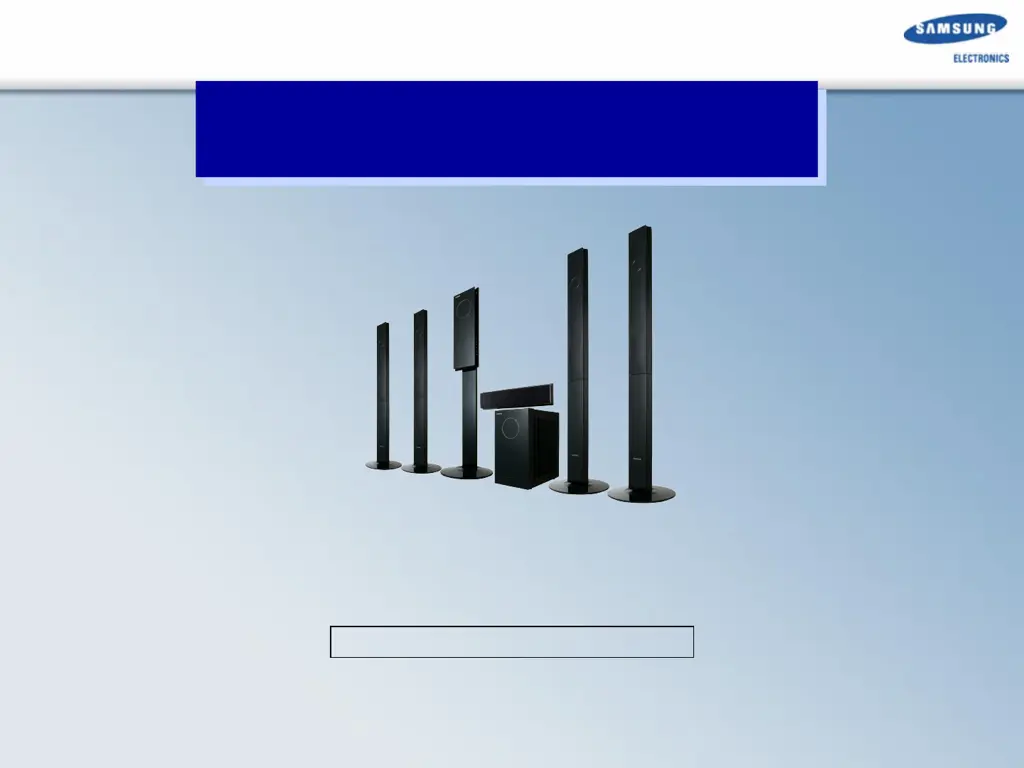
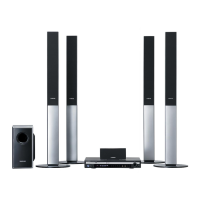
Samsung HT-TXQ120 - User Manual

Samsung HT-TXQ120
52 pages
Print Icon
To Next Page IconTo Next Page
Loading...
1
-
Home Theater System –
HT-TXQ120
Samsung Home Theater
Samsung Electronics Co. LTD
Digital AV Division
Project : Tarzan / Project Grade : 3

Other manuals for Samsung HT-TXQ120

Questions and Answers

  • J
    Jonathan ShortAug 19, 2025
    What to do if the remote control for my Samsung HT-TXQ120 Home Theater System doesn't work?
    • C
      Crystal GarciaAug 19, 2025
      If the remote control is not working, first verify that you are operating it within the correct angle and distance range. Then, check if the batteries are exhausted and replace them if necessary. Finally, ensure that you have correctly selected the mode (TV/DVD) functions on the remote control.
  • B
    baileymelissaAug 21, 2025
    What to do if my Samsung HT-TXQ120 can't receive radio broadcast?
    • M
      Mr. Douglas GriffinAug 21, 2025
      If you can't receive radio broadcasts on your Samsung Home Theater System, ensure the antenna is properly connected. If the antenna signal is weak, consider installing an external FM antenna in an area with good reception.
  • G
    Gregory WilsonAug 23, 2025
    How to fix a Samsung HT-TXQ120 when playback does not start?
    • M
      Michelle MillerAug 23, 2025
      If playback doesn't start, check the DVD's region number to ensure compatibility. Note that CD-ROMs and DVD-ROMs are not playable on this DVD player. Also, verify that the rating level is correctly set.
  • A
    Amanda HamiltonAug 26, 2025
    Why is Dolby Digital 5.1 CH Surround Sound not working on my Samsung HT-TXQ120?
    • J
      Jennifer RoyAug 26, 2025
      Dolby Digital 5.1 CH Surround Sound is only produced if the disc is recorded with 5.1 channel sound. Therefore, check for the "Dolby Digital 5.1 CH" mark on the disc. Also, ensure that the audio language is correctly set to DOLBY DIGITAL 5.1-CH in the information display.
  • B
    Brett AriasAug 27, 2025
    Why can I only hear sound from a few speakers on my Samsung Home Theater System?
    • K
      Kevin JimenezAug 28, 2025
      If sound is only coming from a few speakers, note that when listening to a CD or radio, sound is typically output only to the front speakers (L/R). To use all six speakers, select "PRO LOGIC II" by pressing 2 PL II (Dolby Pro Logic II) on the remote control. Also, ensure that the DVD disc is 5.1-CH compatible. Finally, check the speaker mode in the audio setup; if C, SL, and SR are set to NONE, no sound will be heard from the center speaker and the front left and right speakers, so set them to SMALL.
  • J
    Jacqueline AndersonAug 29, 2025
    What to do if my Samsung HT-TXQ120 is not working? (Example: The power goes out or strange noise is heard.)
    • K
      Kyle CopelandAug 30, 2025
      If the main unit is not working (e.g., power goes out or strange noise is heard), turn off the power and hold the STOP button on the main unit for longer than 5 seconds. Be aware that using the RESET function will erase all stored settings, so only use this if necessary.
  • J
    justinwoodsSep 1, 2025
    How to reset the rating level password on a Samsung HT-TXQ120?
    • J
      Jacqueline TateSep 1, 2025
      If you've forgotten the password for the rating level, while the message appears on the display of the main unit, hold the main unit's STOP button for longer than 5 seconds. will appear on the display, and all settings will return to the default values. Alternatively, you can press the POWER button. Note that using the RESET function will erase all stored settings, so use this only when necessary.
  • P
    Paula WestSep 3, 2025
    Why aspect ratio cannot be changed on my Samsung HT-TXQ120 Home Theater System?
    • C
      Christina CollinsSep 3, 2025
      If the aspect ratio cannot be changed on your Samsung Home Theater System, note that 16:9 DVDs can be played in 16:9 WIDE, 4:3 LETTER BOX, or 4:3 PAN SCAN modes. However, 4:3 DVDs can only be viewed in a 4:3 ratio. Check the DVD disc jacket and select the appropriate function.
  • I
    Isaiah MullinsSep 5, 2025
    What to do if my Samsung HT-TXQ120 disc rotates but there is no picture?
    • J
      joycetownsendSep 5, 2025
      If your Samsung Home Theater System disc is rotating but there's no picture, or the picture quality is poor/shaking, check if the TV is powered on and if the video cables are properly connected. Also, verify if the disc is dirty or damaged. Note that a poorly manufactured disc may not be playable.
  • E
    Edwin HerreraSep 7, 2025
    What to do if my Samsung Home Theater System disc won't eject?
    • M
      Michael SanchezSep 7, 2025
      If you cannot eject the disc, first ensure that the power cord is securely plugged into the outlet. If it is, turn off the power to the system and then turn it back on.

Summary

General Features and System Overview

General Feature

Details total power, DSP, playback formats, video, I/O ports, and speaker type.

Set Descriptions and Components

Main Set Description

Illustrates and labels front/back panels of the main set with numbered components.

Sub Woofer Description

Illustrates and labels front/back panels of the subwoofer with numbered components.

Disassembly Procedures

Main Set Disassembly

Provides step-by-step instructions and diagrams for disassembling the main set.

Sub Woofer Disassembly

Provides step-by-step instructions and diagrams for disassembling the sub woofer.

Special Features and Capabilities

1080 P HTIB Features

Highlights product's 1080P support, upscaling, and HDMI capabilities.

HDMI IN & OUT Functionality

Explains HDMI output for digital picture and input for digital connection.

WIRELESS READY Block Diagram

Presents the block diagram for the wireless ready functionality.

Wireless Ready Check Procedures

Details methods for checking the wireless ready module and port status.

PCB and Component Information

Main PCB Block and Connectors

Details main PCB block diagrams, key components, and connector functions.

Jack PCB Block and Connectors

Illustrates Jack PCB block, components, and details connector functions.

Amplifier and SMPS Information

Covers amplifier block diagrams, PCB layout, modulator, power stage, and SMPS protection.

HDMI Signal Processing

Explains HDMI block diagrams and signal flow for input and output.

Mechanical Assembly and Updates

Deck Assembly and Mecha Disassembly

Covers deck assembly and detailed steps for disassembling the mecha deck.

MICOM Initialization and Update

Guides on MICOM reset, update, version check, and DVD flash initialize.

Troubleshooting Procedures

Main Unit Troubleshooting Flow

Provides a flowchart for diagnosing issues with the main unit.

Output and HDMI Troubleshooting

Details troubleshooting for audio output, HDMI issues, and signal checks.

Troubleshooting Protection Activation

Explains conditions and points for troubleshooting protection activation.

Main Set and Sub Woofer Troubleshooting

Lists common issues and checks for the main set and sub woofer.

Communication Failure Troubleshooting

Addresses symptoms, causes, and checks for MICOM communication failures.

Fan Error Troubleshooting

Provides steps to diagnose and resolve fan errors in the sub woofer.

System Diagrams

Block and Schematic Diagrams

Provides links to PDF documents for block and schematic diagrams of the system.

Samsung HT-TXQ120 Specifications

General IconGeneral
Audio decodersDolby Digital, Dolby Pro Logic II, DTS
RMS rated power1000 W
Audio output channels5.1 channels
Audio formats supportedMP3, WMA
Center speaker RMS power150 W
Subwoofer typeActive subwoofer
Video formats supportedDivX
USB version2.0
SCART ports quantity1
Supported radio bandsFM
Radio Data System (RDS)No
Number of optical discs1 discs
Optical disc player typeDVD player

Related product manuals