Need help?
Do you have a question about the Samsung HW-950T and is the answer not in the manual?
Warnings to reduce the risk of electric shock and injury during operation.
Precautions regarding water exposure and securing the apparatus.
FCC compliance statement and supplier information for users in the USA.
Specific advice on where and how to install the product safely.
Instructions for removing dirt or stains from the product's surface.
Details the buttons and display on the top panel of the soundbar.
Identifies and explains the ports located on the bottom panel.
Step-by-step guide on how to insert batteries into the remote.
Explains the basic functions of the remote control buttons.
Details the different sound modes available for selection.
Instructions for switching the soundbar to Bluetooth pairing mode.
How to adjust various sound settings like treble, bass, and levels.
How to adjust the overall volume using the remote control.
Explains multi-use buttons and output specs for sound effect modes.
Guide on how to control soundbar volume using a TV remote.
Steps to connect the power cords to the soundbar, subwoofer, and speakers.
Visual guide for optimal placement of surround speakers and subwoofer.
Procedure for manually pairing wireless subwoofer and surround speakers.
Explains the meaning of different LED indicators for connection status.
Troubleshooting steps for unstable wireless audio output.
Instructions for connecting the soundbar to a TV using an HDMI cable.
Steps for connecting the soundbar to a TV using an optical cable.
How to sync soundbar with Samsung TV for enhanced surround effect.
Guide to connect the soundbar to a Samsung TV using Bluetooth.
Instructions for connecting the soundbar to a TV via Wi-Fi.
How to connect external devices like Blu-ray players via HDMI.
Steps to connect external devices using an optical cable.
Guide to connect a mobile device to the soundbar via Bluetooth.
Instructions for connecting a mobile device via Wi-Fi using SmartThings.
Steps to set up and use Amazon Alexa with the soundbar.
How to play mobile device audio by tapping it against the soundbar.
Important safety and placement guidelines for wall mounting.
Lists the parts included for wall mounting the soundbar.
Instructions for wall mounting the surround speakers.
Details on attaching rubber feet for TV stand placement.
How the soundbar automatically updates its software via the internet.
Steps to update the soundbar firmware using a USB drive.
Procedure to reset the soundbar to factory default settings.
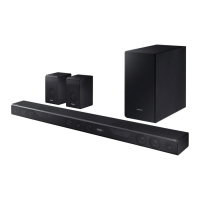
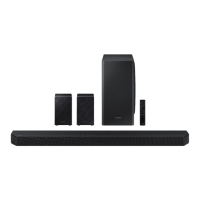
Technical details and dimensions of the soundbar, subwoofer, and speakers.
Important notes regarding specifications and product behavior.
Procedure to turn Wi-Fi or Bluetooth On/Off using the bottom panel buttons.
 General
| Brand | Samsung |
|---|---|
| Model | HW-950T |
| Category | Speaker System |
| Language | English |

 To Next Page