EasyManua.ls Logo

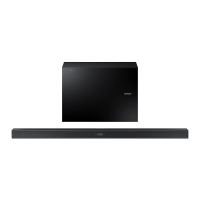
Samsung HW-J7511 - User Manual

Samsung HW-J7511
170 pages
Print Icon
To Next Page IconTo Next Page
Loading...
Curved Soundbar
Imagine the possibilities
Thank you for purchasing this Samsung product.
To receive more complete service, please register your product at
www.samsung.com/register
User manual
HW-J7510
HW-J7511
HW-J7510_J7511_XE_ENG_0415.indd 1HW-J7510_J7511_XE_ENG_0415.indd 1 2015-08-11 5:21:192015-08-11  5:21:19

Questions and Answers

  • W
    William FergusonAug 9, 2025
    How to fix no sound on my Samsung HW-J7511 Speakers?
    • G
      Gary GriffithAug 9, 2025
      If your Samsung Speakers aren't producing sound, ensure that the Mute function is off by pressing the (Mute) button. Also, check that the volume isn't set to the minimum and adjust it accordingly.
  • L
    Lisa HendersonAug 13, 2025
    How to fix Samsung Speakers TV SoundConnect pairing failure?
    • F
      frankdixonAug 13, 2025
      If the TV SoundConnect (TV pairing) failed on your Samsung Speakers, ensure your TV supports TV SoundConnect (available on some Samsung TVs released from 2012). Update your TV's firmware. If an error occurs, contact the Samsung call centre. You can also reset the TV SoundConnect connection by pressing and holding the & button for 5 seconds.
  • A
    Alyssa RyanAug 18, 2025
    Why is my Samsung Speakers remote control not working?
    • K
      Katherine SerranoAug 19, 2025
      If the remote control for your Samsung Speakers isn't working, first replace the batteries with new ones. If that doesn't solve the issue, try moving closer to the main unit.
  • A
    amy24Aug 23, 2025
    What to do if the red LED is blinking on my Samsung Speakers subwoofer?
    • L
      Luis MichaelAug 23, 2025
      If the red LED on your Samsung Speakers' subwoofer is blinking and no sound is produced, it might not be connected to the main unit. Try reconnecting the subwoofer.
  • A
    Amanda CoxAug 28, 2025
    How to adjust subwoofer vibration on Samsung HW-J7511?
    • R
      Randall HillAug 28, 2025
      If the subwoofer drones and vibrates noticeably on your Samsung Speakers, adjust the vibration by pressing the WOOFER button on your remote control to set the value between -12, -6, and +6.
  • C
    Candice BradySep 3, 2025
    What to do if buttons don't work on Samsung HW-J7511 Speakers?
    • R
      Rachel MooreSep 3, 2025
      If a function does not work when the button is pressed on your Samsung Speakers, and there might be static electricity in the air, disconnect the power plug and then reconnect it.

Summary

GETTING STARTED

FEATURES

Explores key features like streaming, surround sound, TV connectivity, music sharing, and HDMI.

SAFETY INFORMATION

SAFETY WARNINGS

Critical warnings to reduce the risk of electric shock, fire, and personal injury.

PRECAUTIONS

DESCRIPTIONS

TOP; FRONT PANEL

Details the controls and display on the front of the soundbar unit.

REAR; BOTTOM PANEL

Details the ports and connections on the rear and bottom of the soundbar unit.

REMOTE CONTROL

Provides a guide to the buttons and functions of the remote control.

INSTALLATION

INSTALLING BOTH SOUNDBAR AND TV TO THE WALL MOUNT TYPE

Instructions for mounting the soundbar and TV onto a wall mount system.

INSTALLING SOUNDBAR TO TV STAND

Guide for installing the soundbar onto a compatible TV stand.

CONNECTIONS

CONNECTING THE SUBWOOFER

Procedures for wirelessly linking the main unit and the subwoofer, automatically or manually.

CONNECTING TO A TV

Guides on connecting the soundbar to a TV for audio playback.

TV SOUNDCONNECT

Details on using the TV SoundConnect feature for wireless audio streaming from TV.

TROUBLESHOOTING

Unit Will Not Turn On

Checks and solutions if the soundbar fails to power on.

No Sound Produced

Steps to resolve issues where no audio output is heard from the soundbar.

TV SoundConnect Pairing Failed

Troubleshooting steps for issues with connecting the soundbar to the TV via TV SoundConnect.

Subwoofer LED Blinking; No Sound

Steps to resolve issues where the subwoofer's LED blinks but no sound is produced.

Samsung HW-J7511 Specifications

General IconGeneral
BrandSamsung
ModelHW-J7511
CategorySpeakers
LanguageEnglish

Related product manuals