EasyManua.ls Logo

Samsung HW-J7500R - User Manual

Samsung HW-J7500R
35 pages
Print Icon
To Next Page IconTo Next Page
Loading...
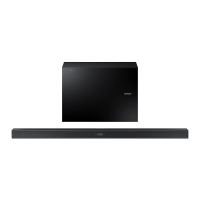
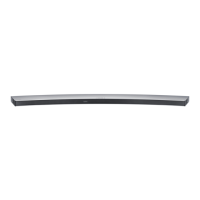
Curved Soundbar
Imagine the possibilities
Thank you for purchasing this Samsung product.
To receive more complete service, please register your product at
www.samsung.com/register
User manual
HW-J7500R
HW-J7501R
Wireless Subwoofer
(PS-WJ7500R / PS-WJ7501R)

Questions and Answers

  • J
    Jake KellyAug 19, 2025
    Why my Samsung Speakers are not producing sound?
    • M
      Mr. Jose HopkinsAug 19, 2025
      If your Samsung Speakers aren't producing sound, ensure that the Mute function is off by pressing the (Mute) button. Also, check that the volume isn't set to the minimum and adjust it accordingly.
  • P
    Peter MillerAug 21, 2025
    What to do if a function does not work when the button is pressed on Samsung HW-J7500R Speakers?
    • N
      Nathan TorresAug 21, 2025
      If a function on your Samsung Speakers doesn't work when you press the button, it might be due to static electricity. Try disconnecting the power plug and then reconnecting it.
  • D
    Dr. Yolanda SullivanAug 25, 2025
    Why is my Samsung TV remote not working?
    • V
      Vincent LawsonAug 25, 2025
      If the remote control for your Samsung TV isn't working, first replace the batteries with new ones. If that doesn't solve the issue, try moving closer to the TV unit.
  • A
    Anthony KnoxAug 26, 2025
    What to do if TV SoundConnect pairing failed on Samsung TV?
    • O
      Olivia LawsonAug 26, 2025
      TV SoundConnect is supported by some Samsung TVs released from 2012 on. Check your TV to see if it supports TV SoundConnect. Also, ensure your TV has the latest firmware. If you encounter an error when connecting, try resetting TV SoundConnect and connecting again by pressing and holding the p button for 5 seconds.
  • W
    William BartlettAug 28, 2025
    Why is there no sound on my Samsung TV?
    • K
      kellymooreAug 28, 2025
      If your Samsung TV isn't producing sound, first check if the Mute function is enabled. If it is, press the (Mute) button to cancel it. Also, make sure the volume isn't set to the minimum; adjust the volume as needed.
  • C
    Christian MooreAug 30, 2025
    Why is there no sound coming from my Samsung HW-J7500R?
    • A
      Anthony GeorgeAug 30, 2025
      If your Samsung Speakers aren't producing sound, make sure the Mute function is off by pressing the (Mute) button. Also, check that the volume isn't set to the minimum and adjust it as needed.
  • F
    Felicia LittleSep 1, 2025
    What to do if Samsung HW-J7500R Speakers remote control does not work?
    • R
      Robert HernandezSep 1, 2025
      If the remote control for your Samsung Speakers isn't working, first, try replacing the batteries with new ones. Also, ensure that you are not too far from the main unit.
  • R
    Robert OwensSep 3, 2025
    How to fix Samsung HW-J7500R TV SoundConnect (TV pairing) failed?
    • T
      Todd CombsSep 3, 2025
      If the TV SoundConnect (TV pairing) failed for your Samsung Speakers, first check if your TV supports TV SoundConnect, which is available on some Samsung TVs released from 2012 onwards. Ensure your TV firmware is updated to the latest version. To reset the TV SoundConnect connection, press and hold the p button for 5 seconds and connect again.
  • P
    Patricia MorrisSep 5, 2025
    How to adjust subwoofer volume on Samsung TV?
    • D
      Derek SmithSep 5, 2025
      If the subwoofer drones and vibrates noticeably with your Samsung TV, use the WOOFER button on your remote control to adjust the subwoofer's volume level. You can set it between -12, -6, and +6.
  • T
    Travis GallegosSep 7, 2025
    What to do if red LED on Samsung TV subwoofer blinks?
    • P
      Pamela MaloneSep 8, 2025
      If the red LED on your Samsung TV's subwoofer is blinking and no sound is coming from it, the subwoofer might not be connected to the main unit. Try connecting your subwoofer again. (See Page 18)

Summary

FEATURES

SAFETY INFORMATION

Safety Warnings and Precautions

General safety warnings, cautions for electrical shock, fire, and FCC compliance notes.

Important Safety Instructions

General Operating Safety

Instructions on handling the unit, plugs, cords, and avoiding hazards.

PRECAUTIONS

Installation, Environmental, and Battery Safety

Precautions for installation, environmental exposure, and safe battery handling.

DESCRIPTIONS

Remote Control Functions

Explains the primary functions of the remote control buttons.

INSTALLATION

Wall Mount Installation Guide

Comprehensive guide for securely mounting the Soundbar onto a wall.

Attaching to TV Stand

Instructions for safely attaching the Soundbar to a compatible TV stand.

CONNECTIONS

Subwoofer Connection

Procedures for automatically and manually connecting the wireless subwoofer.

Connecting to TV

Instructions for connecting the Soundbar to a TV via HDMI or Optical cable.

TV SoundConnect Setup

Steps for establishing a wireless connection between the Soundbar and TV.

FUNCTIONS

TROUBLESHOOTING

Common Operational Issues

Solutions for problems like no power, unresponsive buttons, no sound, and remote issues.

Connectivity Troubleshooting

Steps to resolve issues with TV SoundConnect and subwoofer connectivity.

Samsung HW-J7500R Specifications

General IconGeneral
Audio decodersDTS 2.0, Dolby Digital
RMS rated power320 W
Audio output channels4.1 channels
Audio Return Channel (ARC)Yes
Subwoofer typeActive subwoofer
Subwoofer locationSeparate
Subwoofer connectivityWireless
Cables includedHDMI
Receiver included-
Product colorBlack
Audio formats supportedAAC, ALAC, FLAC, MP3, OGG, WAV, WMA
Consumer Electronics Control (CEC)Anynet+
Quantity1
Subwoofer driver diameter (imperial)7 \
USB 2.0 ports quantityUSB 2.0 ports have a data transmission speed of 480 Mbps, and are backwards compatible with USB 1.1 ports. You can connect all kinds of peripheral devices to them.
Connectivity technologyWired & Wireless
Digital audio coaxial in0
Package depth309 mm
Package width1290 mm
Package height394 mm
Package weight14500 g
Power consumption (standby)0.3 W
Power consumption (typical)42 W
Soundbar speaker RMS power- W
Weight and Dimensions IconWeight and Dimensions
Depth170 mm
Width1230 mm
Height47.5 mm
Soundbar weight4000 g
Subwoofer depth154 mm
Subwoofer width452 mm
Subwoofer height335 mm
Subwoofer weight6800 g

Related product manuals