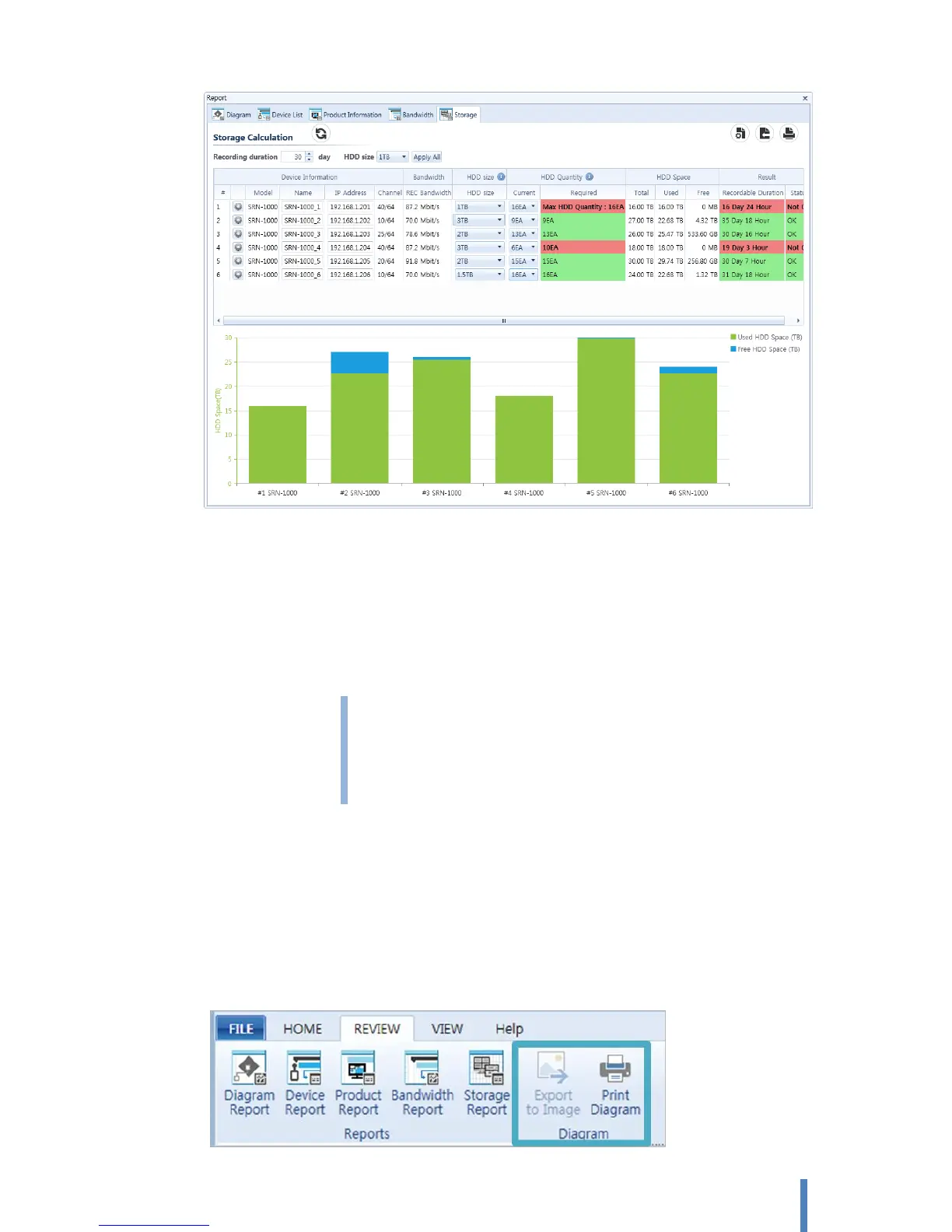
- HDD Size > HDD Size : Select HDD Size for connect to each NVR.
- HDD Quantity > Current : Select HDD quantities for connect to each NVR.
- HDD Quantity > Required : Display number of HDDs required to recording.
> Green Cell: Setting value of HDD size and quantities is suitable for recording.
> Red Cell: Setting value of HDD size and quantities is NOT suitable for recording.
When appear red cell, system displays a required minimum quantities of HDD. If
the required minimum quantities over than maximum quantities of HDD which
are able to connect to single, system displays [Max HDD Quantity: ] for notice
NVR’s limitation.
7. Export and Print your diagram
You can export or print your diagram.



 To Next Page