Export to Image
You can save your diagram as a standard image file in PNG format in directly from [REVIEW] > [Diagram] >
[Export to Image].
Print Diagram
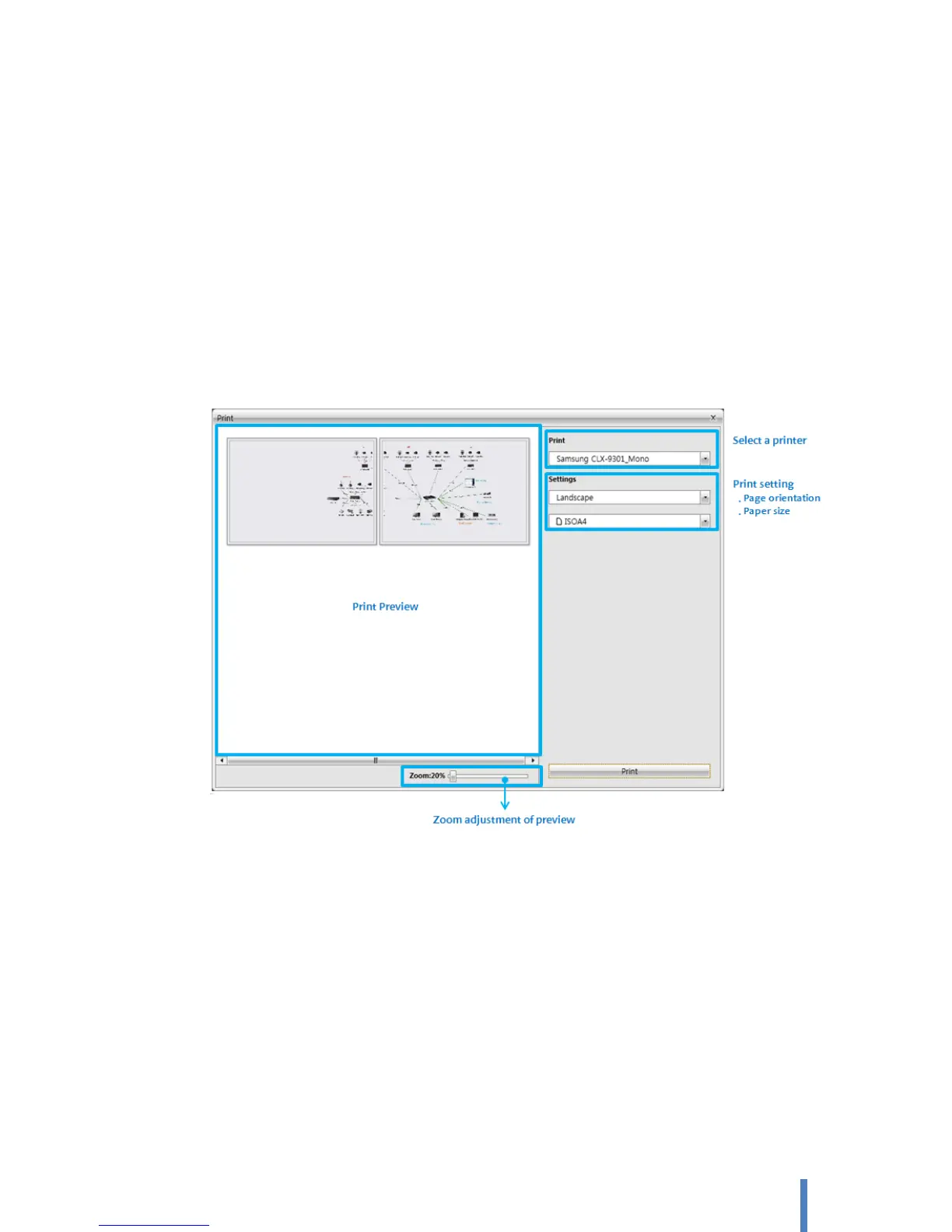
You can print your diagram. Click [REVIEW] > [Diagram] > [Print Diagram]. In the [Print] dialog box, do the
following:
In the preview, see how the diagram will look when printed.
In the [Print], select the printer that you want (if it is not already selected).
Under [Settings], specify the diagram orientation, one of landscape and portrait, and its paper size.
Click [Print] when you are ready to print.
8. Change the application setting
Program language setting
Click [FILE] > [Options]. You can change the language of application.
Task pane setting
You can customize the task pane arrangement of application. Changed task pane setting is saved and
applied to restarting application automatically.
A. Move a pane



 To Next Page