EasyManua.ls Logo

Samsung IPOLIS SNP-3300 - User Manual

Samsung IPOLIS SNP-3300
116 pages
Print Icon
To Next Page IconTo Next Page
Loading...
5IBOLZPVGPSQVSDIBTJOHB4".46/(J10-J4/FUXPSL$BNFSB
#FGPSFBUUFNQUJOHUPDPOOFDUPSP
Q
FSBUFUIJTQSPEV
DU
Q
MFBTFSFBEUIFTFJOTUSVDUJPOTDBSFGVMMZBOETBWFUIJTNBOVBMGPSGVUVSFVTF
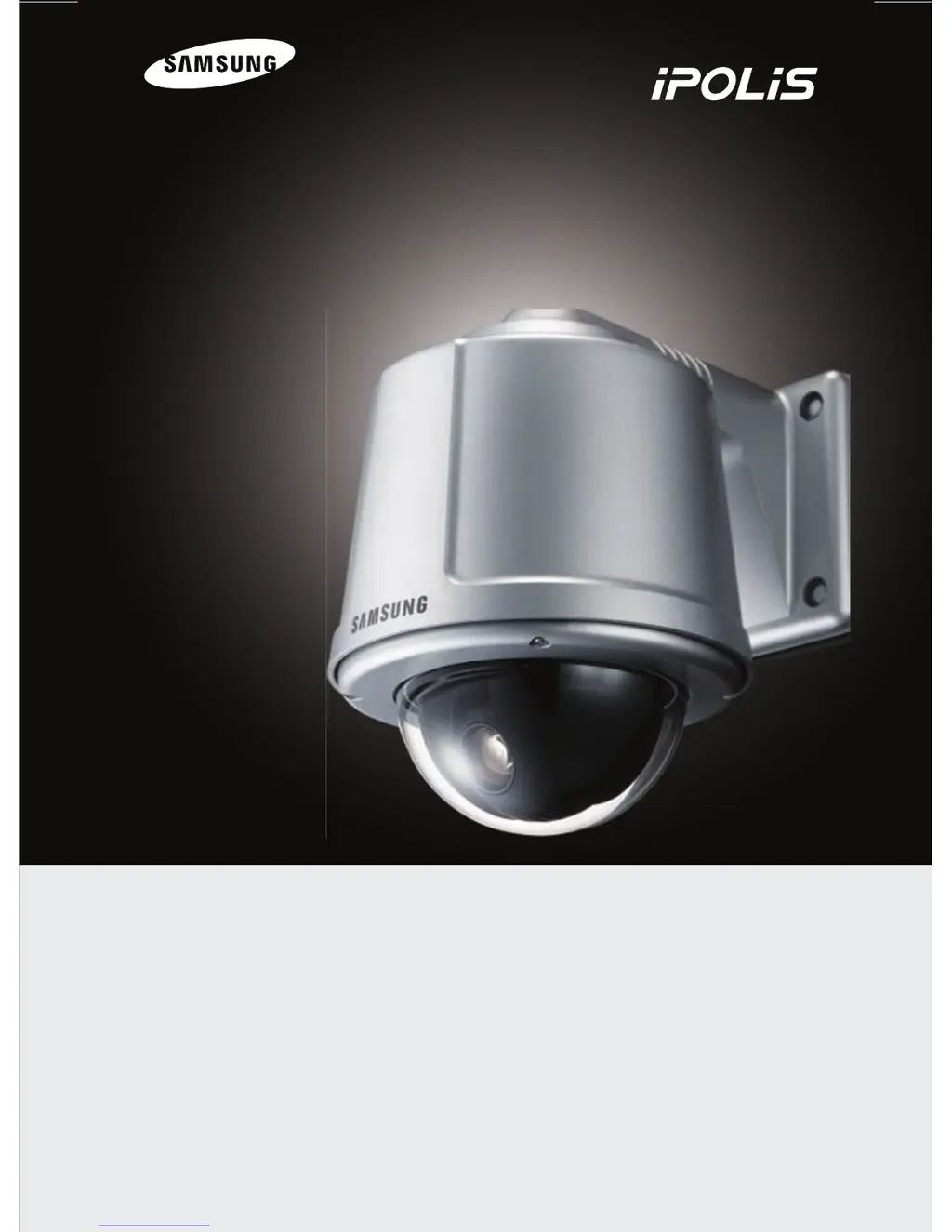
30X PTZ Network Camera SNP-3300 User’s Manual
ENGLISH
Real-time
Real-time
Network
Dynamic 30X
Pan & Tilt

Questions and Answers

  • J
    Jacob MillerAug 19, 2025
    Why is the motion detection not working on my Samsung Security Camera?
    • E
      Evan RobertsonAug 19, 2025
      If the MOTION DETECTION function on your Samsung Security Camera is not working, verify that 'MOTION DETECTION' mode is turned on. Also, check if the MD LEVEL is too low, and review the setting of the MD AREA.
  • U
    uleonAug 21, 2025
    How to fix a Samsung Security Camera when nothing appears on the screen?
    • P
      Patricia WardAug 21, 2025
      If nothing appears on the screen of your Samsung Security Camera, start by verifying the power connection and ensuring it is properly connected. Next, check the video signal line connection to confirm it's secure. If you're using a 30X PTZ Network Camera SNP-3300, open an MS-DOS window to see if it's connected to the network. If you can ping 192.168.1.100, replace this with the IP address set up on your server.
  • E
    Ethan GrahamAug 25, 2025
    How to improve the video image clarity on a Samsung IPOLIS SNP-3300 Security Camera?
    • L
      Lori MarksAug 25, 2025
      If the video image from your Samsung Security Camera is not clear, first ensure the lens is clean. If it's dirty, gently clean it with a clean cloth or brush. Also, adjust the contrast settings on your monitor and ensure that the screen isn't exposed to direct bright light. If needed, try moving the camera to a different location.
  • M
    Ms. Taylor MyersAug 26, 2025
    What to do if the video is stopped on my Samsung Security Camera?
    • T
      Taylor WheelerAug 26, 2025
      If the video is stopped on your Samsung Security Camera, verify that the network cable of the 30X PTZ Network Camera SNP-3300 is correctly connected. If you're using a hub or IP router, make sure these network devices are functioning correctly. Additionally, open an MS-DOS window to check if the 30X PTZ Network Camera SNP-3300 is connected to the network.
  • T
    Timothy RodriguezAug 28, 2025
    Why is there no image from the web viewer of my Samsung IPOLIS SNP-3300?
    • J
      Joseph BlevinsAug 28, 2025
      If you're not getting an image from the web viewer of your Samsung Security Camera, refresh the page in your browser by clicking the refresh button or pressing F5. Check that the camera's power and network cable are properly connected and confirm that your computer is connected to the network. If you're using a hub or router, ensure these devices are working correctly. Finally, access the Admin page to verify that video output is selected.
  • A
    Andre WilsonAug 30, 2025
    Why is the screen dark on my Samsung IPOLIS SNP-3300?
    • Z
      zdeleonAug 30, 2025
      If your Samsung Security Camera screen is dark, adjust the contrast feature on your monitor. If you are using an intermediate device, ensure that the 75?/Hi-z is set properly and check the terminals.
  • D
    Daniel HorneSep 1, 2025
    What to do if my Samsung IPOLIS SNP-3300 Security Camera cannot be controlled for Pan/Tilt/Zoom?
    • A
      anna53Sep 1, 2025
      If your Samsung Security Camera cannot be controlled for Pan/Tilt/Zoom, inspect the cables (power or network) connected to the device. Also, connect to the Admin page to check whether user control is selected.
  • A
    Alicia KimSep 3, 2025
    How to adjust the color settings on a Samsung Security Camera?
    • E
      Emily WangSep 3, 2025
      If the colors are not quite right on your Samsung Security Camera, check the 'WHITE BAL' setting.
  • M
    Mallory BuchananSep 5, 2025
    Why is my Samsung IPOLIS SNP-3300 screen flickering?
    • K
      Kimberly Sampson PhDSep 5, 2025
      If the screen of your Samsung Security Camera is flickering, check if the camera is facing directly into sunlight or fluorescent light.
  • I
    Isabel HarveySep 8, 2025
    Why is my Samsung IPOLIS SNP-3300 Security Camera too hot and showing black stripes?
    • W
      wisekennethSep 8, 2025
      If the camera surface of your Samsung Security Camera is too hot and black stripes appear on the screen, check if an appropriate power source is being used that complies with the manufacturer's standard requirement, and ensure the voltage isn't fluctuating.

Summary

Document Preface

User Important Notes

Product Warranty Details

Safety Warnings and Symbols

Operational Danger Precautions

Operational Cautionary Notes

Ch1. Overview

SNP-3300 Camera Introduction

Overview of the SNP-3300 network camera, its technology, and network capabilities.

SNP-3300 Key Features

Highlights main features: zoom, auto-surveillance, protocols, and Day & Night function.

Ch2. Camera Components and Connections

Camera Body Components

Identifies physical components of the camera body, focusing on the power switch.

Camera Holder Connection Ports

Details connection ports on the camera holder: Ethernet, AC power, audio, and alarm.

Camera Holder Wiring Schematic

Illustrates connection scheme for BNC, AC power, audio, alarm, and Ethernet interfaces.

Ch3. Installation and Network Setup

Monitor Connection for Installation

Instructions for connecting the camera to a monitor for initial setup and imaging range verification.

Camera Power Connection Guide

Guidance on connecting the camera to power, including adapter specs and wire resistance.

SNP-3300 Installation Procedures

Outlines installation precautions, mounting options, and use of brackets and housings.

Web-based Network Configuration

Details configuring network settings and connecting to the camera via a web browser.

Ch4. Using the Web Viewer

Web Viewer Login Procedure

Explains logging into the camera's web interface, including credentials and access modes.

Web Viewer Screen Overview

Details the layout and functionality of the Web Viewer screen, including controls and video display.

4.2. Using Administration Page

Initial Connection & Live View

Covers the initial screen after connecting and accessing the live video feed.

Basic Camera Settings

Details video/audio setup, compression, resolution, frame rate, and product information.

Network Configuration

Explains network settings like IP, DHCP, ports, and DDNS.

User Management

Describes user account setup, password changes, and authority management.

PTZ and Sequence Control

Covers configuration of PTZ functions, presets, swings, groups, tours, and auto-run.

Motion Detection Setup

Details setting up motion detection, including grid, area selection, and sensitivity.

Alarm and Sensor Configuration

Explains alarm inputs, outputs, and email/FTP notification setup.

Time and Log Management

Guides on setting time, date, and managing system event logs.

System Upgrade and Reboot

Details firmware upgrade and system reboot procedures.

Ch5. Camera Operation

OSD Menu Navigation

Explains the On-Screen Display (OSD) menu structure for camera settings.

Camera Parameter Settings

Details settings for White Balance, Exposure, Back Light, AGC, SSNR, and Day & Night.

Sequence and Preset Management

Covers setting up Presets, Swings, Groups, Tours, Traces, and Auto Run.

Pan;Tilt (P;T) Settings

Details settings for Pan/Tilt limits, area designation, masking, and digital flip.

OSD Display Settings

Covers configuration of OSD elements like Camera Name, Preset Number, Sequence Status, and Language.

Initialization and Reset Options

Explains methods for resetting the camera to default settings.

Camera Status Information

Displays current camera status, model, version, and controller information.

Ch6. Troubleshooting Guide

Appendix A. DDNS Usage Guide

Physical Dimensions

Technical Specifications

Samsung IPOLIS SNP-3300 Specifications

General IconGeneral
BrandSamsung
ModelIPOLIS SNP-3300
CategorySecurity Camera
LanguageEnglish

Related product manuals