4.2.7. Motion Detection
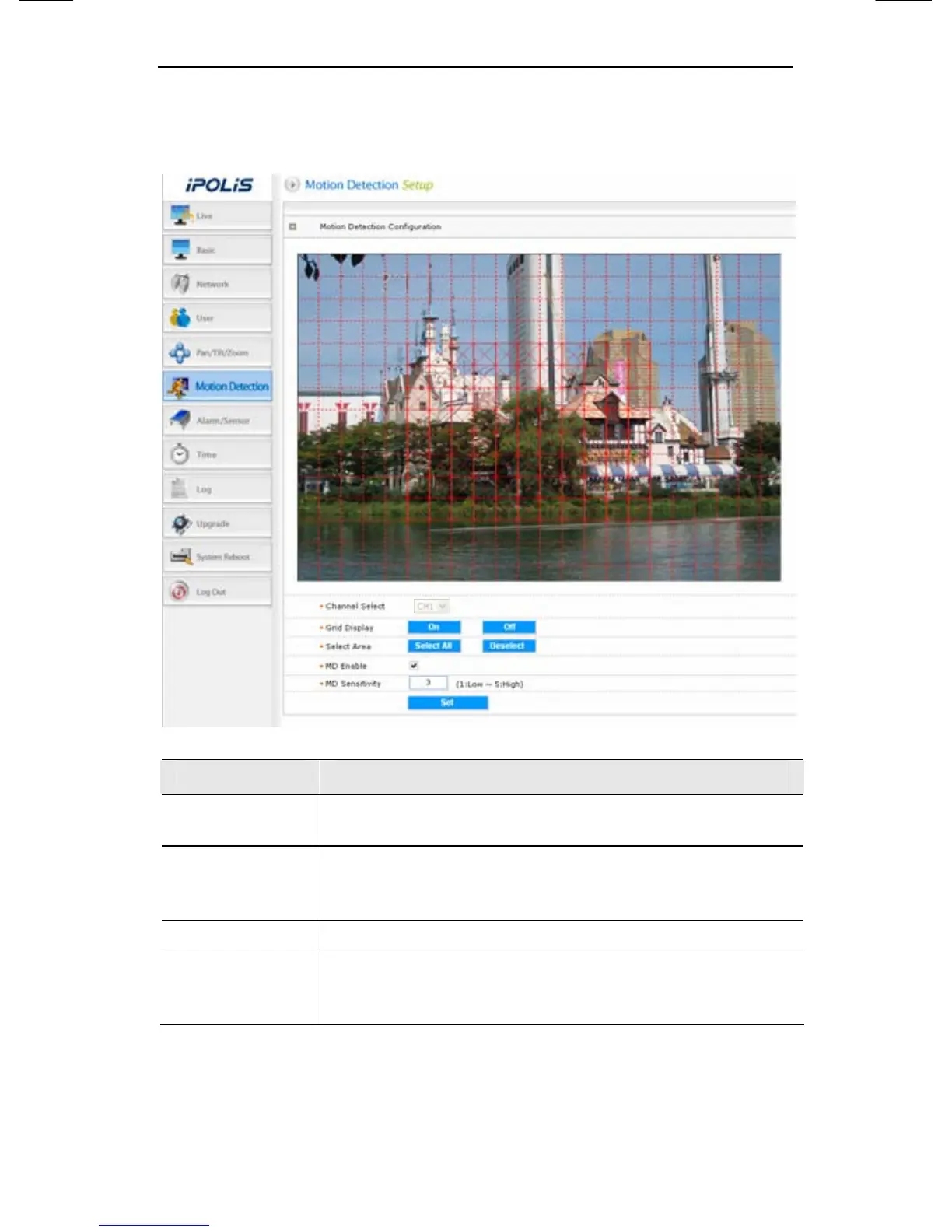
This sets up motion detection function of camera.
Item Description
Grid Display
Basic grid, used to choose area on the screen, is
displayed or hidden.
Select Area
When selecting motion detection area, click <Select
All> button to select all areas, or click <Deselect>
button to cancel the selected area.
MD Enable Decide whether you use motion detection function.
MD Sensitivity
Setting up sensitivity to detect motion to adjust input
video by situation. You can select 1-5, and 5 is the
highest.




 To Next Page