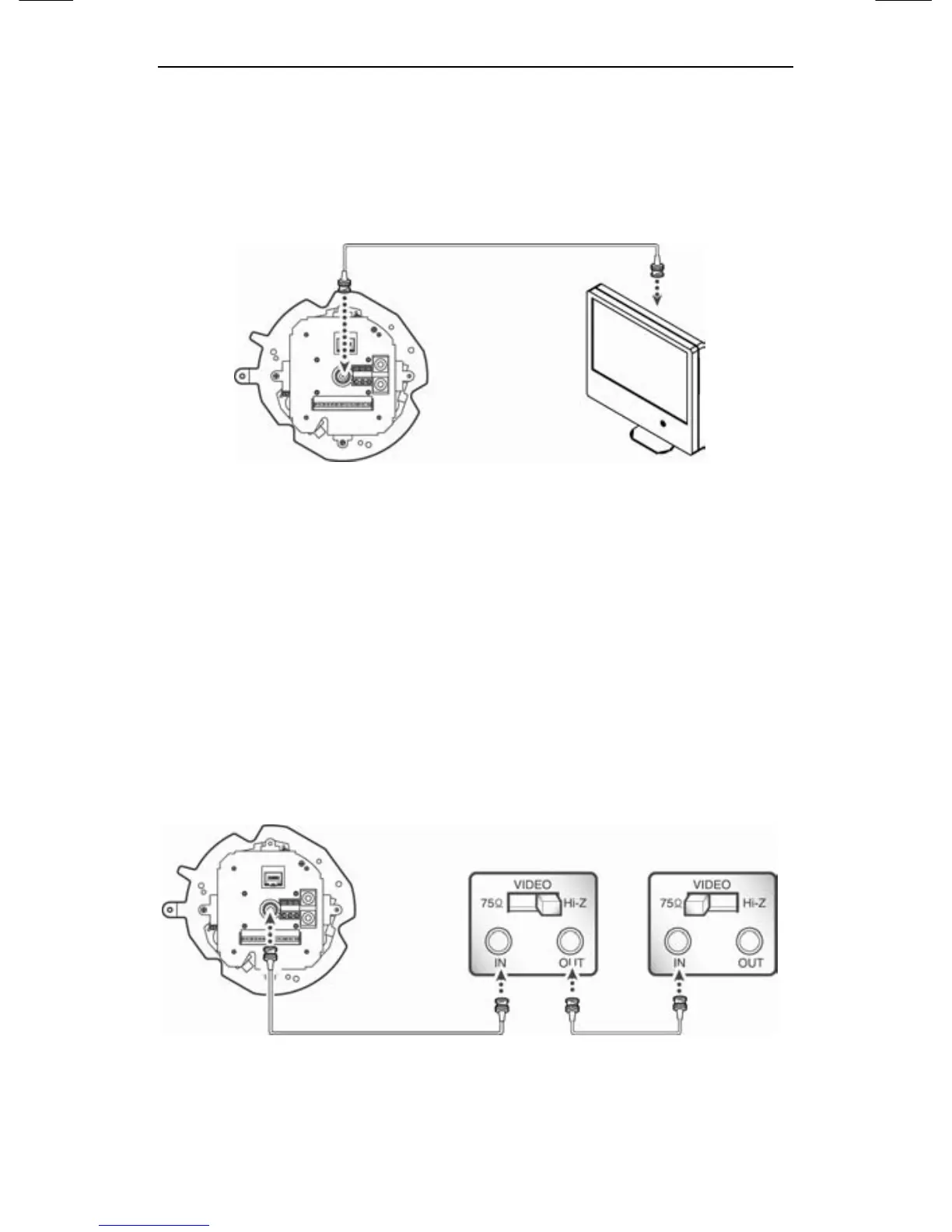
3.1. Connecting to Monitor (For installation)
Please connect the video output terminal located on the back of the
camera to the monitor.
30X PTZ Network Camera SNP-3300 Monitor
y The connection method varies depending on the type of
monitor and accessories. Please refer to the user's manual for
each instrument.
y Please turn off the power when connecting.
y Please select Hi-Z on the 75Ω/Hi-Z switch for the intermediate
video TV set and select 75Ωfor the Intermediate device as
shown in the picture below.
30X PTZ Network Camera SNP-3300 Intermediate End monitor





 To Next Page