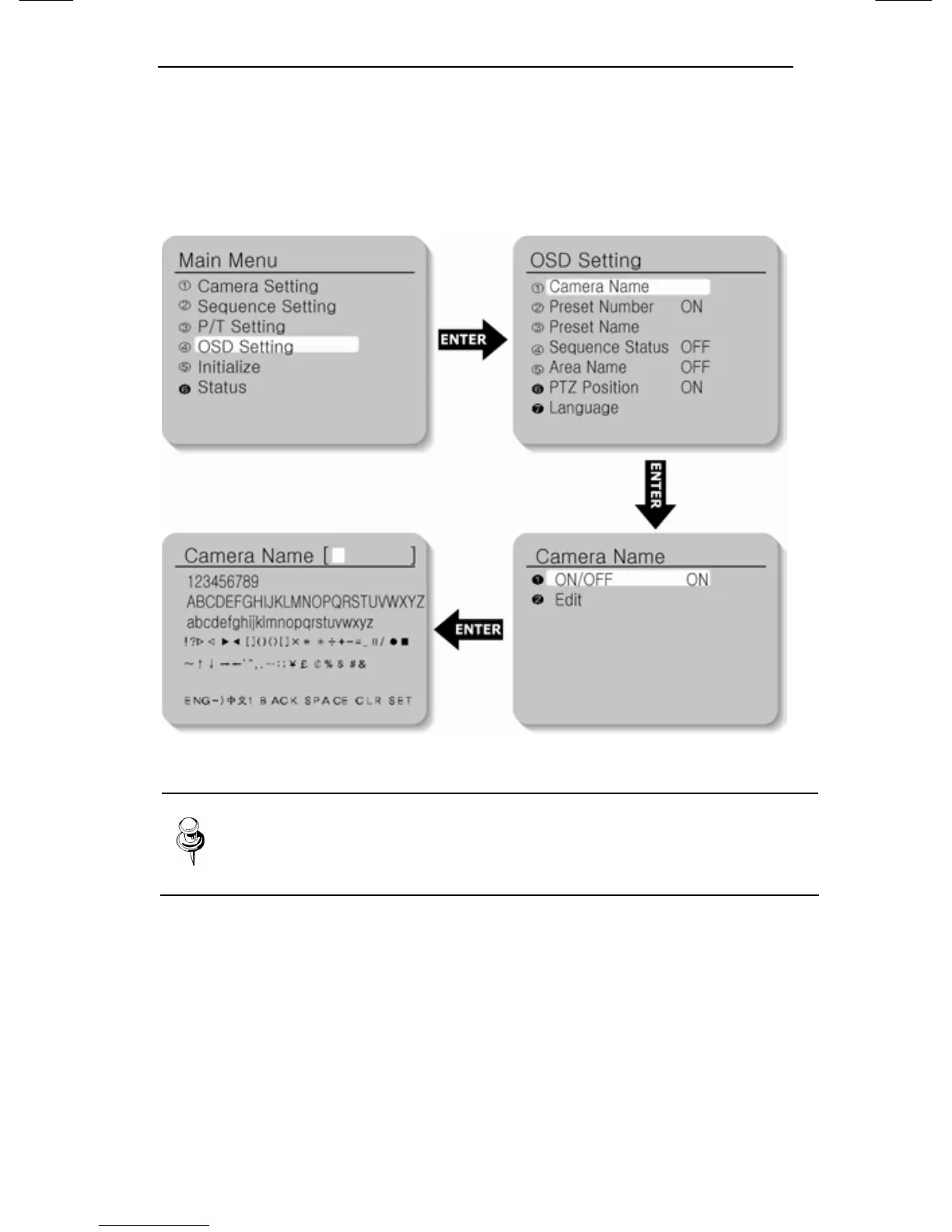
5.5. OSD Setting
5.5.1. Camera Name
Camera ID indication is set up.
Note
If you want to edit the item, move the cursor. Then
select the character.
Edit : A maximum of 12 characters consisting of English (or
Chinese), numbers and special characters can be input for
Camera Name.
On/Off : The operation of this function is preset. Default setting is
On.





 To Next Page