EasyManua.ls Logo

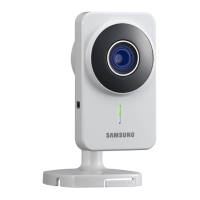
Samsung SNH-1011 - User Manual

Samsung SNH-1011
37 pages
Print Icon
To Next Page IconTo Next Page
Loading...
SAMSUNG SMARTCAM
User Manual
SNH-1011N
0678
!

Questions and Answers

  • P
    Phillip ShortAug 18, 2025
    How to recover my user ID or password for Samsung Security Camera?
    • N
      Norman VaughnAug 18, 2025
      If you've forgotten your user ID or password for your Samsung Security Camera, go to the “Log-in page ? Forgot your ID/Password?” section. Enter the e-mail address you used when you registered. Your user ID and/or a new password will be sent to that address. Check your spam folder, as the email might be filtered there. After logging in, it's a good idea to change the temporary password you were given.
  • N
    Nicole JohnsonAug 20, 2025
    How to reset my Samsung SNH-1011 password?
    • D
      David RobertsAug 21, 2025
      If you forgot your Samsung Security Camera password, here's how to reset it: 1. You must create a new camera password. 2. Press and hold the reset button on the rear of the camera for at least 5 seconds to reset it to the factory default. 3. After the factory reset, access the camera and set the Camera password again.
  • A
    andrew12Aug 23, 2025
    What to do if my Samsung SNH-1011 Security Camera is not connected to the wireless hub?
    • R
      Robert PeckAug 23, 2025
      If your Samsung Security Camera isn't connecting to the wireless hub, there are a couple of things to try: * If the camera's wireless internet LED turns off frequently, the camera might be too far from the wireless hub. Try moving the camera closer to the hub and try connecting again. * Double-check the password for your wireless hub. Make sure you're entering it correctly and try again.
  • J
    Jessica MatthewsAug 26, 2025
    What to do if my Samsung SNH-1011 is registered but not ready for network connection?
    • D
      Donna SimonAug 26, 2025
      If your Samsung Security Camera is registered but not connecting to the network, consider the following: * Check if the front LED on the camera is on. * If the wireless LAN LED is off, try making the wireless LAN connection using WPS. * If the wireless LAN LED remains off, move the camera closer to the wireless access point (AP) and try again. * If you're using a wired LAN connection, the wireless LAN LED should be off. When the cable LAN is connected, the camera should automatically connect to the server through the AP.
  • M
    Mark LopezAug 28, 2025
    Why is my Samsung SNH-1011 video not uploading to Google Drive?
    • S
      Stephanie RichardsonAug 28, 2025
      If your Samsung Security Camera video isn't being uploaded to Google Drive, here are a few things to check: * Go to Setup ? Alarm & Notification and adjust the sensitivity as needed. * Configure the Google Drive notification settings in the Alarm & Notification setup. * Check the Google Drive policy for your country, as it may prohibit uploads. * Ensure you have enough space in your Google Drive account. If necessary, delete old video clips or add more storage.
  • W
    William GallagherAug 30, 2025
    Why are my Samsung SNH-1011 Security Camera images not uploading to Picasa?
    • C
      Christian BaldwinAug 31, 2025
      If the capture images from your Samsung Security Camera aren't uploading to Picasa, consider the following: * Go to Setup ? Alarm & Notification and adjust the sensitivity as needed. * Configure the Picasa notification settings in the Alarm & Notification setup. * Check the Picasa service policy for your country, as it may prohibit uploads. * Ensure you have enough space in your Picasa account. If necessary, delete existing images or add more storage.
  • C
    Curtis WilsonSep 2, 2025
    What to do if video will not be played in event alarms on my Samsung SNH-1011?
    • L
      Leah SanchezSep 2, 2025
      Event video from your Samsung Security Camera will be uploaded in confidential mode. Log in to the Google account where you uploaded the video.
  • K
    Karen McgeeSep 4, 2025
    Why is the video from my Samsung Security Camera temporarily lost?
    • N
      Nicholas RobertsSep 5, 2025
      The video from your Samsung Security Camera might be delayed due to network conditions. Ensure that the camera is installed in an area with good wireless internet communication.
  • E
    estradaadamSep 7, 2025
    What to do if I failed to register my Samsung Security Camera after logging in?
    • K
      Kevin HuynhSep 7, 2025
      If you're having trouble registering your Samsung Security Camera after logging in, try these steps: 1. Make sure the serial number you entered matches the label on the back of the camera. 2. Enter the correct password for the camera and try registering again. 3. Check the camera LED to see if it is green. If it's not, check your network connection. 4. If you still can't register the camera, reset it to factory settings by pressing and holding the initialize button on the back for 5 seconds. The camera will restart. Then, begin the registration process again.
  • S
    sgardnerSep 9, 2025
    How to change my password or email address for Samsung SNH-1011?
    • K
      Kristi SmithSep 9, 2025
      To change your password or email address for your Samsung Security Camera: After logging in, click on . Select the item you want to change (password or email address) and enter your new information.

Summary

SERVICE INSTRUCTIONS AND WARRANTY TERMS

Operational Description

FCC operational and technical description of the device's circuit functions.

Instructions and Warranty

Manufacturer's responsibility regarding unauthorized modifications and warranty.

Important Safety Warnings

Critical warnings for product assembly, usage, and child safety.

GETTING STARTED

Product Features

Details product features like easy installation, remote monitoring, alarms, cloud storage, audio, SNS.

Package Contents and System Familiarization

Lists all components and explains parts of the monitoring system.

Initial Setup and Connectivity

Instructions for power supply connection and network connectivity.

INSTALLATION & NETWORK CONNECTION

Installation Procedures

Covers precautions, wall mounting (adhesive/screws), and desktop placement.

Network Connection Procedures

Covers network precautions, wired, and Wi-Fi connection methods.

MONITORING

Registration and Application Setup

Guide on registering the camera and starting the SmartCam application.

Live Video and Monitoring Options

How to view live video and use monitoring options/controls.

System Configuration and Alarms

Details on setting up system configuration, time, and alarm notifications.

INFORMATION

My Account Management

Instructions for managing user account details and profile information.

SUPPORT AND RESOURCES

Frequently Asked Questions (FAQ)

Answers to common problems and queries about the camera.

User Guides and Documentation

Access to installation guides, user manuals, and mobile app documentation.

APPENDIX

Technical Specifications

Detailed technical data and specifications of the camera hardware.

Product Appearance Diagrams

Visual representation and dimensions of the camera.

Troubleshooting Common Issues

Solutions for common problems encountered with the system.

Samsung SNH-1011 Specifications

General IconGeneral
BrandSamsung
ModelSNH-1011
CategorySecurity Camera
LanguageEnglish

Related product manuals