Functions
1. Screen composition
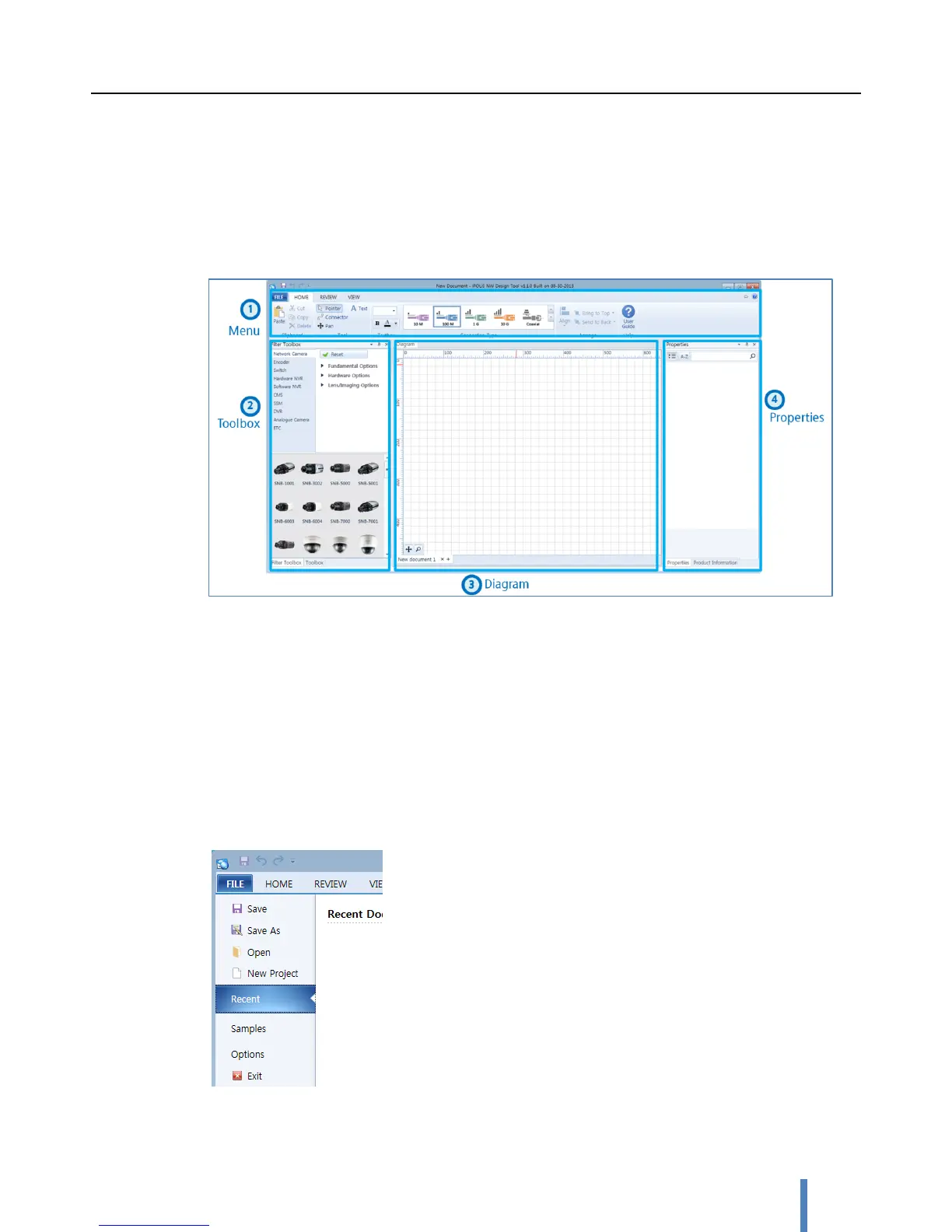
iPOLiS NW Design Tool consist of menu, toolbox, diagram, and properties pane.
1. Menu bar – Loaded with executable menu buttons
2. Filter toolbox – Provides product filtering and selection
3. Diagram – Draws system diagram by using product objects and connectors
4. Properties – Provides product information and its properties
2. New / Save / Open project
New
To clear the current diagram and make it initialized, click [FILE] > [New Project].



 To Next Page