tab on [Properties] pane.
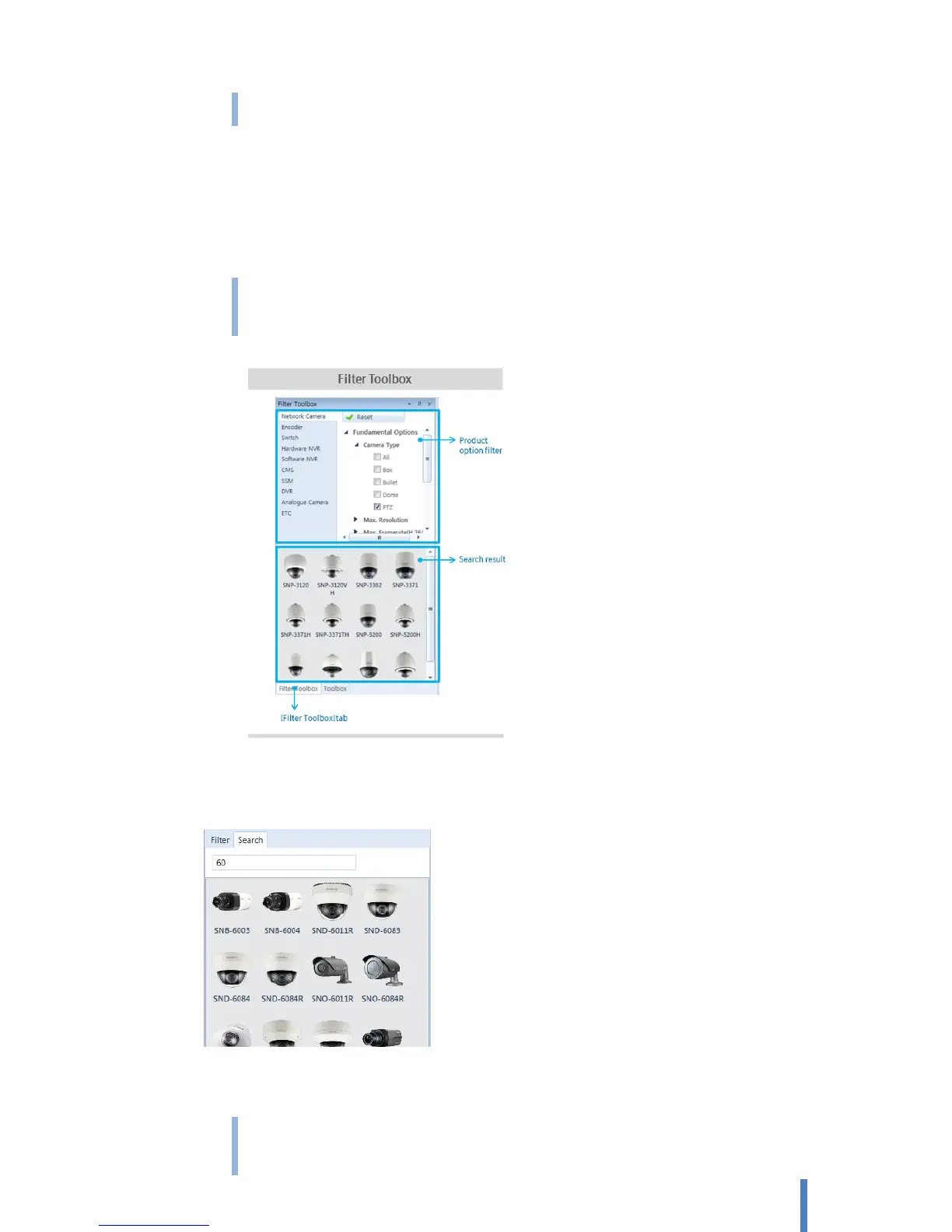
3) Select one of desired product from search result, and drag it onto a diagram pane.
To select a device from entire list
1) Click [Toolbox] tab from toolbox pane.
2) Select a desired product category from [Shapes], it displays entire product list of the relevant
category.
Select one device from the list. You can verify its technical specification from [Product Information]
tab on [Properties] pane.
3) Select one of desired product from search result, and drag it onto a diagram pane.
Search
To search devices with model name or some parts of model name.
1) Select [Search] from filter toolbox
2) Input model name or some parts of model name
Select one device from the list. You can verify its technical specification from [Product Information]
tab on [Properties] pane.



 To Next Page