8
Preparations
Chapter 02
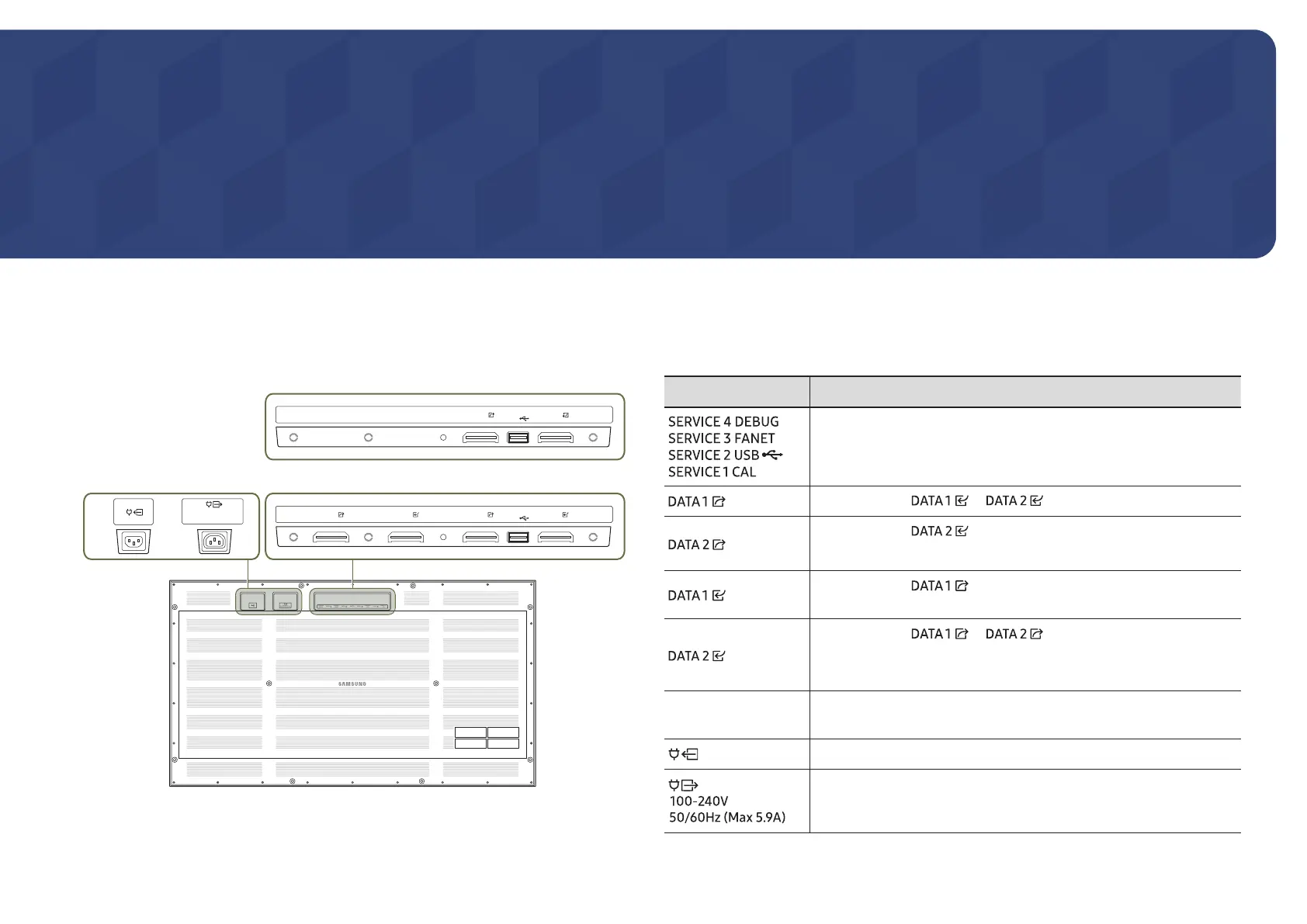
Ports
"
The colour and shape of parts may differ from what is shown. Specifications are subject to change without notice to improve quality.
SERVICE 3
FANET
SERVICE 1
CAL
SERVICE 4
DEBUG
SWITCH
SERVICE 2
USB
DATA 2
DATA 1DATA 2 DATA 1
100-240V
50/60Hz (Max 5.9A)
SERVICE 3
FANET
SERVICE 1
CAL
SERVICE 4
DEBUG
SWITCHDATA 2
DATA 1DATA 2 DATA 1
SERVICE 2
USB
100-240V
50/60Hz (Max 5.9A)
SERVICE 3
FANET
SERVICE 1
CAL
SERVICE 4
DEBUG
SWITCH DATA 1
DATA 1
SERVICE 2
USB
IW009B
IW006B
Parts Description
Dedicated to service technicians.
Connects to the or port on the next cabinet.
Connects to the port on the next cabinet.
"
Supported model: IW009B
Connects to the port on an interface gender or on the
previous cabinet to receive video data.
Connects to the or port on an interface gender or
on the previous cabinet to receive video data.
"
Supported model: IW009B
SWITCH
Enters factory mode (press and hold for 3 seconds) or factory reset
mode (press and hold for 10 seconds).
Connects to an AC power.
Connects the power cable to the next cabinet to support AC power.






 To Next Page