Getting started
7
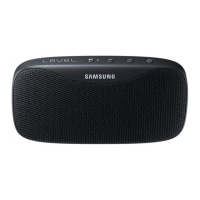
Buttons
Button Function
Power button
•
Press and hold to turn the Bluetooth speaker on or off.
•
Press to check the remaining battery power.
•
Press to begin charging an external device when using the
Bluetooth speaker as a battery pack.
Volume (+) button
•
Press to increase the volume.
•
Press and hold to skip to the next song during music
playback.
Volume (-) button
•
Press to decrease the volume.
•
Press and hold to skip to the previous song during music
playback.
Play/Bluetooth pairing
button
•
Press and hold to enter Bluetooth pairing mode.
•
Press for approximately one second to launch
S Voice
when
the Bluetooth speaker is connected to another device via
Bluetooth.
•
Press to reconnect devices when the Bluetooth connection is
lost.
•
Press to pause or resume music during music playback.
•
Press to answer an incoming call.
•
Press and hold to reject an incoming call.
•
Press to end the current call.


 To Next Page