Using InfoLink
You can view news, stock market and weather information services using SAMSUNG's InfoLink service.
>- Set up the network. (Refer to pages 82~89)
>- Information provided by USA TODAY via Infolink is for the United States only. Information for other countries is not
provided.
Activating InfoLink
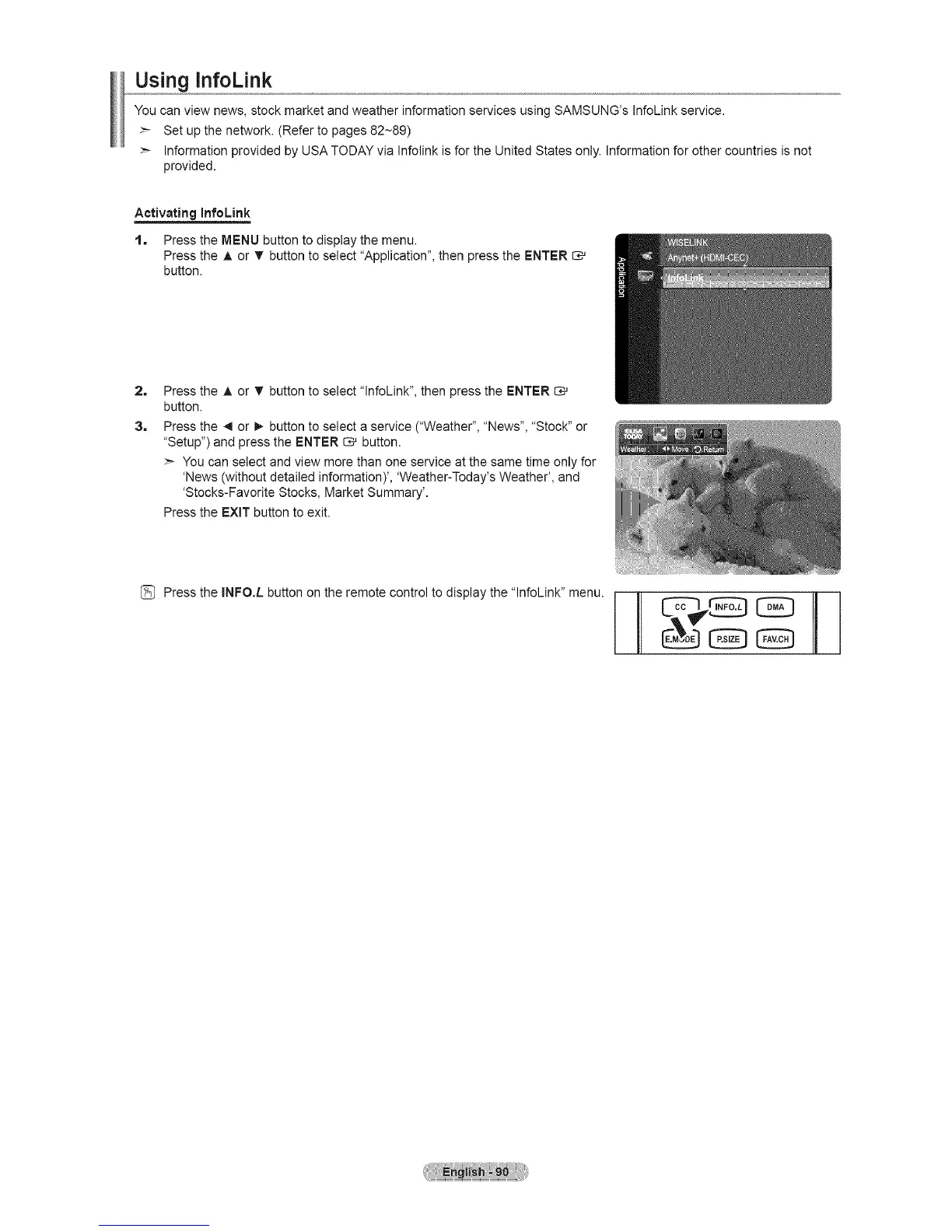
1, Press the MENU button to display the menu.
Press the A or • button to select "Application", then press the ENTER
button.
2=
3,
Press the A or T button to select "lnfoLink", then press the ENTER
button.
Press the _1or I_ button to select a service ("Weather", "News", "Stock" or
"Setup") and press the ENTER _ button.
>- You can select and view more than one service at the same time only for
'News (without detailed information)', 'Weather-Today's Weather', and
'Stocks-Favorite Stocks, Market Summary'.
Press the EXIT button to exit.
(_ Press the INFO.L button on the remote control to display the "lnfoLink" menu.





 To Next Page