ENG
Listening to a Cassette
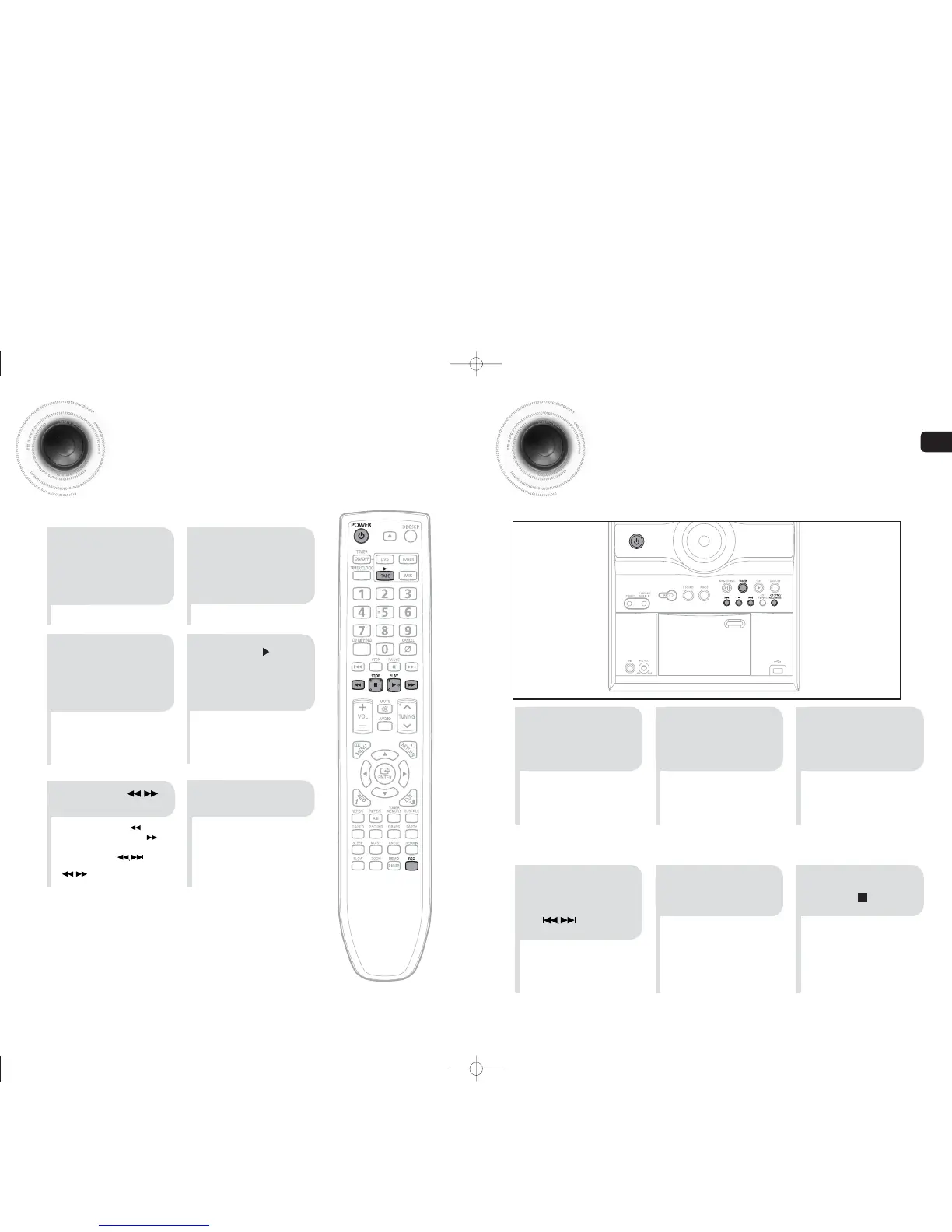
Always treat your cassettes with care; refer, if necessary, to the section entitled
“Precautions When Using Audio Cassettes” on page 55.
43
Recording a Radio Program
You can record a radio program of your choice.
You do not need to adjust the volume, as it has no effect on the recording.
2
1 3
Insert a blank
cassette in Deck.
Switch the system
on by pressing
POWER.
•
REC is displayed and recording
starts.
54
Select the
TUNER function
by pressing
TUNER.
6
To stop recording,
press button.
Select the radio
station that you wish
to record by pressing
button .
44
•
Insert a cassette with the
recording/playback side facing
the cassette holder, and then
push the cassette door shut.
2
4
1
3
Press TAPE button
on the remote control
to select the Tape
function.
Switch the system
on by pressing
POWER.
•
Rewind the cassette button.
•
Fast-forward the cassette
button.
•
You can use the button
of the front panel instead of the
button.
5
Press the PUSH
EJECT of the
cassette deck to
open the cassette
door and insert a
cassette.
Press the
button if necessary.
6
When you have
finished playback,
press STOP button.
P
ress the
button on the remote
control. The cassette
starts
playing.
Press REC button or
CD SYNC/REC/PAUSE.
35-58p-MAX-DG53-DG54-NO ENG.indd 42-4335-58p-MAX-DG53-DG54-NO ENG.indd 42-43 2009-3-24 11:18:492009-3-24 11:18:49


 To Next Page