43
Listening to Radio
You can listen to the chosen band (FM broadcast stations) by using either the
automatic or manual tuning operation.
2
1
Tune in to the
desired station.
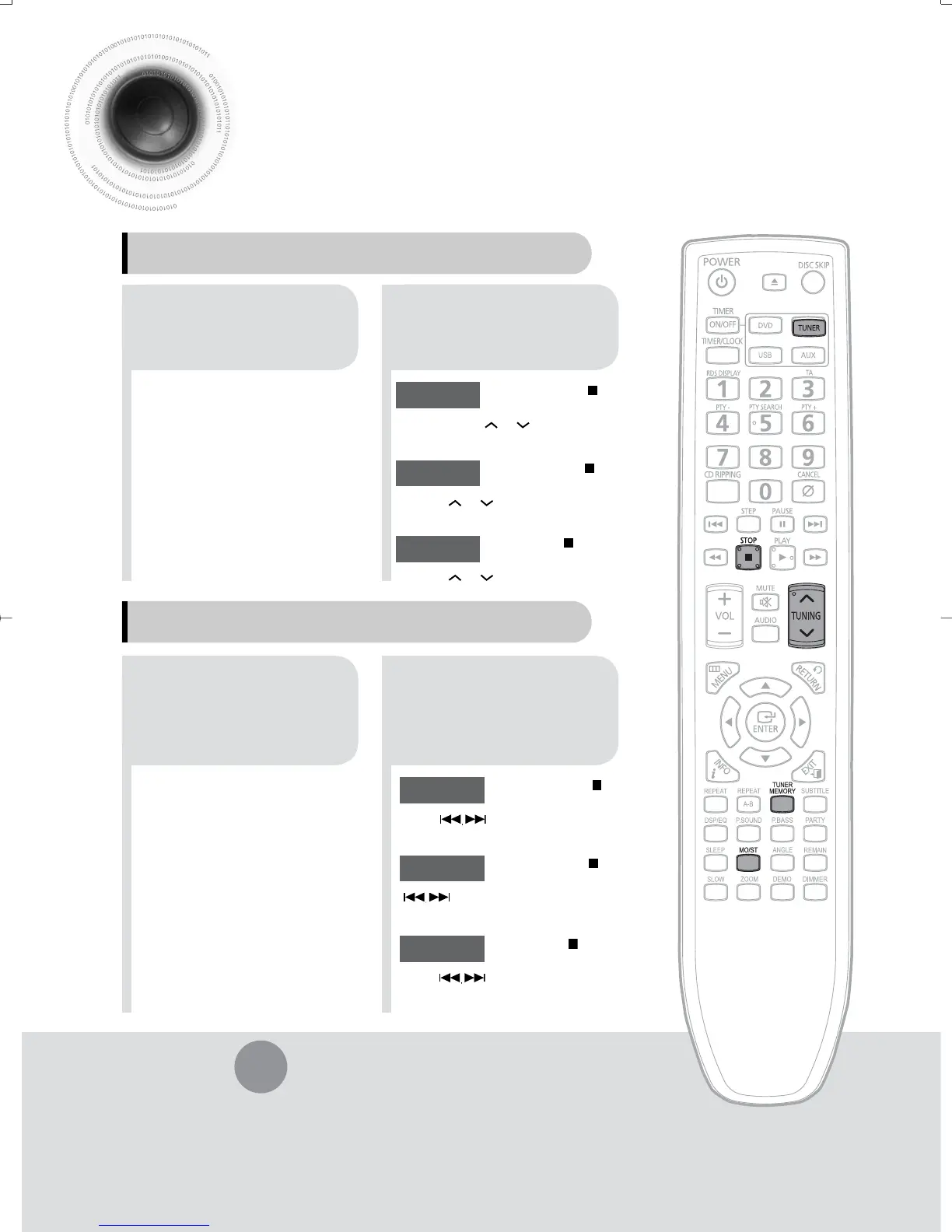
Press TUNER
button.
21
Select a broadcast
station.
Press the STOP ( ) button
to select PRESET and then
press button to select the preset
station.
Automatic Tuning 1
Press the TUNER
button to select the
FM band.
Press the STOP
( )
button to
select "AUTO" and then press
button to automatically search the
band.
Automatic Tuning 2
Press STOP
( )
to select
MANUAL and then briefly
press
to tune in to a lower or
higher frequency.
Manual Tuning
•
Each time the button is pressed, the sound switches between "STEREO" and "MONO".
•
In a poor reception area, select MONO for a clear, interference-free broadcast.
Press MO/ST button to listen in Mono/Stereo.
(This applies only when listening to an FM station.)
Remote Control Unit
Main Unit
Press the STOP ( ) button
to select PRESET and then
press
TUNING or
button to select
the preset station.
Automatic Tuning 1
Press the STOP
( )
button to
select "AUTO" and then press
TUNING or
button to automatically
search the band.
Automatic Tuning 2
Press STOP
( )
to select
MANUAL and then briefly press
TUNING or
to tune in to a lower or higher
frequency.
Manual Tuning
35-58p-MAX-DG56-RDS ENG.indd 4235-58p-MAX-DG56-RDS ENG.indd 42 2009-7-17 18:28:442009-7-17 18:28:44



 To Next Page