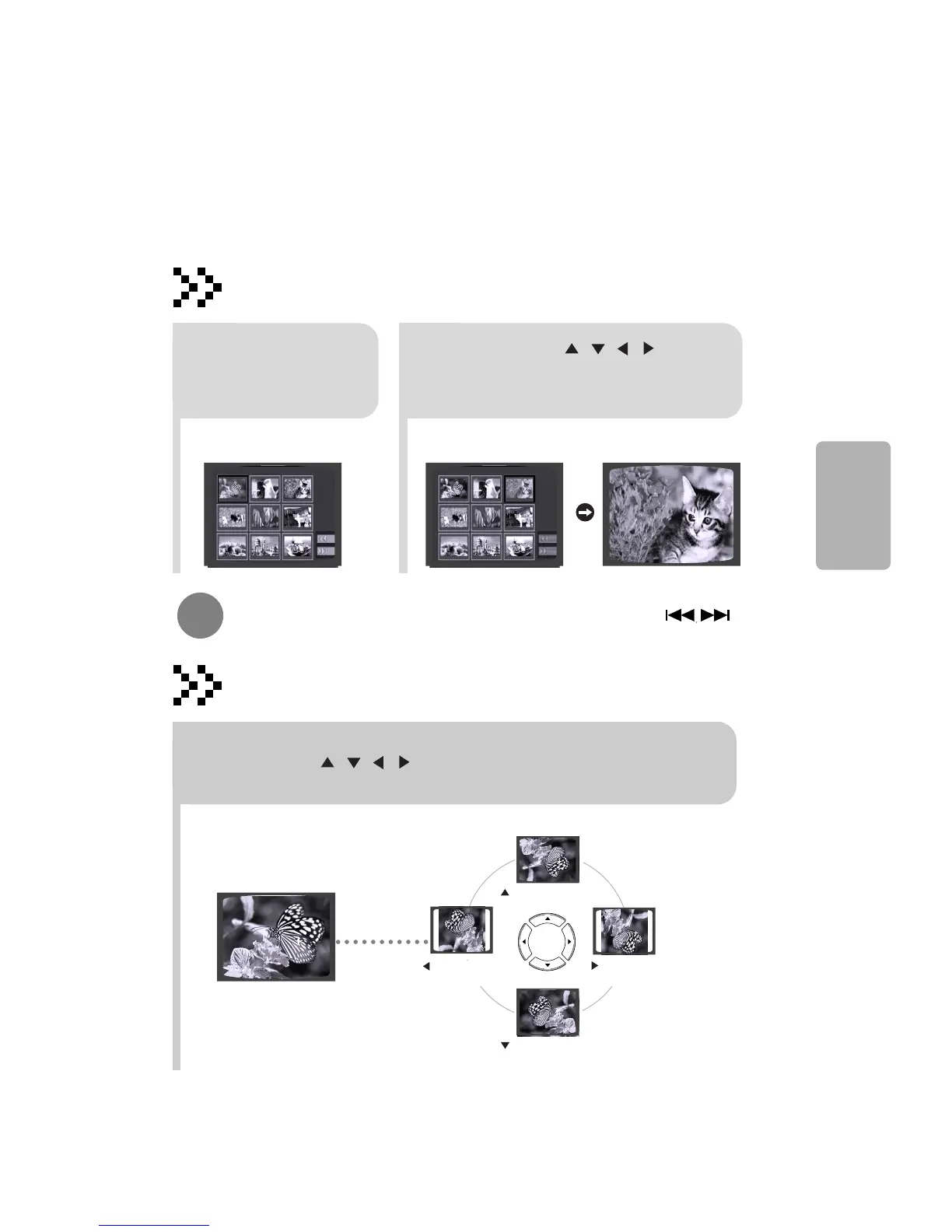
Rotate/Flip Function
button: Flip Vertically
button: Flip Horizontally
button: Rotate 90°
Counterclockwise
button: Rotate 90° Clockwise
Digest Function
2
Press Cursor , , , buttons
to select the desired image and
then press ENTER button.
1
Press DIGEST
button during
playback.
•
JPEG files will be shown in
9 windows.
You can view 9 JPEG images on the TV screen.
•
The selected image is played for 5 seconds before moving to
the next image.
To view the previous or next image with 9 windows, press .
Press Cursor , , , buttons during playback.
Original Image
30
OPERATION





 To Next Page