54
SETUP
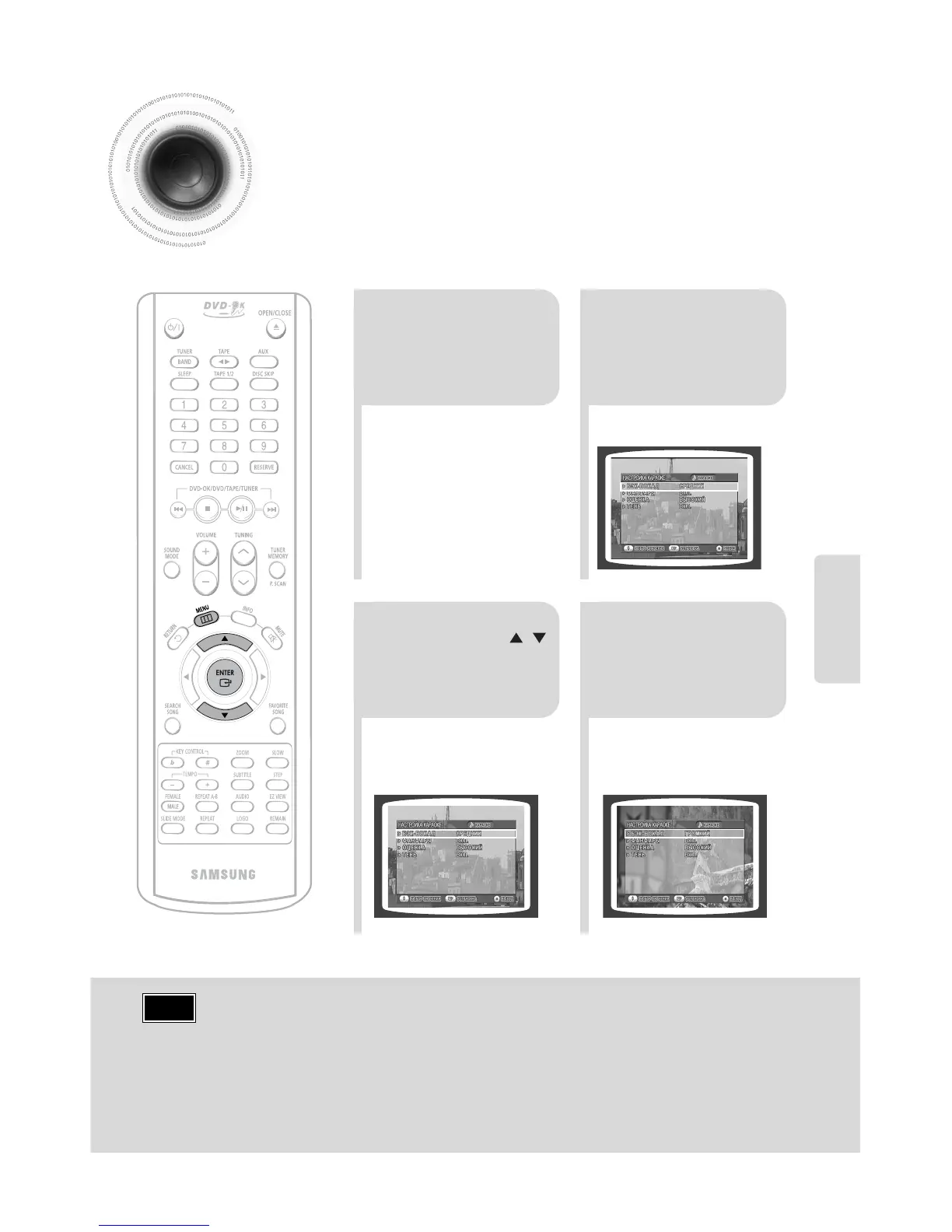
Setting the Chorus
21
Load a DVD-OK
discs.
Press MENU
button.
3
•
Each time the button is pressed, the
selection changes as follows:
ON➝ OFF.
4
Press Cursor ,
button to move to
‘Chorus’.
Press ENTER
button to select
the desired item.
Note
• Chorus function may not work depending on information
recorded in the disk.
You can set the chorus to ON or OFF.
• If you operate the Tempo function while a song with supporting
chorus is playe back,the chorus will be released.


 To Next Page