GB
17
GB
16
This function can be used conveniently to search a desired
track in a VCD. This function is possible in CD or VCD Ver 1.1
or Ver 2.0menu off mode.
Press the DISC VIEW button in the stop state.
Result:
"TRACK VIEW" menu is displayed on the screen.
The screen is split into 9 with each screen picture being
reproduced for 8 seconds.
– Press NEXT( ) button to see the rest tracks.
– Press PREV.( ) button to see the previous tracks.
Select a track by pressing the Digits buttons.
Result:
The picture that you selected is displayed in full screen.
When you wish to stop the DISC VIEW function, press button.
When using more than 10 tracks :
Press the Digits and +10/0 button, select the desired track num-
ber
(Reference page 14).
– Press NEXT( ) button to see the next track.
– Press PREV.( ) button to see the previous track.
VCD View function
Press ZOOM button during playback.
Result:
The picture being reproduced will be enlarged twice as large
as the previous one.
During operating the zoom function, if you want to move the
picture upward/downward/leftward/rightward, please press the
respective Digits button (2,4,6,8).
ZOOM Function
When you want to select a track
1
1
2
3
This function is convenient to search a desired scene as it
displays a track reproduced by time.
Reproduce the pictures by pressing the
()
button.
Press the DISC VIEW button.
Result:
"INDEX VIEW" menu is displayed on the screen.
The screen is split into 9 with each screen picture being
reproduced for 8 seconds.
Reproduce the pictures by pressing a desired Digits button.
Result:
The one of nine picture is displayed in full screen.
When you want to select an INDEX
1
2
3
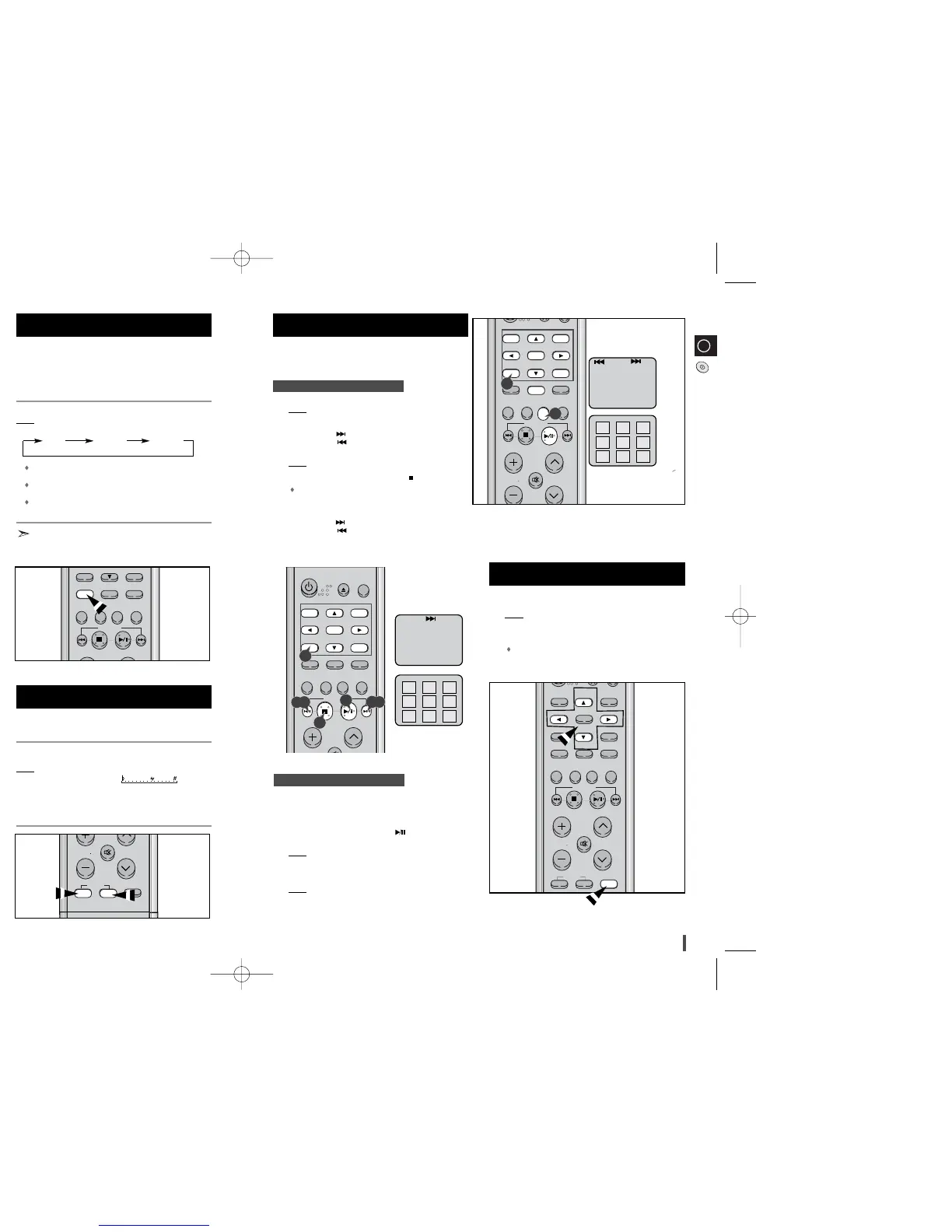
Turn on the TV and set video mode.
Press the SLOW button on the remote controller when the play function is
on.
Voices do not come out when the SLOW button is pressed.
Slow playing is 1/2, 1/4, 1/8 the normal playing speed.
To return to normal operation.
Press the
VCD/CD ()
button.
When the slow mode or frame mode is selected a disc will only forward
operation.
When adjusting play speed
With this function, you can playback video CD’s that provide
2-channel tone(bilingual) in the original language. Similarly,
with karaoke video CD’s, you can select between the channel
for music without vocals for sing-along purpose, or the chan-
nel complete with music and vocals.
During playback, press the SOUND button on the remote control.
Result: Each time the SOUND button is pressed, the following appears in
the display and on the TV screen:
L-CH : Only the left channel (instrumental parts) is played back
through both the right and left speakers.
R-CH : Only the right channel (vocal parts) is played back through
both the right and left speakers.
STEREO : Cancels the Multiplex Sound (normal stereo playback
resumes).
You can select between listening to the tone from the left channel,
the right channel or both channels.
Sound Selection Function
This function can work only at VCD mode when microphone
is connected.
Press the KEY CONTROL button to adjust the key to your voice. (the 15
step key control you can select )
Result: Each time the KEY CONTROL #, b button is pressed, the follow-
ing appears on the TV screen:
b : Low-Pitched
# : High-Pitched
KEY CONTROL Function
NTSC/PAL Selection Method
According to a DISC or TV, Press the REC/PAUSE button on
the front panel.
Set the system to standby(power off) mode, press the REC/PAUSE button
on the front panel.
Result: Each time the REC/PAUSE button is pressed, the following appears
in the display:
NTSC PAL
L-CH R-CH STEREO
(L-ch MONO) (R-ch MONO)



 To Next Page