18
Operation
Adjusting the Volume
The Sound function on the microwave allows you to adjust the volume of
the microwave’s chime sound. The sound is initially set to its medium
setting. To change the volume,
1 Press the My Choice button and then press 2.
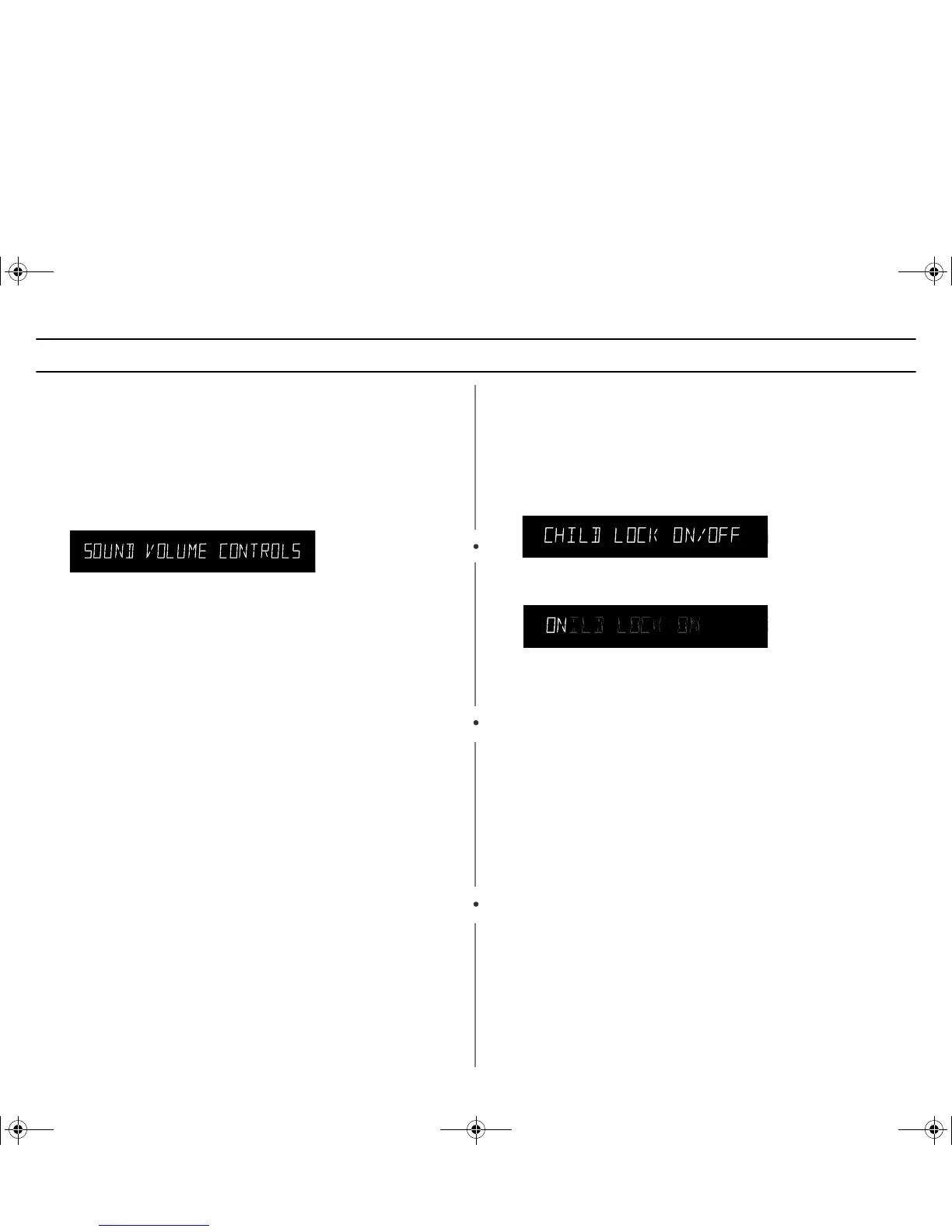
The display shows “SOUND VOLUME CONTROLS”
2 Press the My Choice button repeatedly to select volume.
3 Press Start:
The display returns to the time of day.
Using the Kitchen Timer
1 Use the Number buttons to set the length of time you want the
timer to run.
2 Press the Kitchen Timer button.
3 The display counts down and beeps when the time has elapsed.
Setting the Child Protection Lock
You can lock your microwave oven so it can’t be used by unsupervised
children.
1 Press the My Choice button and then press the 4 button.
The display shows "CHILD LOCK ON/OFF."
2 Press the My Choice button once to select the ON. Press again to
select OFF.
3 Press the Start button. The display returns to the time of day.
At this point, the microwave oven cannot be used until it is
unlocked. To unlock it, repeat steps 1–3 above.
tjXWX\hhG{zlUGGwGX_GG{SGqGY[SGYWW[GG\aZWGwt




 To Next Page