EasyManua.ls Logo

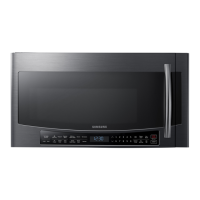
Samsung MC17J8000CS - User Manual

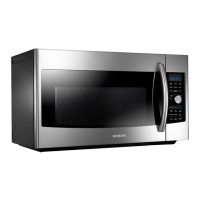
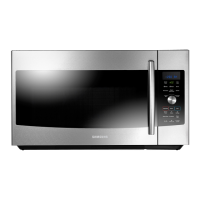
Samsung MC17J8000CS
80 pages
Print Icon
To Next Page IconTo Next Page
Loading...
DE68-04224C-01
QUESTIONS OR COMMENTS?
COUNTRY CALL OR VISIT US ONLINE AT
U.S.A
Consumer Electronics
1-800-SAMSUNG (726-7864) www.samsung.com/us/support
CANADA 1-800-SAMSUNG (726-7864)
www.samsung.com/ca/support (English)
www.samsung.com/ca_fr/support (French)
Please be advised that the Samsung warranty does NOT cover service calls to explain product
operation, correct improper installation, or perform normal cleaning or maintenance.
Scan the QR code* or visit
www.samsung.com/spsn
to view our helpful
How-to Videos and Live Shows
* Requires reader to be installed on your
smartphone
MC17J8000CS_AA _DE68-04224C-01_EN.indd 80 2015-11-26 �� 4:06:47

Table of Contents

Other manuals for Samsung MC17J8000CS

Questions and Answers

  • A
    Alan WalshSep 18, 2025
    What does C-20 mean on my Samsung MC17J8000CS Microwave Oven?
    • K
      kimberlymorganSep 18, 2025
      Press the STOP/CANCEL button and operate your Samsung Microwave Oven again. If the C-20 error appears again, turn off the microwave oven, let it sit for more than 30 seconds, and then try setting again.
  • J
    jeremy28Aug 25, 2025
    Why are the buttons on my Samsung MC17J8000CS not working?
    • J
      Jeremy Little PhDAug 25, 2025
      If the buttons on your Samsung Microwave Oven are not working properly, check for any foreign matter caught between the buttons and remove it. For touch models, wipe away any moisture on the exterior. Also, verify whether the Child Lock feature is activated and, if so, deactivate it.
  • K
    Kaitlyn NguyenAug 25, 2025
    Why is my Samsung MC17J8000CS Microwave Oven not heating?
    • A
      Amy SmithAug 26, 2025
      Your Samsung Microwave Oven may not heat properly if you're cooking too much food or using the wrong type of cookware. To test, put one cup of water in a microwave-safe container, place it in the oven, and run the microwave for 1-2 minutes. If the water heats up, reduce the amount of food and try again, and ensure you're using cookware with a flat bottom.
  • D
    Dylan McfarlandAug 26, 2025
    How to fix a Samsung MC17J8000CS when the time is not displayed?
    • C
      cantujuliaAug 27, 2025
      If the time isn't displayed on your Samsung Microwave Oven, ensure that the oven is receiving power by checking the power cord, outlet, fuses, and circuit breakers. Also, check if the Eco (power-saving) function is enabled and turn it off.
  • M
    Megan BergSep 22, 2025
    What does C-21 mean on my Samsung Microwave Oven?
    • S
      Summer HodgeSep 22, 2025
      Turn off your Samsung Microwave Oven and let it cool, then try the setting again.
  • C
    Courtney CollierSep 23, 2025
    What does C-F0 mean on my Samsung Microwave Oven?
    • P
      Paul BlackSep 23, 2025
      Unplug the power cord of your Samsung Microwave Oven.
  • M
    Michaela JonesSep 9, 2025
    Why is the interior light dim or does not turn on in my Samsung MC17J8000CS Microwave Oven?
    • A
      Andrew EdwardsSep 10, 2025
      If the interior light in your Samsung Microwave Oven is dim or not turning on, it may be because the door has been left open for a long time, triggering the Eco function to turn it off automatically. Try closing and reopening the door or pressing the STOP/CANCEL button. Alternatively, the light may be covered by foreign matter; clean the inside of the oven.
  • P
    popeanneSep 12, 2025
    Why does my Samsung MC17J8000CS turntable rattle while turning and is noisy?
    • I
      Isaac JohnsonSep 12, 2025
      If the turntable in your Samsung Microwave Oven is rattling and noisy, it's likely due to food residue stuck to the bottom of the oven. Remove any food residue to resolve this issue.
  • C
    christinagreeneSep 3, 2025
    Why is the time not displayed on my Samsung Microwave Oven?
    • K
      Kevin Ellis Jr.Sep 3, 2025
      If the time isn't displayed on your Samsung Microwave Oven, it could be due to a lack of power supply (ensure it's plugged in and check fuses/breakers) or the Eco (power-saving) function being enabled (turn it off).
  • A
    Austin HamiltonSep 1, 2025
    Why does my Samsung MC17J8000CS Microwave Oven warm function not work?
    • M
      Melissa JacksonSep 1, 2025
      The warm function on your Samsung Microwave Oven may not work properly if you're trying to warm too much food or using improper cookware. To test, put one cup of water in a microwave-safe container, place it in the oven, and run the microwave for 1-2 minutes. If the water heats up, reduce the amount of food and try again, and ensure you're using cookware with a flat bottom.

Summary

Important Safety Instructions

Microwave Energy Exposure Precautions

Specific warnings to prevent harmful exposure to microwave energy during operation.

Important Safety Symbols and Precautions

General Warnings

Grounding Instructions

Critical Installation Warnings

Electrical and Installation Precautions

Critical Usage Warnings

Appliance Handling and Hazards

Usage Cautions

General Usage and Child Safety

Cautions regarding cracked surfaces, hot food, handling cookware, and children's safety.

Critical Cleaning Instructions

Setting up your new microwave oven

Setting up your microwave oven

Checking the control panel

Using the steam clean feature

Using the warm hold feature

Using the defrost button

Defrosting Instructions

Using the slim fry button

Using the fit choice button

Using the popcorn button

Using the speed cook button

Using the auto cook button

Using the express menu feature

Microwave Cooking Times and Power Levels

One-stage cooking

How to set cooking time and power level for a single cooking stage.

Multi-stage cooking

Steam cooking guide

Brown

Convection bake;roast

Convection Bake;Roast Settings

Speed bake;roast

Speed bake;roast cooking guide

Cookware guide

Cooking guide

Cleaning and maintaining your microwave oven

Storing and repairing your microwave oven

Cleaning the grease filter

Troubleshooting

Check points

A table to diagnose and resolve common oven problems based on symptoms.

Grill and Oven Operation Issues

Guidance for issues like smoke during operation, oven not heating, or bad smells.

Information codes

Explains information codes displayed on the oven and actions to take.

Appendix

Specifications

Technical specifications of the microwave oven, including dimensions and power ratings.

Warranty

Limited Warranty Terms and Conditions

Explains what the warranty covers, exclusions, and limitations of liability.

Samsung MC17J8000CS Specifications

General IconGeneral
Oven Cavity1.7 cu ft
Controls10 power levels, including Defrost
Timer99 minutes, 99 seconds
Microwave Power Output950 Watts
Power Source120 VAC, 60 Hz
Power Consumption1700 Watt Microwave / 1750 Watt Heater
Cook Top Light40 Watt incandescent lamp ( 2 EA )
Oven Light20 Watt halogen lamp
Weight and Dimensions IconWeight and Dimensions
Oven Cavity Dimensions (inches)20 9/64”(W) x 10 9/32”(H) x 14”(D)
Outside Dimensions (inches)29 7/8” (W) x 16 15/16” (H) x 18 9/16”(D)
Shipping Dimensions (inches)33 11/32”(W) x 20 25/32” (H) x 19 3/8”(D)
Net/Shipping Weight74.4 lbs / 86 lbs (33.75 kg / 39 kg)

Related product manuals