EasyManua.ls Logo

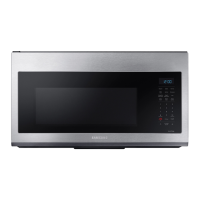
Samsung MC17T8000CS - User Manual

Samsung MC17T8000CS
80 pages
Print Icon
To Next Page IconTo Next Page
Loading...
Microwave Oven
User manual
MC17T8000C*

Table of Contents

Questions and Answers

  • J
    Jason MccallJul 30, 2025
    Why is my Samsung MC17T8000CS not working?
    • J
      John RogersJul 30, 2025
      If your Samsung Microwave Oven isn't working, ensure that it's properly supplied with power by checking if it's plugged in and inspecting your fuses or circuit breakers. Also, make sure the door is fully closed and that no foreign matter is obstructing the door's safety mechanisms. Remove any obstruction and try again.
  • C
    Cheryl ClarkAug 6, 2025
    What to do if the buttons on my Samsung Microwave Oven don't work?
    • N
      nixonmaryAug 7, 2025
      If the buttons on your Samsung Microwave Oven are not responding properly, there might be foreign matter caught between them; remove it and try again. For touch models, wipe any moisture from the exterior. Also, check if the Child Lock is activated and deactivate it.
  • S
    Sarah GonzalezAug 14, 2025
    Why does my Samsung MC17T8000CS Microwave Oven power off during cooking?
    • M
      Melanie HaynesAug 14, 2025
      If the power turns off during operation of your Samsung Microwave Oven, several factors could be the cause. If the oven has been cooking for an extended period, allow it to cool down. Ensure the cooling fan is working properly by listening for its sound. Make sure there is food inside the oven during operation. Check that there's adequate ventilation space around the oven, referring to the installation guide for proper placement. Lastly, avoid overloading the outlet by unplugging other appliances.
  • D
    diazvanessaAug 22, 2025
    How to fix a Samsung Microwave Oven when the time is not displayed?
    • D
      Dawn JonesAug 22, 2025
      If the time is not displayed on your Samsung Microwave Oven, ensure that the microwave is properly plugged in and that power is being supplied to it by checking your fuses or circuit breakers. Also, check if the Eco (power-saving) function is enabled and turn it off.

Summary

Important Safety Instructions

General Safety Guidelines

General safety guidelines and precautions for microwave operation.

Precautions for Microwave Energy Exposure

Specific precautions to prevent excessive microwave energy exposure.

Safety Symbols and Warnings

Explains safety symbols, general precautions, and state-specific warnings.

Grounding and Cord Safety

Essential guidelines for proper grounding and safe use of extension cords.

Installation and Usage Safety

Critical warnings for safe installation and operation of the microwave oven.

Setting Up Your New Microwave Oven

Using Your Microwave Oven

Advanced Cooking Modes

Guides for using defrost, microwave, convection, speed bake/roast, and grill cooking modes.

Keep Warm and Steam Clean

Instructions for keeping food warm and cleaning the oven using steam.

Troubleshooting

Check Points for Common Problems

A guide to identify and resolve common problems with the oven.

Samsung MC17T8000CS Specifications

General IconGeneral
TypeOver-the-Range
Capacity1.7 cu. ft.
Power Source120V/60Hz
InstallationOver-the-Range
TurntableYes
ColorStainless Steel
Cooking PresetsYes
Sensor CookingYes
Convection CookingNo
Grill FunctionNo

Related product manuals