EasyManua.ls Logo

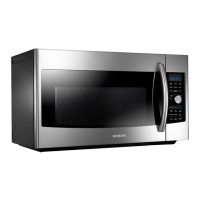
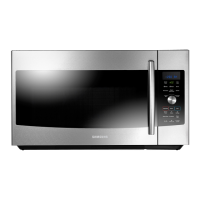
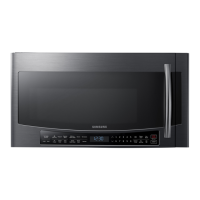
Samsung MC17F808 - User Manual

Samsung MC17F808
48 pages
Print Icon
To Next Page IconTo Next Page
Loading...
imagine the possibilities
Thank you for purchasing this Samsung
product. Please register your product at
www.samsung.com/register
1-800-SAMSUNG (726-7864)
Microwave Oven
user manual
MC17F808KDT
This manual is made with 100 % recycled paper.
MC17F808KDT_AA_DE68-04224A_EN.indd 1 2013-07-11 �� 11:04:46

Table of Contents

Other manuals for Samsung MC17F808

Questions and Answers

  • E
    elliottrandySep 9, 2025
    What to do if the Samsung MC17F808 Microwave Oven display and/or the oven is not working?
    • H
      higginscaseySep 9, 2025
      If the display and/or oven of your Samsung Microwave Oven is not working, ensure the plug is properly connected to a grounded outlet and that the wall switch (if applicable) is turned on. Unplug the oven, wait ten seconds, and plug it back in. Reset the circuit breaker or replace any blown fuses. Test the outlet with another appliance. If it still doesn't work, contact a qualified electrician. You can also try plugging the oven into a different outlet.
  • P
    pgreenAug 22, 2025
    Why are the buttons on my Samsung MC17F808 Microwave Oven not working?
    • A
      Allison WilliamsAug 23, 2025
      If the buttons on your Samsung Microwave Oven are not working properly, check for any foreign matter caught between the buttons and remove it. For touch models, wipe away any moisture on the exterior. Also, verify whether the Child Lock feature is activated and, if so, deactivate it.
  • M
    Michael ChavezAug 25, 2025
    How to fix -SE- error on Samsung MC17F808 Microwave Oven?
    • J
      Jenna HawkinsAug 25, 2025
      If your Samsung Microwave Oven displays the error code -SE-, try turning the set off and then restarting it.
  • S
    Shane WashingtonAug 26, 2025
    What to do if my Samsung MC17F808 display is working, but the power won’t come on?
    • V
      vowensAug 27, 2025
      If the display of your Samsung Microwave Oven is working, but the power isn't coming on, ensure the door is closed securely. Check for any packaging material or obstructions in the door seal and inspect the door for damage. Touch Cancel twice and re-enter all the cooking instructions.
  • R
    Robert MatthewsAug 27, 2025
    How to fix a Samsung MC17F808 when the time is not displayed?
    • N
      nsandovalAug 28, 2025
      If the time isn't displayed on your Samsung Microwave Oven, ensure that the oven is receiving power by checking the power cord, outlet, fuses, and circuit breakers. Also, check if the Eco (power-saving) function is enabled and turn it off.
  • M
    Maria VargasAug 29, 2025
    What to do if my Samsung MC17F808 Microwave Oven turns off during operation?
    • K
      Kenneth ThompsonAug 29, 2025
      If your Samsung Microwave Oven turns off during operation, consider the following: * If the oven has been cooking for an extended period, allow it to cool down. * Check if the cooling fan is running; listen for its sound. * Ensure there's food inside the oven during operation. * Verify that there is enough ventilation space around the oven, referring to the installation guide for proper clearance from walls and cabinets. * Unplug other appliances from the same outlet to ensure sufficient power supply to the microwave.
  • K
    kathleenklineSep 18, 2025
    Why is the cook top lamp too dim on my Samsung MC17F808?
    • D
      darrylbraunSep 18, 2025
      If the cook top lamp on your Samsung Microwave Oven is too dim, set the lamp brightness level to high.
  • D
    David WalkerSep 18, 2025
    Why does my Samsung MC17F808 turntable rotates improperly?
    • J
      jrodriguezSep 19, 2025
      If the turntable of your Samsung Microwave Oven rotates improperly, it may be due to excessive food weight or size. Ensure you have not placed too much food on the turntable.
  • H
    Henry WagnerSep 7, 2025
    What to do if my Samsung MC17F808 Microwave Oven has sparks or arcing?
    • M
      Mary BeasleySep 8, 2025
      If your Samsung Microwave Oven is sparking or arcing, remove any metallic utensils, cookware, or metal ties from the oven. If you are using foil, make sure to use only narrow strips and allow at least one inch between the foil and the interior oven walls.
  • R
    ramirezdeborahSep 4, 2025
    What to do if my Samsung MC17F808 Microwave Oven displays error E-24 or E-25?
    • N
      nhardySep 4, 2025
      If your Samsung Microwave Oven displays error codes E-24 or E-25, it indicates overheating during cooking, specifically reaching 500F. The suggested solution is to replace either the Sensor or the Control Circuit Board.

Samsung MC17F808 Specifications

General IconGeneral
BrandSamsung
ModelMC17F808
CategoryMicrowave Oven
LanguageEnglish

Related product manuals