EasyManua.ls Logo

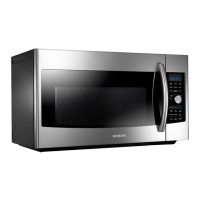
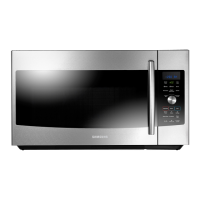
Samsung MC17F808 - User Manual

Samsung MC17F808
48 pages
Print Icon
To Next Page IconTo Next Page
Loading...
imagine the possibilities
Thank you for purchasing this Samsung
product. Please register your product at
www.samsung.com/register
1-800-SAMSUNG (726-7864)
Microwave Oven
user manual
MC17F808KDT
This manual is made with 100 % recycled paper.
MC17F808KDT_AA_DE68-04224A_EN.indd 1 2013-07-11 �� 11:04:46

Table of Contents

Other manuals for Samsung MC17F808

Questions and Answers

  • O
    ohoodAug 21, 2025
    What to do if my Samsung Microwave Oven won't turn on?
    • A
      Andrew ComptonAug 21, 2025
      If your Samsung Microwave Oven isn't working, first ensure that it's properly plugged into a functioning power outlet. Check your fuses or circuit breakers. Also, make sure the door is fully closed and that no foreign objects are obstructing the door's safety mechanisms. Remove any obstruction and try again.
  • J
    Jasmine LarsonSep 3, 2025
    Why does my Samsung MC17F808 Microwave Oven turntable make noise or become stuck?
    • S
      Seth GraySep 3, 2025
      If the turntable in your Samsung Microwave Oven is making noise or getting stuck, clean the turntable, roller ring, and oven floor. Also, ensure that the turntable and roller ring are positioned correctly.
  • M
    Mitchell GonzalezSep 1, 2025
    How to fix a Samsung MC17F808 Microwave Oven that cooks food too slowly?
    • D
      dillon14Sep 1, 2025
      If your Samsung Microwave Oven is cooking food too slowly, it might be due to a voltage drop caused by operating another appliance on the same circuit. Ensure the oven is on its own 20 amp circuit line, or move the oven to a dedicated circuit.
  • L
    Linda ReynoldsAug 31, 2025
    What causes E-23 error on a Samsung Microwave Oven?
    • S
      Stephen JamesAug 31, 2025
      If your Samsung Microwave Oven displays error code E-23, it indicates a poor ASSY CASING.
  • M
    Maria VargasAug 29, 2025
    What to do if my Samsung MC17F808 Microwave Oven turns off during operation?
    • K
      Kenneth ThompsonAug 29, 2025
      If your Samsung Microwave Oven turns off during operation, consider the following: * If the oven has been cooking for an extended period, allow it to cool down. * Check if the cooling fan is running; listen for its sound. * Ensure there's food inside the oven during operation. * Verify that there is enough ventilation space around the oven, referring to the installation guide for proper clearance from walls and cabinets. * Unplug other appliances from the same outlet to ensure sufficient power supply to the microwave.
  • R
    Robert MatthewsAug 27, 2025
    How to fix a Samsung MC17F808 when the time is not displayed?
    • N
      nsandovalAug 28, 2025
      If the time isn't displayed on your Samsung Microwave Oven, ensure that the oven is receiving power by checking the power cord, outlet, fuses, and circuit breakers. Also, check if the Eco (power-saving) function is enabled and turn it off.
  • S
    Shane WashingtonAug 26, 2025
    What to do if my Samsung MC17F808 display is working, but the power won’t come on?
    • V
      vowensAug 27, 2025
      If the display of your Samsung Microwave Oven is working, but the power isn't coming on, ensure the door is closed securely. Check for any packaging material or obstructions in the door seal and inspect the door for damage. Touch Cancel twice and re-enter all the cooking instructions.
  • M
    Michael ChavezAug 25, 2025
    How to fix -SE- error on Samsung MC17F808 Microwave Oven?
    • J
      Jenna HawkinsAug 25, 2025
      If your Samsung Microwave Oven displays the error code -SE-, try turning the set off and then restarting it.
  • P
    pgreenAug 22, 2025
    Why are the buttons on my Samsung MC17F808 Microwave Oven not working?
    • A
      Allison WilliamsAug 23, 2025
      If the buttons on your Samsung Microwave Oven are not working properly, check for any foreign matter caught between the buttons and remove it. For touch models, wipe away any moisture on the exterior. Also, verify whether the Child Lock feature is activated and, if so, deactivate it.

Samsung MC17F808 Specifications

General IconGeneral
BrandSamsung
ModelMC17F808
CategoryMicrowave Oven
LanguageEnglish

Related product manuals