EasyManua.ls Logo

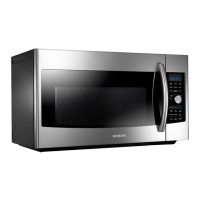
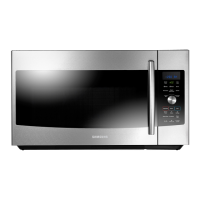
Samsung MC17J8000CG - User Manual

Samsung MC17J8000CG
80 pages
Print Icon
To Next Page IconTo Next Page
Loading...
DE68-04224C-00
QUESTIONS OR COMMENTS
COUNTRY CALL OR VISIT US ONLINE AT
U.S.A
Consumer Electronics
1-800-SAMSUNG (726-7864) www.samsung.com/us/support
CANADA 1-800-SAMSUNG (726-7864)
www.samsung.com/ca/support (English)
www.samsung.com/ca_fr/support (French)
Please be advised that the Samsung warranty does NOT cover service calls to explain product
operation, correct improper installation, or perform normal cleaning or maintenance.
Scan the QR code* or visit
www.samsung.com/spsn
to view our helpful
How-to Videos and Live Shows
* Requires reader to be installed on your
smartphone
MC17J8000CS_AA _DE68-04224C-00_EN.indd 80 2015-06-16 �� 9:52:01

Table of Contents

Questions and Answers

  • S
    Steven CrossAug 6, 2025
    What to do if my Samsung MC17J8000CG won't turn on?
    • P
      Peter HopkinsAug 6, 2025
      If your Samsung Microwave Oven isn't working, first ensure that it's properly plugged into a functioning power outlet. Check your fuses or circuit breakers. Also, make sure the door is fully closed and that no foreign objects are obstructing the door's safety mechanisms. Remove any obstruction and try again.
  • W
    William BrownAug 13, 2025
    Why are the buttons on my Samsung Microwave Oven not working?
    • B
      Billy BlakeAug 13, 2025
      If the buttons on your Samsung Microwave Oven are not working properly, check for any foreign matter caught between the buttons and remove it. For touch models, wipe away any moisture on the exterior. Also, verify whether the Child Lock feature is activated and, if so, deactivate it.
  • V
    Veronica WilsonAug 21, 2025
    How to fix a Samsung Microwave Oven when the time is not displayed?
    • M
      Megan AllenAug 21, 2025
      If the time isn't displayed on your Samsung Microwave Oven, ensure that the oven is receiving power by checking the power cord, outlet, fuses, and circuit breakers. Also, check if the Eco (power-saving) function is enabled and turn it off.
  • D
    David RangelAug 28, 2025
    What to do if my Samsung MC17J8000CG Microwave Oven turns off during operation?
    • S
      Sara OconnellAug 29, 2025
      If your Samsung Microwave Oven turns off during operation, consider the following: * If the oven has been cooking for an extended period, allow it to cool down. * Check if the cooling fan is running; listen for its sound. * Ensure there's food inside the oven during operation. * Verify that there is enough ventilation space around the oven, referring to the installation guide for proper clearance from walls and cabinets. * Unplug other appliances from the same outlet to ensure sufficient power supply to the microwave.

Summary

Safety and Precautions

General Safety Rules

Essential safety rules, symbols, and precautions to avoid microwave energy exposure.

Electrical, Installation & Usage Safety

Guidelines for safe grounding, extension cord use, installation, operation, and cleaning.

Regulatory Compliance and Warnings

States warnings regarding chemicals known to cause cancer and reproductive toxicity.

Setting Up and Basic Operation

Unpacking and Oven Setup

Instructions for unpacking, checking parts, setting up the oven, and installing the metal shelf.

Control Panel and Time Setting

Overview of control panel buttons, clock setting, and customizing appliance features.

Key Button Functions

Explains the operation of essential buttons like STOP/CLEAR, Child Lock, Timer, and special modes.

Cooking Modes and Techniques

Cleaning and Vent Fan Operation

Procedures for steam cleaning the oven cavity and operating the vent fan.

Warm Hold, Defrost, and Turntable Control

How to use Warm Hold, Defrost functions, and manage the turntable operation.

Specialized Cooking Menus

Guides for using specific cooking menus like Slim Fry, Fit Choice, Popcorn, Speed Cook, Auto Cook, and Express.

Advanced Cooking Methods

Microwave Power Levels and Stages

Setting cooking times, selecting power levels (1-10), and configuring multi-stage cooking.

Steam Cooking and Browning

Instructions for steam cooking with accessories and using the Browning mode for texture.

Convection and Combination Cooking

Utilizing Convection Bake/Roast and Speed Bake/Roast modes for dry heat and combination cooking.

Cookware and General Guides

Cookware Recommendations

Advice on selecting microwave-safe cookware, items for limited use, and those to avoid.

Cooking Techniques Explained

Best practices for cooking, including stirring, food arrangement, shielding, and standing time.

Specific Food Cooking Guides

Detailed guidance for cooking eggs and various vegetables in the microwave.

Cleaning, Maintenance, and Troubleshooting

Oven Cleaning and Maintenance

Procedures for cleaning the oven exterior, interior, door seals, and replacing filters/lights.

Troubleshooting Common Problems

Solutions for common issues such as non-responsive buttons, power loss, heating problems, and unusual sounds.

Error Codes and Specific Issues

Interpretation of information codes and troubleshooting specific problems like grill smoke or turntable issues.

Appendix and Warranty

Product Specifications and Codes

Technical specifications of the microwave and explanations of various error codes.

Warranty Terms and Service

Information on the product's limited warranty, coverage terms, and procedures for obtaining service.

Samsung MC17J8000CG Specifications

General IconGeneral
Capacity1.7 cu. ft.
Control TypeTouch
TurntableYes
ColorBlack Stainless Steel
Cooking PresetsYes
Turntable Diameter14.2 inches
Sensor CookingYes
Convection CookingYes
Grill CookingYes
Child LockYes
Auto DefrostYes
Keep Warm FunctionYes
Cooking ModesMicrowave, Convection, Grill

Related product manuals