Disassembly and Reassembly
Samsung Electronics4-32
No Parts Procedure Remark
2
Fan
&
Motor
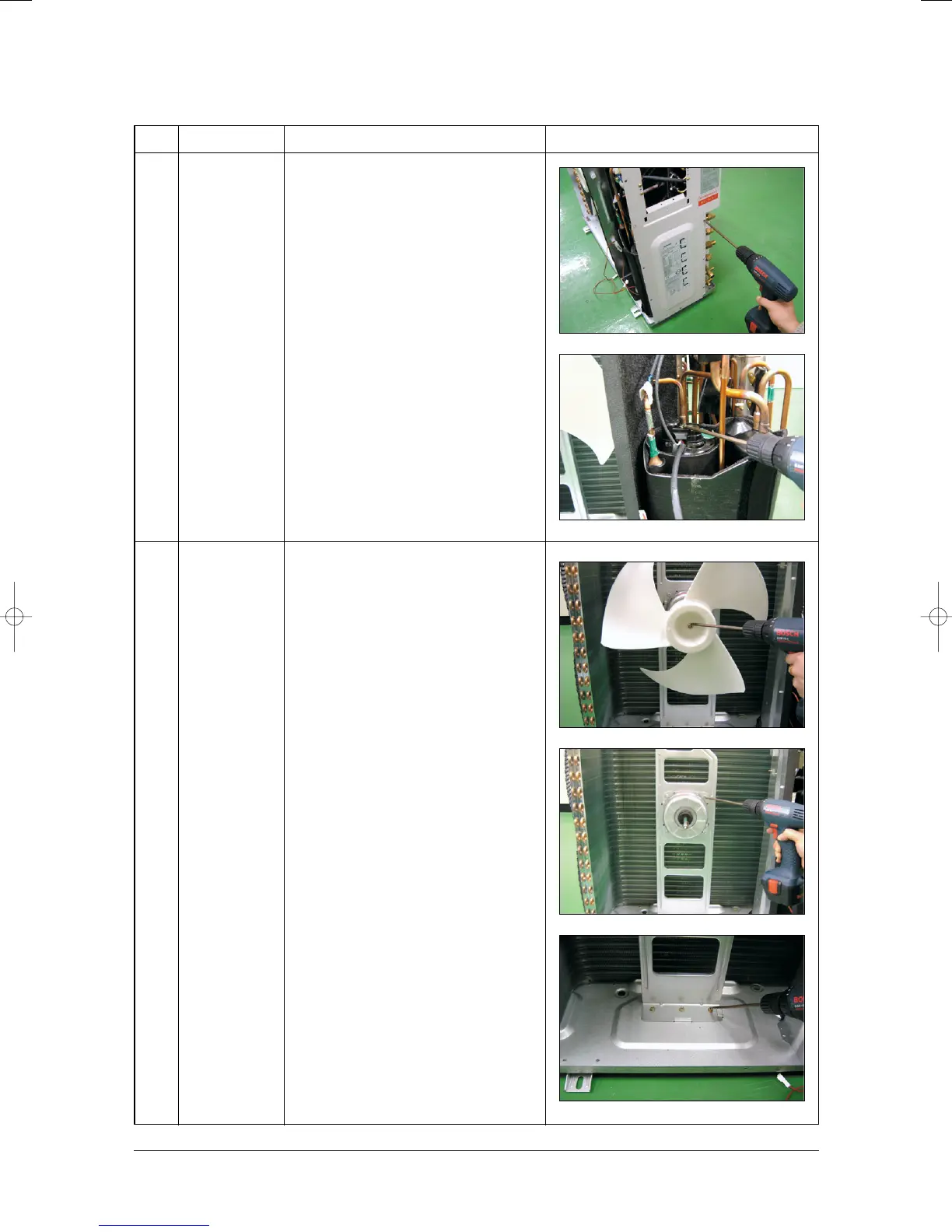
7) Loosen 12 fixing screws and detach the
Cabinet Side.
8) Detach the Terminal Cover and detach
the comp lead wire.
1) Loosen the fixing nut and detach the Fan.
2) Loosen 4 fixing bolts and detach the
Motor.
3) Loosen 3 fixing bolts and detach the
Bracket Motor.
24296A(1)_1 11/11/05 5:04 PM Page 4-32



 To Next Page