Transmitter Installation (Optional) (Continued)
MH052FXEA2A/MH060FXEA3A/MH070FXEA4A / MH080FXEA4A/MH18VV1X/MH19VV1X
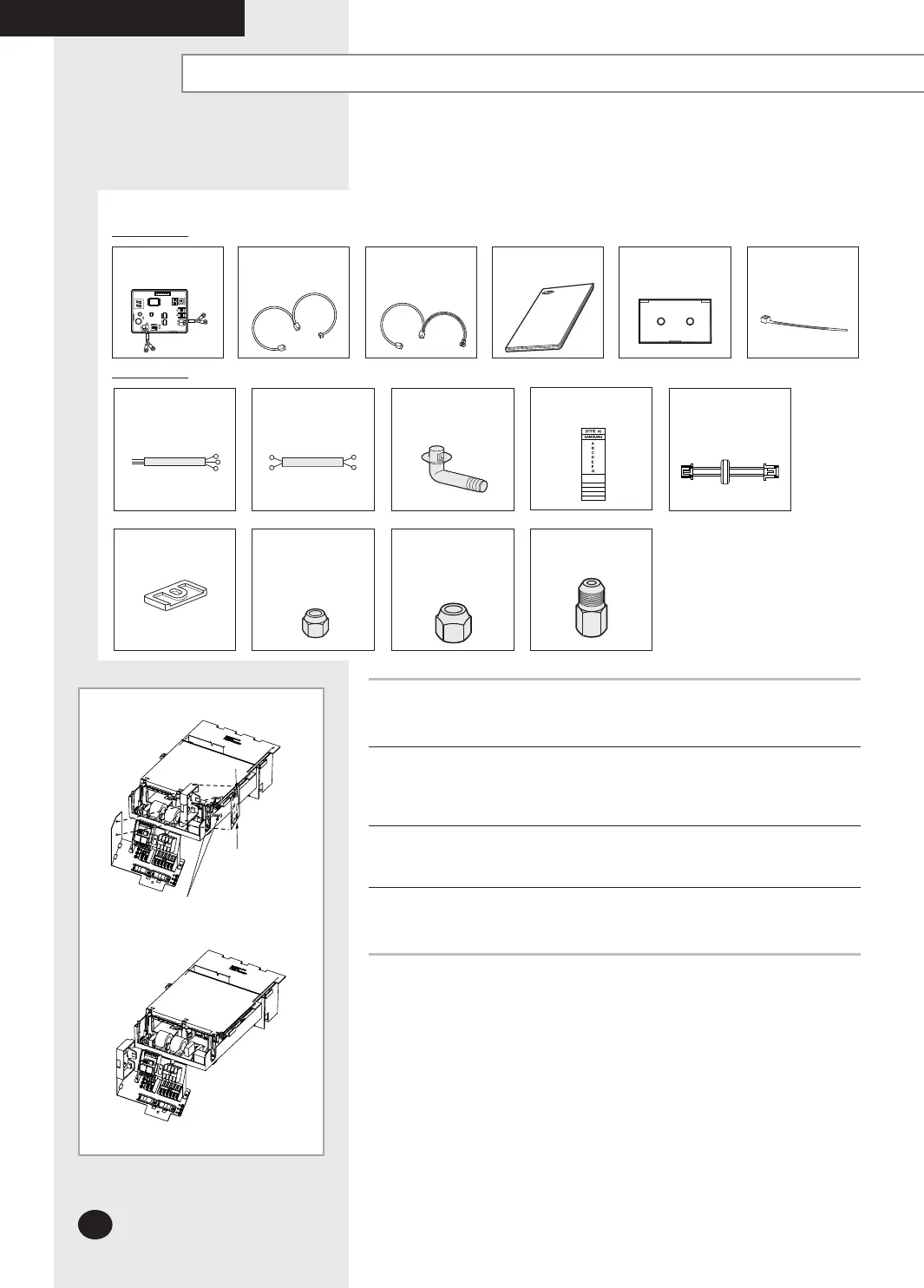
Accessories(Transmitter: MIM-B13)
Transmitter
Transmitter power
cable
Transmitter
communication cable
Installation Manual Case
Rubber Leg
Flare Nuts, 6.35mm
outer pipe diameter
Flare Nuts, 9.52mm
outer pipe diameter
Accessories(Outdoor Unit)
3-wire
Power Cable
(option))
2-wire
Assembly Cable
(option)
Drain Plug
Transmitter power
cable
Energy Label
Cable-tie
7seg. LED
Display side
Transmitter
Terminal
side
Bolts spec.
M4
1
Fix the case with bolts on the control box in the outdoor unit.
(See the picture)
2
Attach the transmitter PCB to the case in the control box in the outdoor
unit, then connect the power and the communication cable between the
transmitter and the outdoor unit; refer to the figure of page 19.
3
If you install a transmitter to an outdoor unit, every indoor unit which is
connected to an outdoor unit can be controlled simultaneously.
4
Each outdoor unit connected to the same centralized controller has its
own transmitter.
Flare Bolt
(Nut 1/2”, Bolt 3/8”)
Fix the case with bolts
(Control Box in the outdoor unit)
INSTALLING THE OUTDOOR UNIT
MH070FXEA4A/
MH080FXEA4A
MH070FXEA4A/
MH080FXEA4A
26926A_IM_E.indd 18 2007-2-9 16:12:19




 To Next Page