19
Always treat your cassettes with care; refer, if necessary, to
the section entitled “Precautions When Using Audio Cassettes”
on page 25.
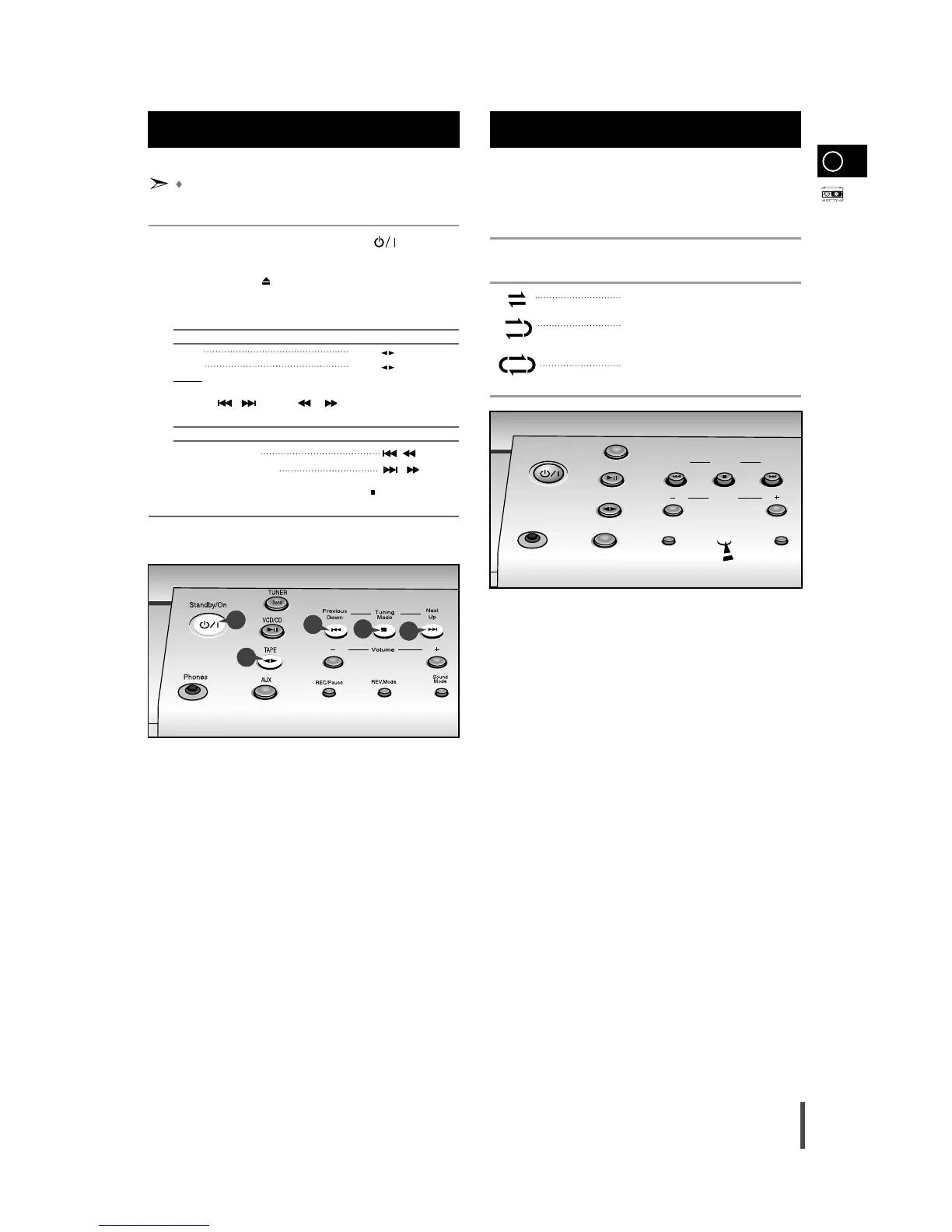
Switch the system on by pressing Standby/On ( ).
Open the cassette deck by pushing on the corner of the cover
marked Push Eject ( ) until you hear a click and then releasing it.
Close the deck by pushing on it until it clicks into place.
To listen to... Press ...
Side A Tape ( ) button once.
Side B Tape ( ) button twice.
Result:
The cassette starts playing.
Press the
, button or , on the remote control if nec-
essary.
To... Press ...
Rewind the cassette
()
button.
Fast-forward the cassette
()
button.
When you have finished playback, press Stop ()
button.
5
6
1
5
4
Your micro component system has three cassette playback
modes which enable you to listen to both sides of a cassette
automatically.
Press REV.Mode until the appropriate symbol is displayed.
When the display indicates... The micro component system plays
back...
One side of the selected cassette and
then stops.
One side of the cassette.
The other side of the cassette and then
stops.
Both sides of the cassette indefinitely until
you press stop.
Selecting the Cassette
Playback Mode
Listening to a Cassette
1
2
3
4
5
6
GB



 To Next Page