14 _Introduction
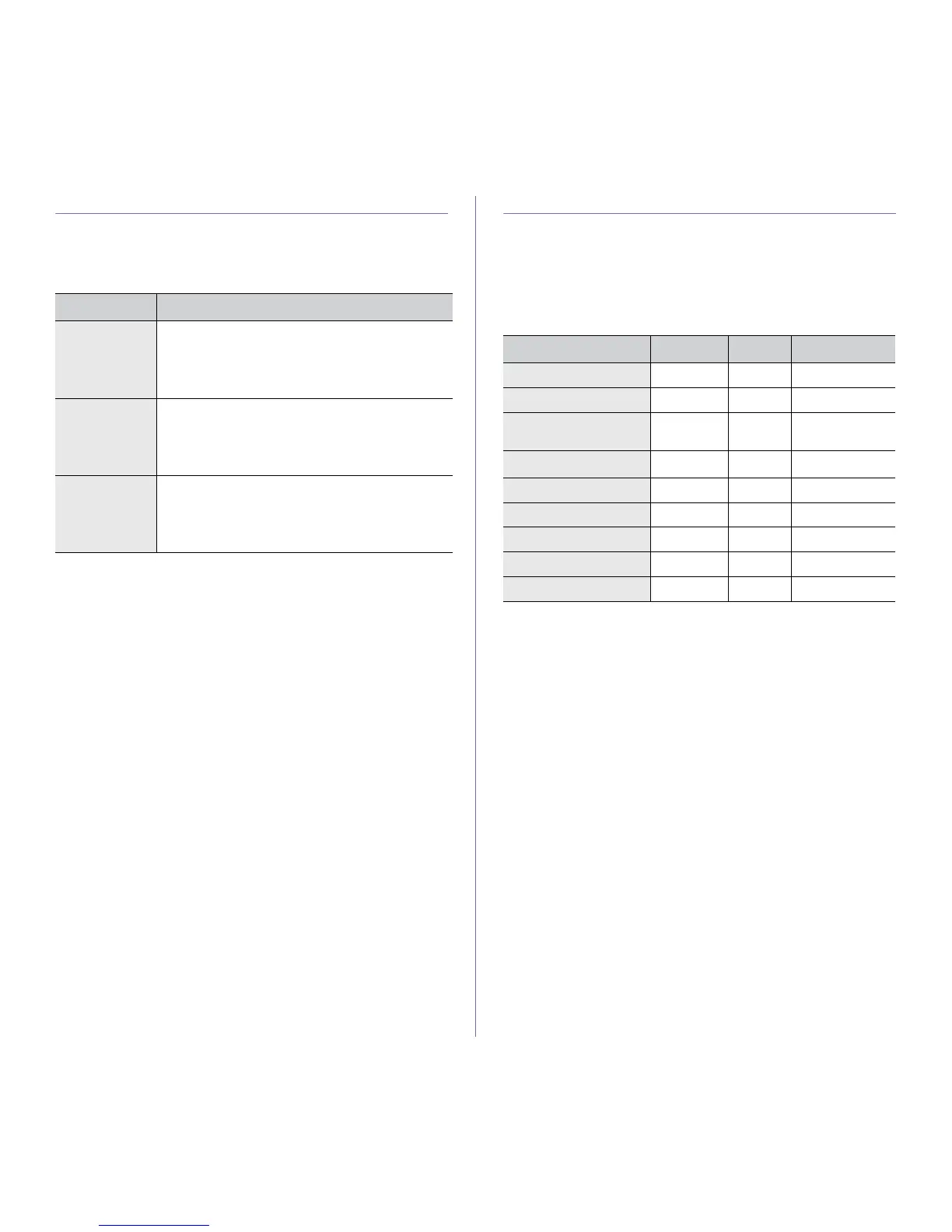
SUPPLIED SOFTWARE
After you have set up your machine and connected it to your computer, you
must install the printer software. If you are a Windows or Macintosh OS,
install the software from the supplied CD and if you are a Linux OS user,
download the software from the Samsung website (www.samsung.com/
printer) and install.
PRINTER DRIVER FEATURES
Your printer drivers support the following standard features:
• Paper orientation, size, source and media type selection
• Number of copies
In addition, you can use various special printing features. The following
table shows a general overview of features supported by your printer
drivers:
Printer driver
OS
CONTENTS
Windows •
Printer driver
: Use this driver to take full advantage of
your printer’s features.
•
Smart Panel
: This program allows you to monitor the
machine’s status and alerts you when an error occurs
during printing.
Linux
• Printer driver: Use this driver to run your machine
from a Linux computer and print documents.
• Smart Panel: This program allows you to monitor
the machine’s status and alerts you when an error
occurs during printing.
Macintosh
• Printer driver: Use this driver to run your machine
from a Macintosh computer and print documents.
• Smart Panel: This program allows you to monitor
the machine’s status and alerts you when an error
occurs during printing.
FEATURE WINDOWS LINUX MACINTOSH
Machine quality option OO O
Poster printing OX X
Multiple pages per sheet
(N-up)
O O (2,4) O
Fit to page printing OX
O
a
a. This feature is supported only in MAC OS X 10.4~10.6.
Scale printing OX O
Watermark OX X
Overlay OX X
Toner Save OX O
Duplex (Manual) OX X







 To Next Page