26 _Maintenance
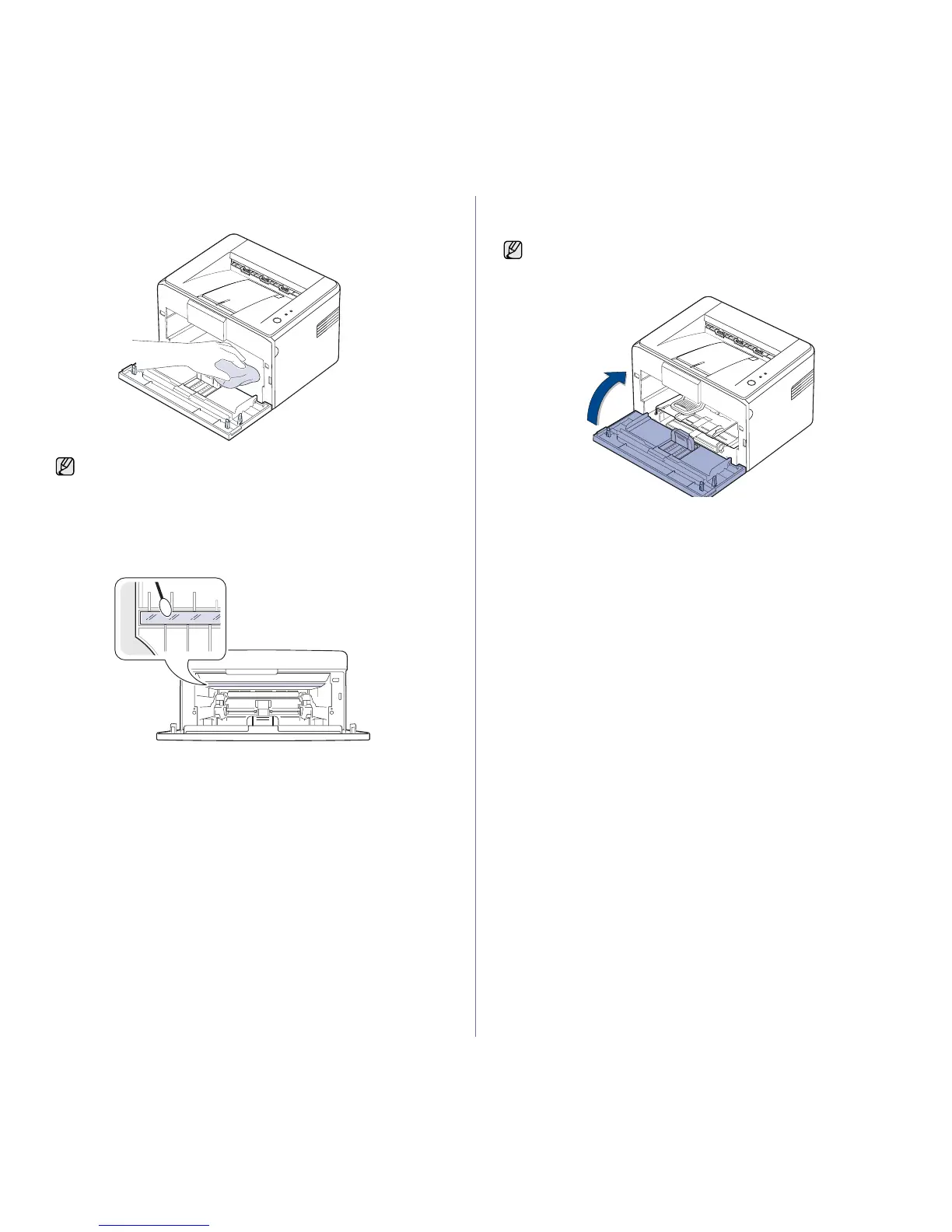
4. With a dry, lint-free cloth, wipe away any dust and spilled toner from the
toner cartridge area and the toner cartridge cavity.
5. Locate the long strip of glass (LSU) inside the top of the cartridge
compartment, and gently swab the glass to see if dirt turns the white
cotton black.
6. Reinsert the toner cartridge and close the cover. Make sure that the
cover is securely closed. If it is not firmly closed, printing errors may
occur when you print.
7. Plug in the power cord, and turn the machine on.
To prevent damage to the toner cartridge, do not expose it
to light for more than few minute. Cover it with a piece of paper, if
necessary. Also, do not touch the black transfer roller inside the
machine.
If it is not firmly closed, printing errors may occur when you print.







 To Next Page