31 _Maintenance
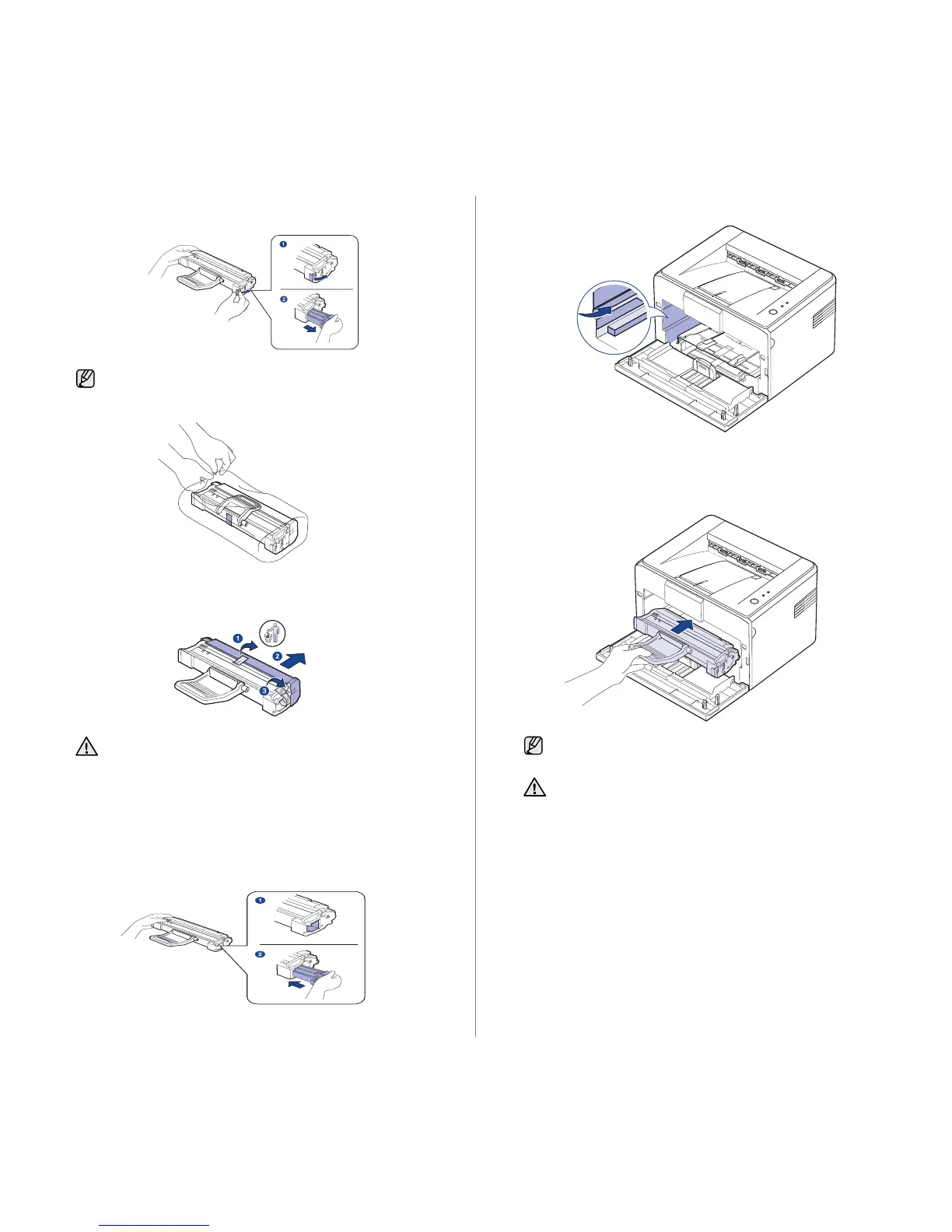
4. Remove the toner cartridge by releasing the locking lever and pull the
toner cartridge out.
5. Remove the new imaging unit from its bag.
6. Remove the cap protecting the imaging unit by pulling the packing tape.
Remove the sealing tape as well.
7. Hold the toner cartridge and slowly insert the toner cartridge back into
the new imaging unit until you hear a ‘click’.
8. Locate the printing cartridge slots inside the machine, one on each side.
9. Insert the printing cartridge in the machine until it snaps into place.
If there’s toner left in the toner cartridge, keep the toner cartridge
and insert into the new imaging unit later.
• Do not touch the green surface (or sky blue), the OPC drum,
with your hands or any other material. Use the handle on the
imaging unit to avoid touching this area.
• Be careful not to expose the green surface (or sky blue), the
OPC drum, into light. This will cause damage to the OPC
drum. Cover the toner cartridge’s OPC drum with paper to
avoid damaging it from the light.
Carefully insert or pull out the printing cartridge not to scratch
against the machine.
• Do not touch the green surface (or sky blue), the OPC drum,
with your hands or any other material. Use the handle on the
printing cartridge to avoid touching this area.
• Be careful not to expose the green surface (or sky blue), the
OPC drum, into light. This will cause damage to the OPC
drum. Cover the printing cartridge’s OPC drum with paper to
avoid damaging it from the light.
• Do not turn the printing cartridge over.







 To Next Page