English 15
02 Connections
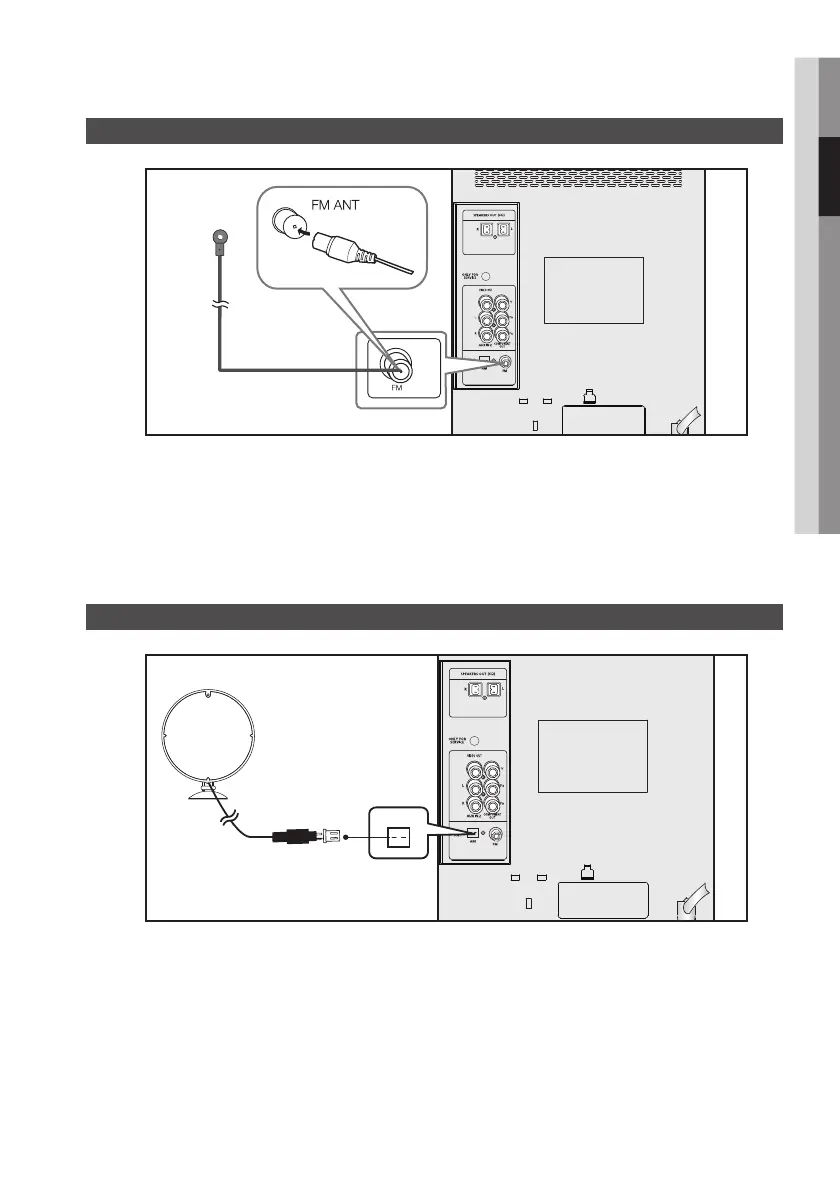
Connecting the FM Antenna
Connect the FM antenna supplied to the FM Antenna jack.1.
Slowly move the antenna wire around until you find a location where reception is good, then fasten it to a 2.
wall or other rigid surface.
Connections
FM Antenna (supplied)
Connecting the AM Antenna (optional)
Plug the connector on the AM antenna supplied into the AM Terminal on the rear of the system.1.


 To Next Page