English 27
04 Basic Functions
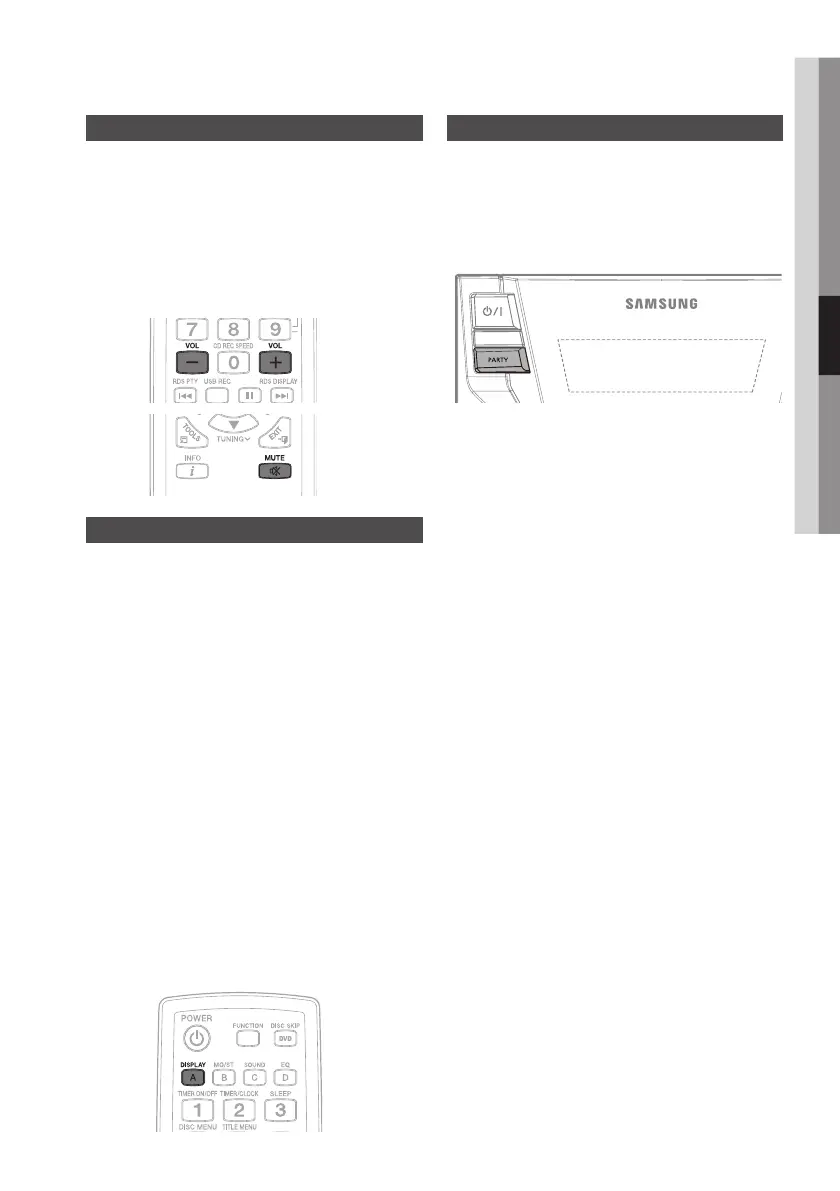
Mute Function
This is useful when answering a doorbell or
telephone call.
Press 1. MUTE button:
‘ MUTE ’ appears in the display.
`
To switch the sound back on, press the
`
MUTE
button again or the VOL-, + button.
Display Function
You can view all functions available on the display,
adjust the brightness of the display and select the
Display/LED either on or off.
Each time you press and hold the 1. DISPLAY
button on the remote control, the display mode
will change as following:
The Demo function
`
All functions available on the system appear on the
front panel display.
The Dimmer function
`
The Dimmer function is selected and the display
darkens.
LED OFF
`
The LED is turned off while the dimmer function is
working.
Clock ON
`
The Clock you set is displayed.
LED/Display ON
`
All Display and LED are turned on.
Connecting
Party Function
Press 1. PARTY button:
Each time you press the PARTY button on the main
unit, the party mode will change as following:
OFF
PARTY 1
PARTY 2


 To Next Page