Sound Mode
Stadium Mode
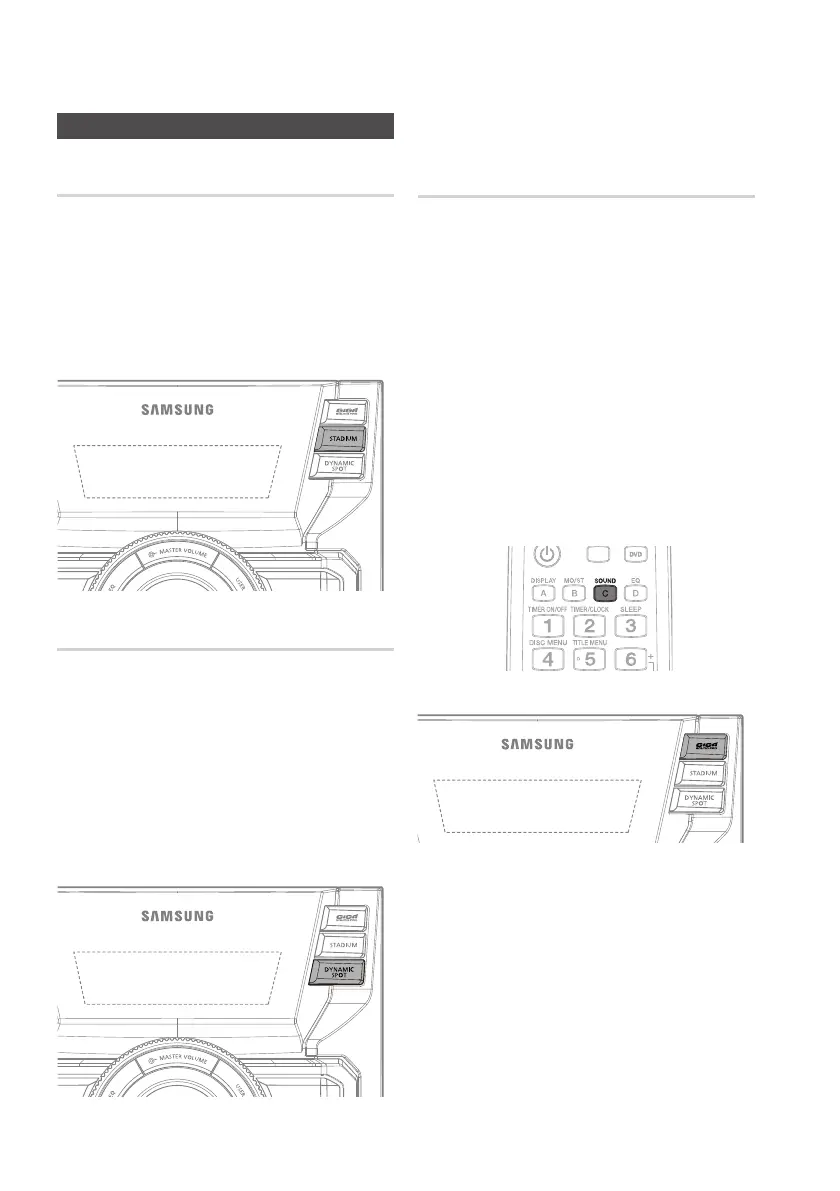
You can directly select the Stadium mode for
your music listening.
Press the 1. STADIUM button on the main unit.
Each time you press this button, the mode will
switch
as following:
STADIUM OFF
DYNAMIC SPOT Mode
You can directly select the Dynamic spot mode
for your listening music.
Press the 1. DYNAMIC SPOT button on the main
unit.
Each time you press this button, the mode
will
switch as following:
DYNAMIC.S OFF
GIGA SOUND
The product is equipped with the GIGA SOUND
function.The GIGA SOUND function amplifies bass
and improves high key or bass twice as much for
you to appreciate powerful real sound.
Press the 1.
GIGA SOUND PRO button on the
main unit or press and hold the SOUND button
on the remote control.
Each time you press this button, the sound
will switch as following:
GIGA SOUND GIGA LOUD OFF
To cancel this function, press this button 2.
again, “OFF” is displayed for a few seconds.
NOTE ✎
When CD Recording, the GIGA SOUND function `
can't work and the GIGA SOUND automatically
covery to "OFF" mode.
If you use the Microphone, GIGA SOUND will
`
automatically turn off. Even if you remove the
Microphone, it will not turn on.
This function is not available during playback of a
`
DVD AC-3 disc.


 To Next Page