ENG - 5
03 CONNECTING THE PARTY AUDIO
Connecting Electrical Power
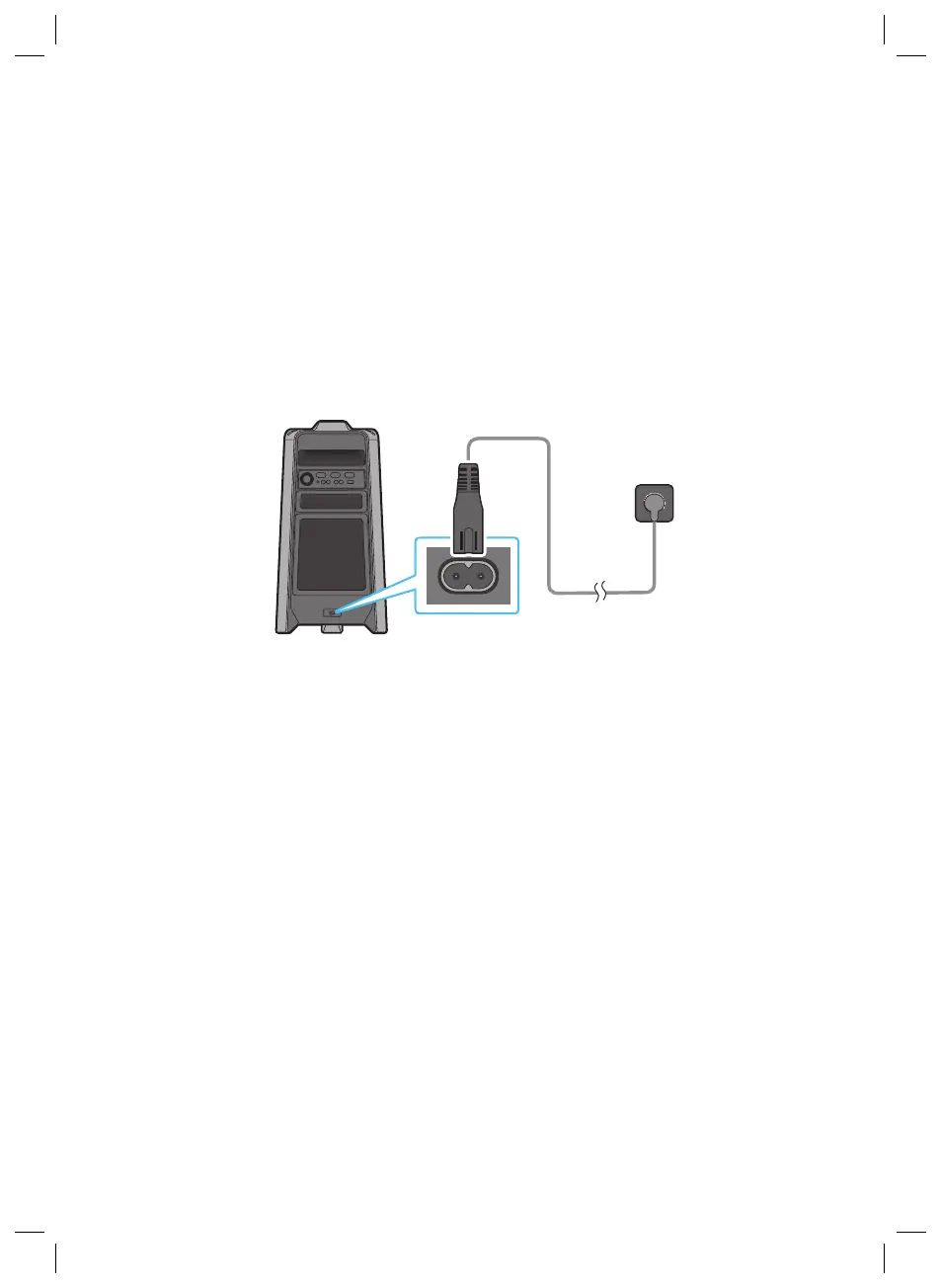
Use the power cord to connect the Party Audio to an electrical outlet in the following order:
Connect the power cord to the Party Audio and then to a wall socket.
See the illustrations below.
• For more information about the required electrical power and power consumption, refer to the
label attached to the product. (Label: Rear of the Party Audio)
Connecting
Electrical Power
Rear of Party Audio



 To Next Page