Disassembly and Assembly
35
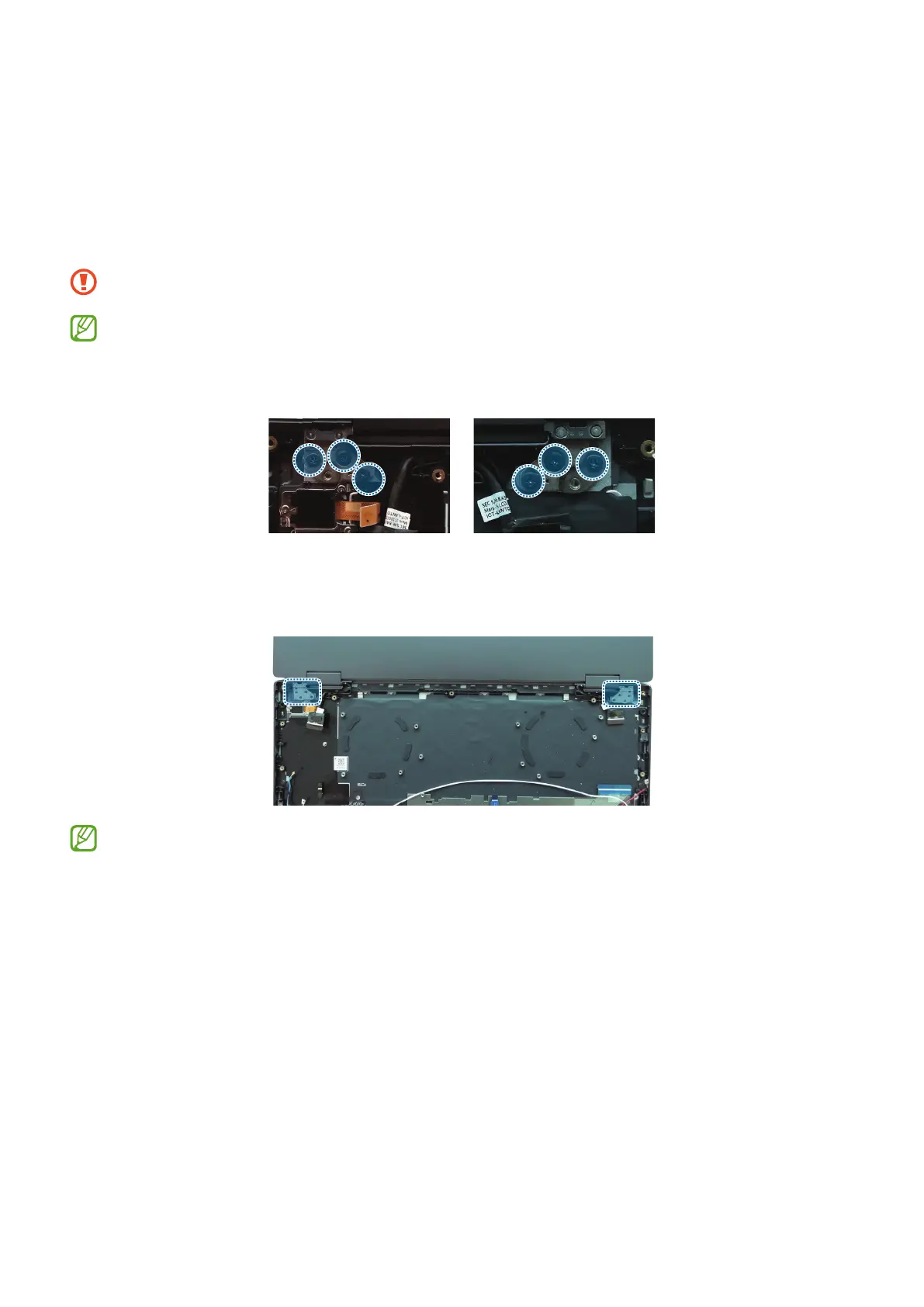
Display Remove
1 Fully open the hinge 180 degrees and lay the device flat with the display facing
downwards.
2 Using a cross-head screwdriver, remove the 6 screws on the right and left hinges.
Be careful not to damage the near components.
Check the number of screws that have been removed, and store them carefully
to make sure that no unassembled screws are left inside the computer during
assembly.
Left Right
3 Remove the LCD assy from the Case front assy.
After you finish disassembling, refer to Display Assembly for how to reassemble.







 To Next Page