Software Update
6
Software Update
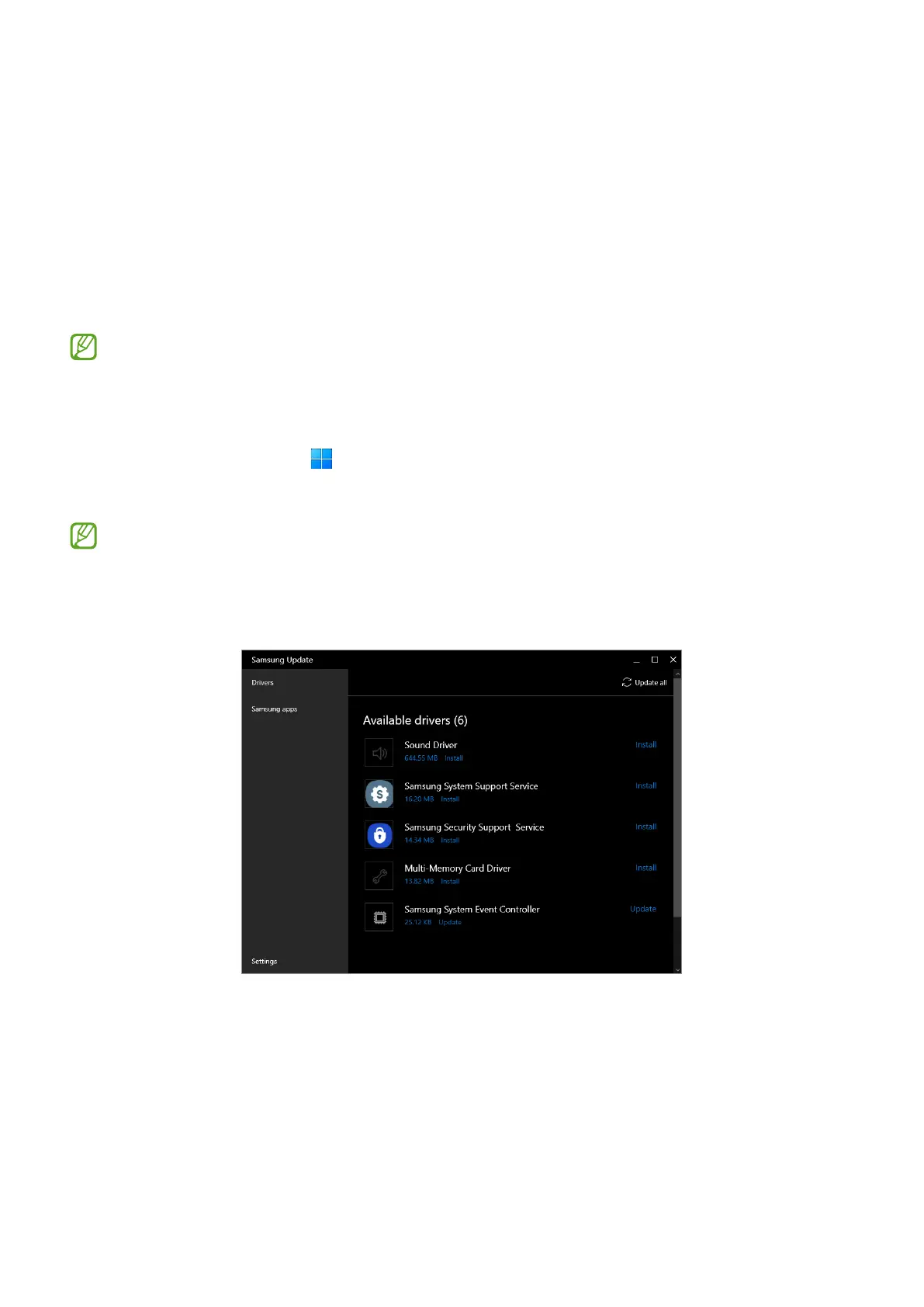
Samsung Update
Install and update Samsung apps and drivers on the computer. You can search for or
download the BIOS, drivers, and apps over the internet. Keep the computer performing
better and more stably with
Samsung Update
.
•
To check for available updates, the computer must be connected to the internet.
•
Only apps that have been installed with this app can be updated.
•
Images and features may differ depending on the model and the app version.
1 Select the Start button ( )
→
All apps
→
Samsung Update
.
2 Read and agree to the User Agreement.
This step appears only when the app runs for the first time.
3 Select
Update all
. Or, select
Install
or
Update
of the item to be updated.
The items will be updated.






 To Next Page