SAMSUNG ELECTRONICS CO., LTD14
9. Assemble and Disassemble
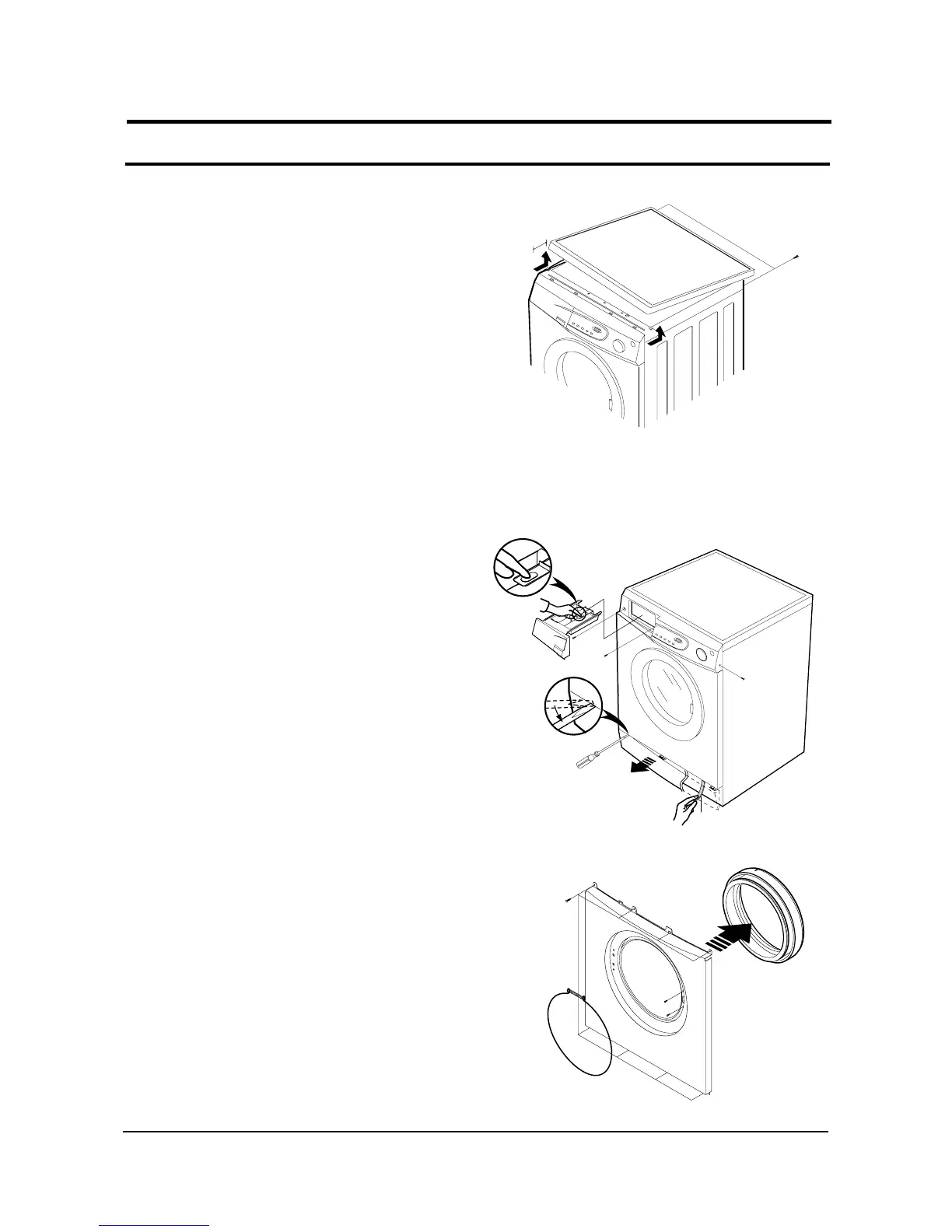
1. ASS’Y-COVER TOP
1) Remove two screws fixing the top-cover on back side.
2) Push the top-cover back about 15mm and pull it up.
3) It’s possible to exchange and service Assy-Panel
(PCB), the pressure-sensor, the noise-filter,
the water valve and trans(option).
2. FRAME FRONT
1) Remove the top-cover and the ass’y drawer.
2) Remove two screws fixing the control-panel on
front side and the screw on right side.
3) Remove the cover-front(L) by using the (-)driver.
4) Pull the lever and open the ass’y-door.
5) Part the diaphragm and the wire diaphragm
away from the frame-front.
6) Remove the eight screws fixing the frame-front.
7) It’s possible to exchange and service the heater,
the pump, the shock-absorber and the door lock
s/w.


 To Next Page