4-18
11.
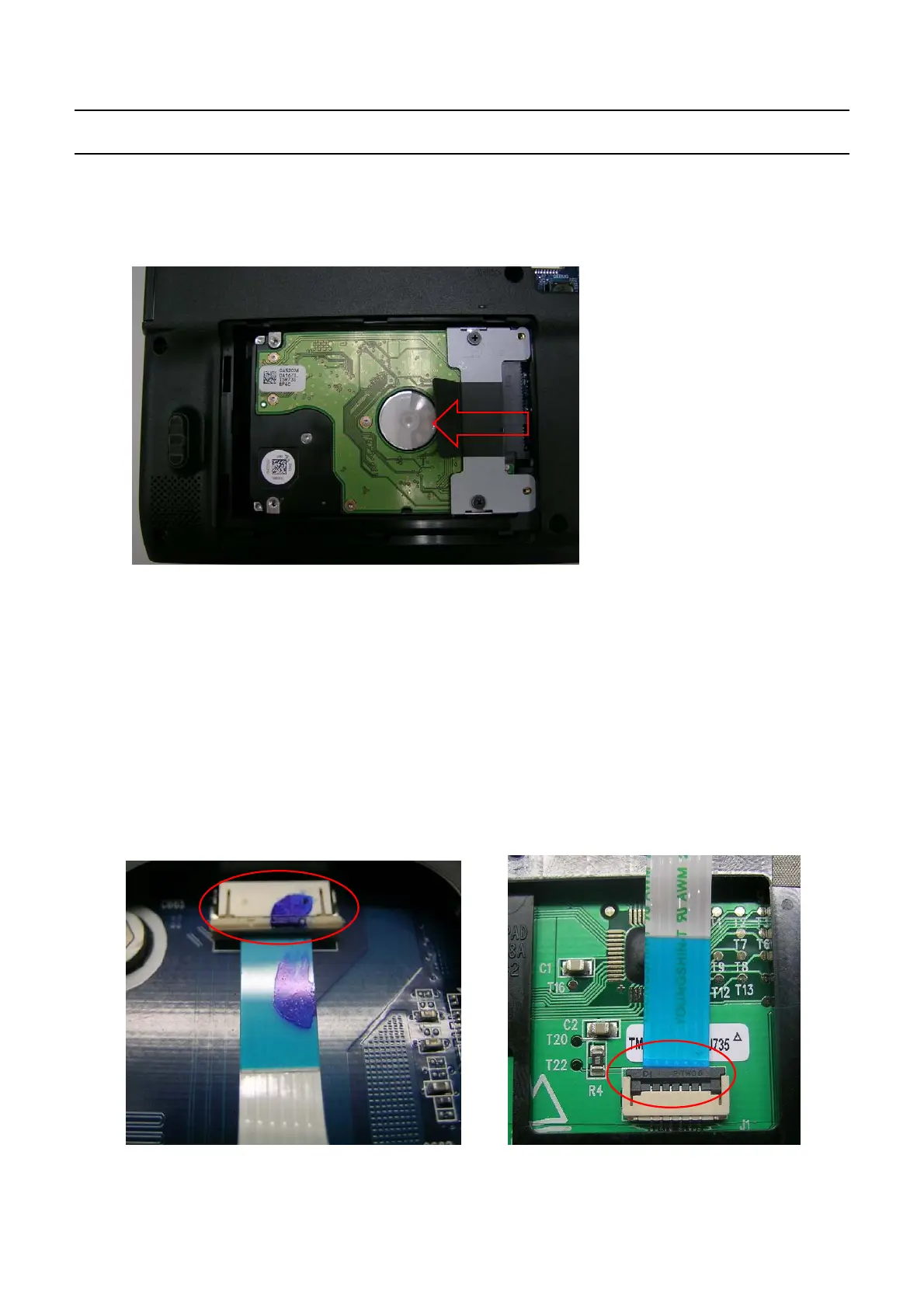
The HDD is not recognized
.
→
Check t he connection status of the HDD connector
.
fixup HDD, check whether the system can
be found. if not,change the connector on the motherboard and check again.
→
If the
'
Operating system not found' message appears during the booting process even though
the HDD is recognized by CMOS
,
the operating system of the HDD may be corrupted or the
HDD is out of order. In this case, format the HDD and reinstall the operating system or replace
the HDD with
a
new one
.
12.
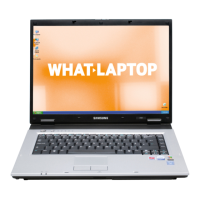
The Touch Pad does not work or is malfunctioning
.
→
Check the connection status of the Touch Pad FFC.
→
Check t he connection status of the Touch Pad
m
odule
→
If there is no problem with the connections, replace any suspicious parts and check if they are
out of order
.
13.
The battery is not charged or the
b
attery charge LED malfunctions
.
-
This Document can not be used without Samsung's authorization
-
4.
Troubleshooting


 To Next Page