4-20
17.
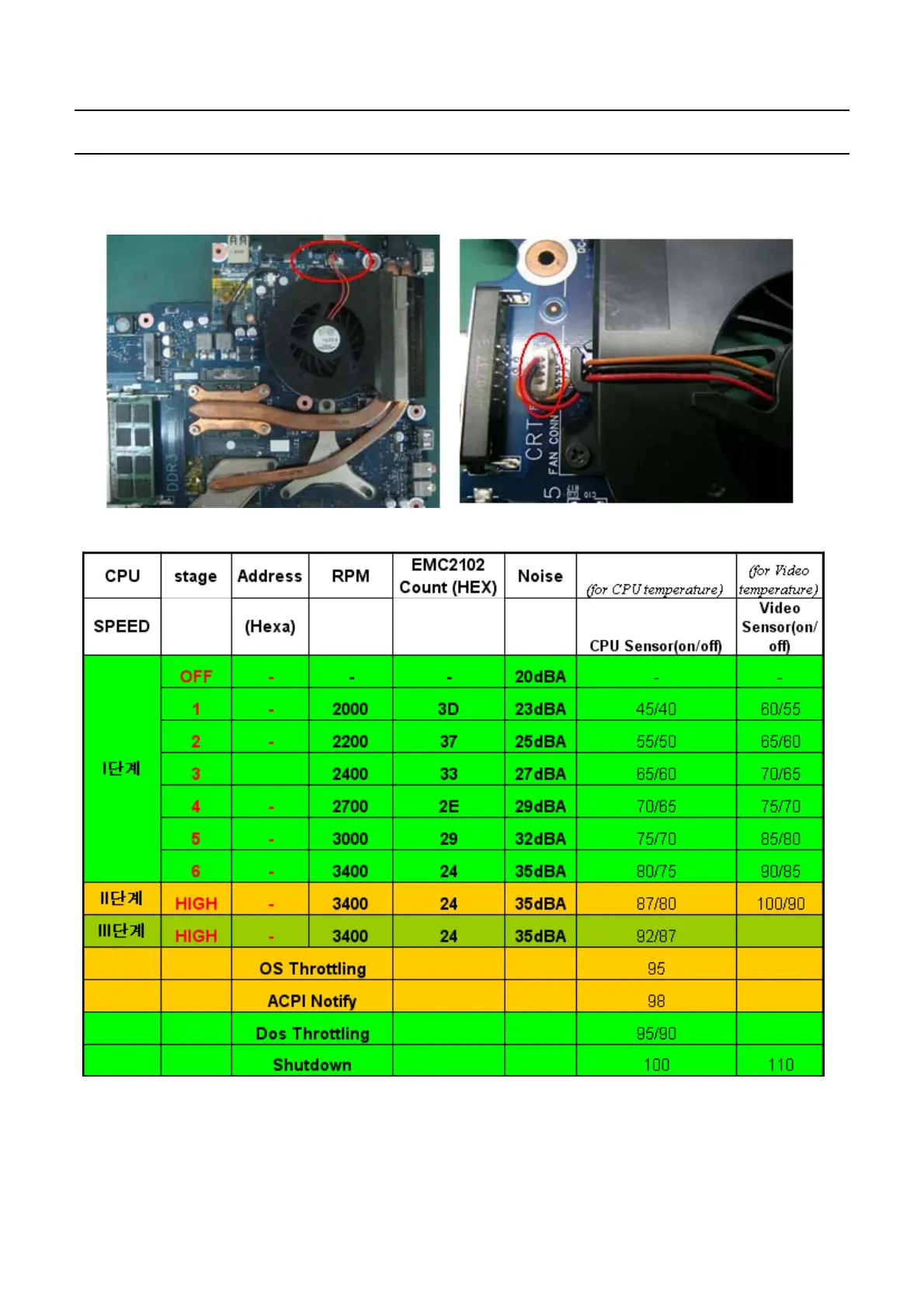
The Fan does not work normally
→
Check if the Thermal is locked tightly.
→
Check if the Fan
c
able is properly connected
FAN Control Table
*
Note: Voltage of FAN is just for reference. It depend on the set, not fixed.
◆
When booting up the computer
18.
The
"
Invalid System Disk. Replace the Disk and then press any key" message appears.
-
This Document can not be used without Samsung's authorization
-
4.
Troubleshooting


 To Next Page