26
DISASSEMBLY AND REASSEMBLY
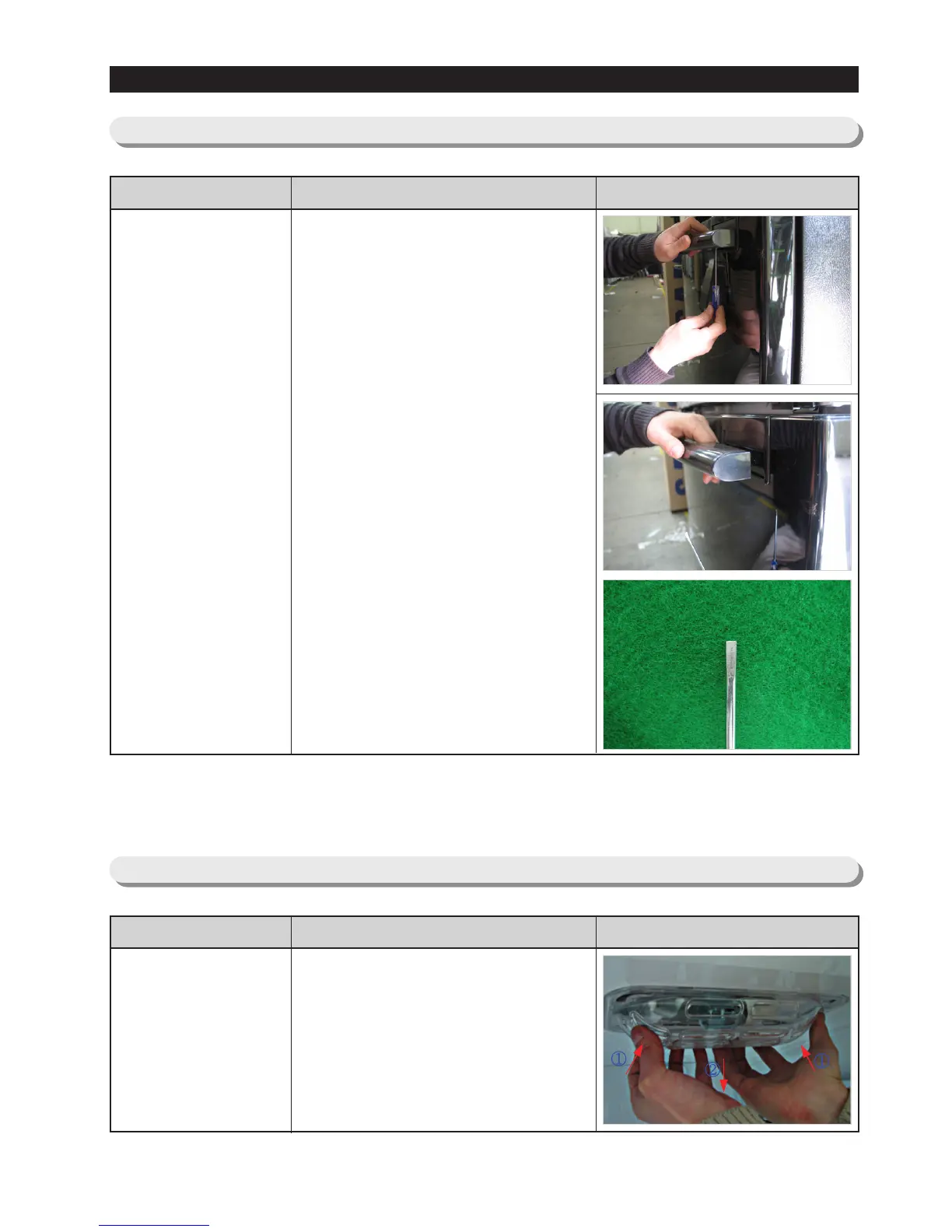
3-11) Door Handle Freezer
Door Handle
Freezer
Part Name How To Do Descriptive Picture
Insert the small flat-head driver to
the hole at the bottom of Cap
Handle and pull the handle
assembly out to the front side with
turning driver to one side.
CAUTION : Turn the handle
assembly though 90
degrees to allow
access to the bottom
fixing position.
- Required Tools
: Flat Head Driver
Ø0.12~0.13"(Ø3.0~3.3mm)
3-12) Freezer Light
Freezer Light
Part Name How To Do Descriptive Picture
1. Remove the light by pulling the
light cover down while pushing
the rear plane of light cover.



 To Next Page