EasyManua.ls Logo

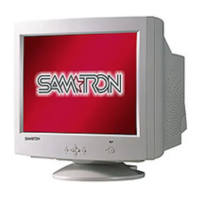
Samsung SAMTRON 76DF - User Manual

Samsung SAMTRON 76DF
46 pages
Print Icon
To Next Page IconTo Next Page
Loading...
SAMTRON 76BDF/76DF/78DF

Other manuals for Samsung SAMTRON 76DF

Questions and Answers

  • J
    jillgonzalezAug 14, 2025
    How to fix a Samsung SAMTRON 76DF Monitor that won't turn on?
    • R
      Robyn DeckerAug 14, 2025
      If there are no images on the Samsung Monitor screen and it won't turn on, check the power cord connection and supply. Also, verify the signal cable connection. If the monitor is in PowerSaver mode, press a key on the keyboard or move the mouse. If the initial screen appears, boot the computer in safe mode and change the frequency of the video card. Finally, adjust the maximum resolution and frequency that the monitor can properly handle.
  • A
    Alexander JenkinsAug 17, 2025
    What to do if my Samsung Monitor has no image on the screen?
    • J
      Jeffery BradyAug 17, 2025
      If there is no image on the screen of your Samsung Monitor, here are a few things you can try: * Check the power cord connection and supply. * Check the signal cable connection. * Press a key on the keyboard or move the mouse to activate the monitor. If the initial screen appears, boot the computer in safe mode and change the frequency of the video card. If the initial screen does not appear, then the signal from the video card may exceed the maximum resolution. In this case, adjust the maximum resolution and frequency applicable to the monitor.
  • C
    Christine WilsonAug 20, 2025
    Why is my Samsung Monitor not turning on and showing no image?
    • D
      Dennis HarrisonAug 20, 2025
      If your Samsung Monitor is not turning on and showing no image, consider the following: * Ensure the power cord is securely connected and the power supply is working. * Verify the signal cable connection. * The signal from the video card may exceed the maximum resolution and frequency that the monitor can properly handle, so adjust the resolution and frequency. * Try pressing a key on the keyboard or moving the mouse to activate the monitor.
  • J
    jonathan02Aug 25, 2025
    Why is my Samsung SAMTRON 76DF showing strange colors?
    • Z
      Zachary CruzAug 25, 2025
      If your Samsung Monitor screen displays strange colors or only black and white, check the signal cable connection and ensure the video card is fully inserted. Reboot the computer. If the issue persists, configure the video card settings by referring to the video card manual.
  • L
    leah70Aug 27, 2025
    Why is the image on my Samsung SAMTRON 76DF Monitor shaking?
    • L
      Lisa WiseAug 27, 2025
      If the image on your Samsung Monitor screen is shaking, move the monitor away from anything that can create a strong magnetic field. The screen image can appear to shake or vibrate at a particular time of day due to low supply voltage. Also, the signal from the video card may exceed the maximum resolution and frequency of the monitor.
  • A
    Anna GonzalezAug 30, 2025
    How to fix a partially distorted Samsung SAMTRON 76DF screen?
    • W
      William TaylorAug 30, 2025
      If the screen of your Samsung Monitor is partially distorted, enter the OSD and perform a "Degauss." Also, keep the monitor away from any magnetic products.
  • B
    Benjamin OrtegaSep 2, 2025
    Why is my Samsung Monitor out of focus?
    • M
      Mariah PattersonSep 2, 2025
      If the screen of your Samsung Monitor is out of focus or the OSD cannot be adjusted, adjust the resolution and frequency of the video card.
  • J
    Jon BurkeSep 6, 2025
    How to fix a Samsung Monitor with no image?
    • J
      jessicasimsSep 6, 2025
      To fix a Samsung Monitor that displays no image, try these steps: 1. Check the power cord and its connection. 2. Check the signal cable connection. 3. Adjust the maximum resolution and frequency applicable to the monitor. 4. Press a key on the keyboard or move the mouse.
  • J
    Jessica ParkerSep 9, 2025
    What to do if my Samsung SAMTRON 76DF screen is unbalanced?
    • D
      Dr. Erika RiveraSep 9, 2025
      If your Samsung Monitor screen suddenly becomes unbalanced, adjust the screen image position and size using the OSD. You can also adjust the resolution and frequency at the video card, or readjust the position by referring to the OSD.

Summary

Safety Instructions

Power Safety

Details safety precautions related to the monitor's power supply and connection.

Installation Safety

Provides safety guidelines for installing and positioning the monitor.

Cleaning Safety

Outlines safe procedures for cleaning the monitor to prevent damage.

General Safety Precautions

Covers miscellaneous safety advice for monitor usage and handling.

Setup

Connecting Your Monitor

Step-by-step guide for connecting the monitor to a computer.

On-Screen Display (OSD) Menu System

Troubleshooting

Check List

Provides a checklist to diagnose and resolve common monitor problems.

Specifications

Samsung SAMTRON 76DF Specifications

General IconGeneral
Screen Size17 inches
Display TypeCRT
Maximum Resolution1280 x 1024
Refresh Rate85 Hz
Aspect Ratio4:3
Viewable Size16 inches
Dot Pitch0.25 mm
Max Resolution1280 x 1024
Horizontal Refresh Rate30-70 kHz
Vertical Refresh Rate50-160 Hz
Input ConnectorsVGA

Related product manuals