ENGLISH
5353
Advanced Recording
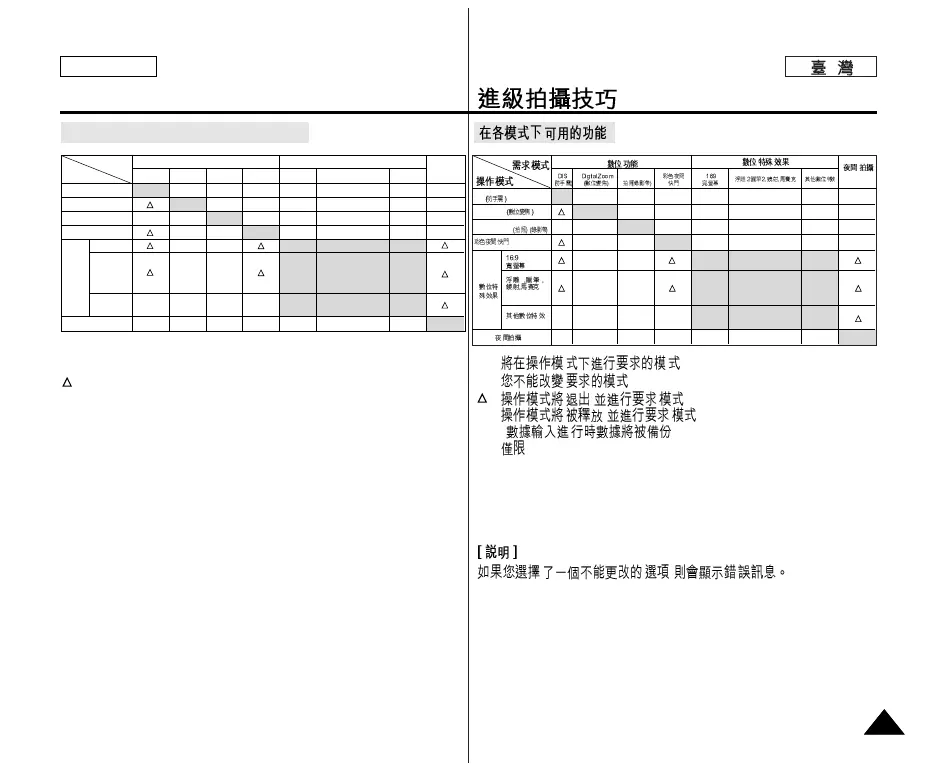
Function availability in each Mode
O:
X:
: ,
✩ : ,
( )
! :
SC-D352/D354/D355
.
,
O : The requested mode will work in this operating mode.
✕ : You can not change the requested mode.
: The requested mode will work.
✩ : The requested mode will work.
(operating mode data will be backed up.)
! : This Function works on models SC-D352/D354/D355 only.
[ Note ]
When you select an item that cannot be changed, an error message
will be displayed.
DIS
Digital Zoom
PHOTO (TAPE)
Color Nite Shutter
16:9 Wide
Emboss2
Pastel2
Mirror
Mosaic
the other
Digital Effect
Nite Pix
!
!
Digital
Effects
Digital functions
Requested
Mode
Operating
Mode
DIS
✕✕
✩
OOOO
✕✕✕
✩✩
✕✕
✕✕
Digital Zoom
PHOTO
(TAPE)
Color Nite
Shutter
16:9
Wide
Digital Effects
Nite Pix
!
OOOO
✕
✕
✕
O
✕
✩
✕
✕
✕
✩
✕
O
O
✕
✕
O
O
O
O
✕
✕
Emboss2, Pastel2
Mirror, Mosaic
the other
Digital Effect
DIS
Digital Zoom
PHOTO (TAPE)
2 2
✕✕✕✕
✕✕
✕
✕
✕
✩
✩✩✩ ✩
✩
✕
✕✕✕
✕
✕
✕✕
✕
✕
✕
PHOTO(TAPE)
!
O
OOO
O
O
O
✕
O
O
O
O
OOO
O



 To Next Page
 Loading...