Alignment and adjustment
5-42 Samsung Electronics
7. Audio Deviation adjustment (Audio Block)
1) Get into the VCR adjustment.
2) Confirm the adjustment mode is 6:AUDIO DEV. in
OSD.
If not, fit the adjustment mode with the MENU
(mode change) button.
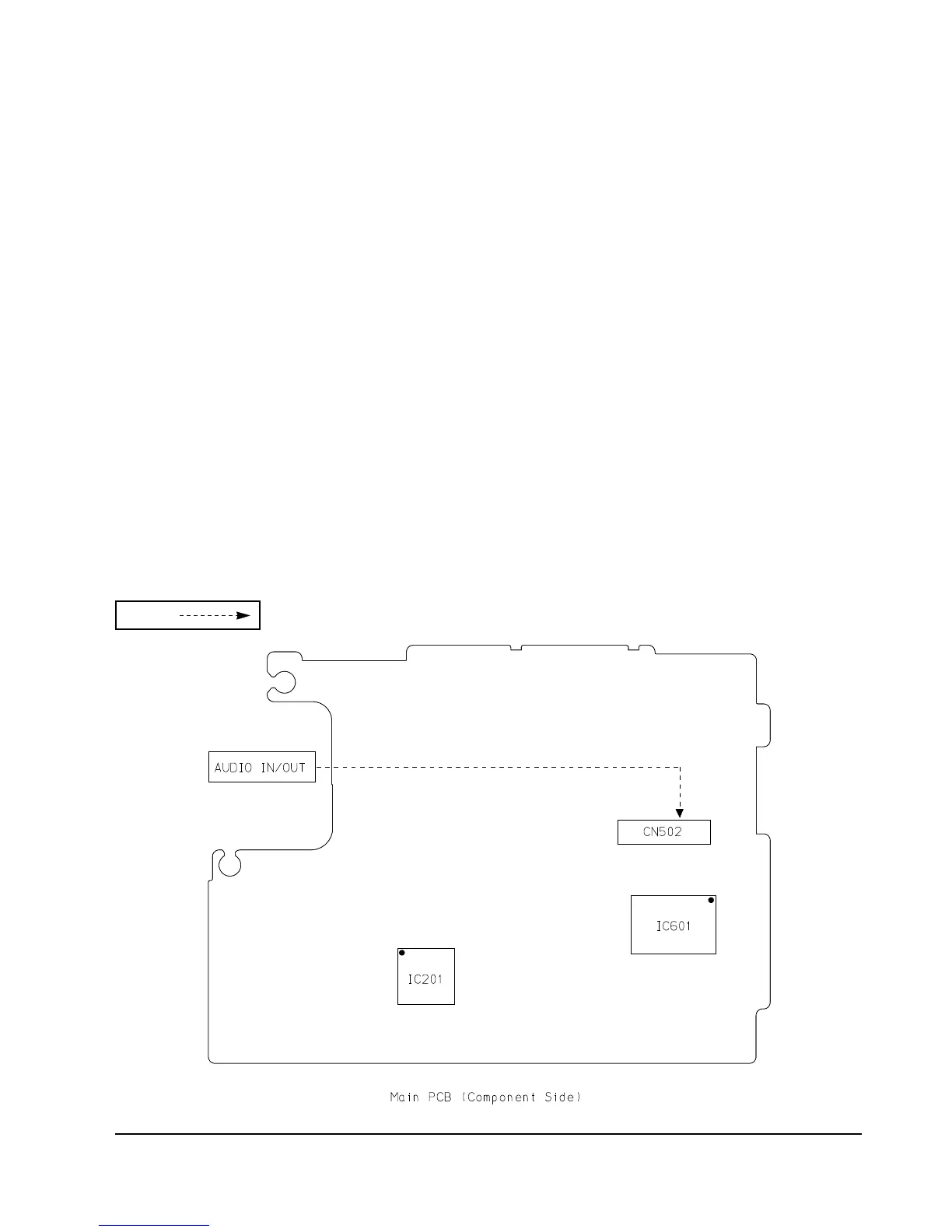
3) Connect the oscilloscope to the camcorderÕs audio
output (or Pin #8 of CN502)
4) Playback the camcorder with SP mode color bar
tape.
5) Adjust the wave formÕs level to be 1.0V±0.1Vp-p
with the DISPLAY(data-up) and the C.RESET
(data-down).
Be sure to press the TITLE(confirm) button to
update the setting.
6) If completed, press the MENU(mode change)
button to move to the next adjustment mode.
*. If you want to stop adjustment, do power
resourcing.
Test point
8. Audio BPF adjustment (Audio Block)
1) Get into the VCR adjustment.
2) Confirm the adjustment mode is 7:AUDIO BPF. in
OSD. If not, fit the adjustment mode with the
MENU (mode change) button.
3) Connect the oscilloscope to the camcorderÕs audio
output (or Pin #8 of CN502).
4) Playback the camcorder with SP mode color bar
tape.
5) Adjust the wave formÕs level to be Òmaximum
level and no distortionÓ with the DISPLAY
(data-up) and the C.RESET(data-down).
Be sure to press the TITLE(confirm) button to
update the setting.
6) If completed, press the MENU(mode change)
button to move to the next adjustment mode.
*. If you want to stop adjustment, do power
resourcing.



 To Next Page